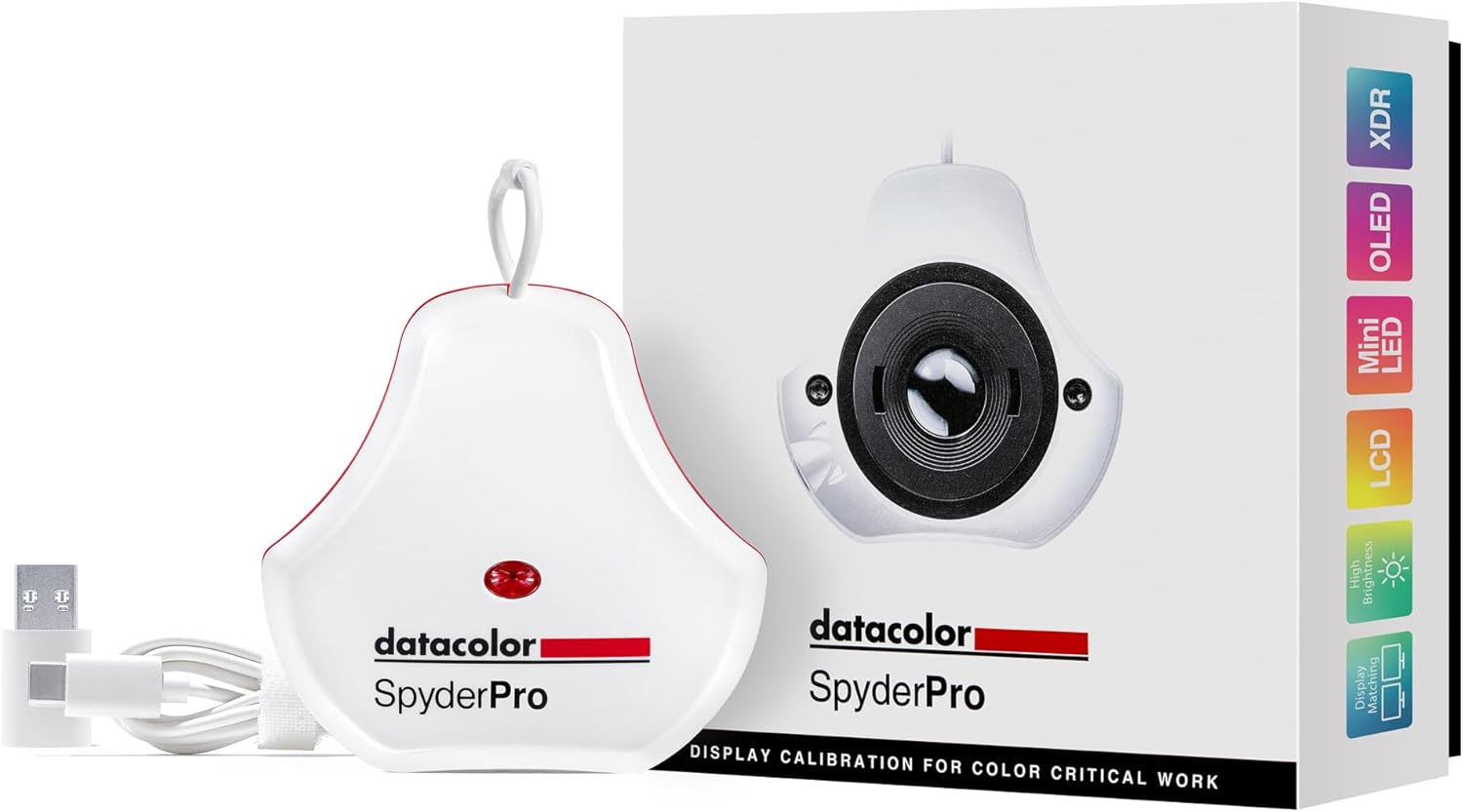
Description:
Reviews:
5.0 out of 5 stars Accurate, Reliable, Affordable, Fast and Easy to Use!
(function() { P.when('cr-A', 'ready').execute(function(A) { if(typeof A.toggleExpanderAriaLabel === 'function') { A.toggleExpanderAriaLabel('review_text_read_more', 'Read more of this review', 'Read less of this review'); } }); })(); .review-text-read-more-expander:focus-visible { outline: 2px solid #2162a1; outline-offset: 2px; border-radius: 5px; } Finally I have a simple, accurate and easy to use monitor calibration tool! I've tried the other popular brand the i1 Studio, now owned by Calibrite (previously X-Rite) and found it was inconsistent due to having too many features in one unit. The calibration process was lengthy, complicated and ambiguous, but worst of all the software backward compatibility when X-Rite handed its consumer products to Calibrite resulted in buggy operation. The attempt to force an upgrade to new product was apparent.The Datacolor Spyder, on the other hand is a joy to use, much faster and color/contrast/brightness are all very accurate! After calibrating two side-by-side monitors, the images are almost perfectly identical, and certainly when the are printed out there will be no difference at all. Indeed, I may end up purchasing the Datacolor Print calibrating product, just to simplify and improve printing, which given the price of ink and paper, should pay for itself many times over. All in all, I'm very satisfied with the Spyder product, and the price is very affordable as well.
5.0 out of 5 stars A must have
Great tool for keeping your monitor colors tuned up . It works great with dual monitors to keep them displaying the same colors. Good purchase
1.0 out of 5 stars Required software is useless, makes owning the Spyder a moot point.
I've had the Spyder for several months and was never really happy with it. On my old system (a Windows 10 computer) it worked just OK. The Spyder was helpful for measuring ambient light and getting the monitor to the right level of brightness, but beyond that I wasn't 100% confident in its calibration settings. (I do photo and video editing, and I've used other calibration tools before.) After I got a new Windows 11 computer I tried to re-calibrate the same monitor, but the calibration wouldn't even load. After that I tried other calibration software, but I couldn't get it work at all. I recommend paying more for a better supported calibration tool from another brand. I'm taking this to electronics recycling.
5.0 out of 5 stars Calibrates Nicely
This came highly recommended by fellow photographers in my club. Does a decent job getting my monitor calibrated to my room and lighting conditions. Easy to setup and use.
4.0 out of 5 stars Good not perfect.
Works well. My biggest issue was the positioning. I needed to tilt my screen quite a bit for it to sit properly.
5.0 out of 5 stars Must have took for professional editing
Very easy to setup and use but you must know what model monitor you have because you’ll likely need to look up the specs. This will allow the device to calibrate your monitor properly. Very neat tool for photo editing. If you are looking to edit your photos professionally, you MUST have a tool to calibrate your monitors.
5.0 out of 5 stars Satisfied with the color calibration
I'm a photography hobbyist and this met my photo editing needs. It was easy to use and did a good job with color calibration.
3.0 out of 5 stars Spyder 2024 Version: Very limited abilities
It was unable to properly calibrate neither of two Dell Precision laptops screens and failed to calibrate external ASUS monitor. Had to return it; maybe it was a faulty unit or maybe it is indeed very limited in its abilities.
Un Must-Have per Ogni Professionista del Colore
(function() { P.when('cr-A', 'ready').execute(function(A) { if(typeof A.toggleExpanderAriaLabel === 'function') { A.toggleExpanderAriaLabel('review_text_read_more', 'Read more of this review', 'Read less of this review'); } }); })(); .review-text-read-more-expander:focus-visible { outline: 2px solid #2162a1; outline-offset: 2px; border-radius: 5px; } Prima di provare lo Spyder Pro (2024), devo ammetterlo, vivevo nell'illusione che i colori sul mio monitor fossero già "giusti". Lavorando con la grafica e l'editing, ho sempre cercato di fare del mio meglio, ma il mondo della calibrazione mi sembrava un po' un mistero, una complicazione superflua. Poi è arrivato questo strumento, e il mio modo di vedere i colori è cambiato per sempre. Si è rivelato un regalo prezioso per la mia routine professionale.Quello che mi ha lasciato a bocca aperta è stata la differenza tra il prima e il dopo. Appena ho completato la calibrazione, ho visto i miei schermi, sia il monitor desktop che il portatile, trasformarsi. I colori erano più vividi, le sfumature più precise, i bianchi finalmente bianchi e i neri davvero profondi. Ho capito in quel momento che la fedeltà cromatica che pensavo di avere era, in realtà, parecchio "sballata".Lo Spyder Pro (2024) è incredibilmente scrupoloso. Il processo di calibrazione è guidato passo dopo passo dal software, che è intuitivo e facile da usare, anche per chi, come me, non aveva esperienza pregressa. Colleghi e recensioni online confermano questa facilità d'uso, definendolo "semplice da installare" e con un'interfaccia "pulita e facile da navigare". E non è solo una questione di semplicità: la velocità è notevole, la calibrazione richiede solo un paio di minuti, senza interrompere il flusso di lavoro.Perché lo consiglio vivamente a ogni professionista che lavora con i colori?Precisione Assoluta: Che si tratti di fotografia, grafica, video editing o qualsiasi lavoro che richieda accuratezza cromatica, questo strumento garantisce che ciò che vedi sul monitor sia l'esatta rappresentazione della realtà. Recensioni e test confermano la sua "maggiore precisione" e la "fedeltà cromatica impeccabile".Niente Più Sorprese in Stampa: Questo è un punto cruciale. Quante volte ci si trova di fronte a stampe con colori diversi da quelli visti a schermo? Con lo Spyder Pro, questo problema è un ricordo. La coerenza tra monitor e stampa è fondamentale per non avere "sorprese in fase di stampa" e per garantire che la propria visione creativa sia mantenuta.Fiducia con il Cliente: Presentare un lavoro con la certezza che i colori visti dal cliente sul proprio schermo (seppur non calibrato) siano il più vicino possibile alla propria intenzione originale, rende la comunicazione più efficace e professionale. La "visione con il colore fedele a quello che si vede" diventa una realtà.Supporto Tecnologico Avanzato: Ho appreso che il modello 2024 supporta le ultime tecnologie di display, inclusi schermi OLED, mini-LED e ad alta luminosità (fino a 2000 cd/m2), oltre alla compatibilità con i display Apple XDR/Liquid Retina. Questo lo rende uno strumento a prova di futuro per qualsiasi setup professionale.
モニターのキャリブレーションは必須です!!
Win10迄はカラーモンキーを使っていましたが、Win11に対応できなくなり当商品を購入しました。取り敢えずキャリブレーションを取り、使い始めたところです。モニターのメーカーも異なるため、単純比較は出来ないと思いますが、まずまず似たような色が出ていると思います。実際の仕事には未だ使っていませんが、早く微調整をして使いこなせるように努力します。
rozczarowanie.
jeden ekran i wszyzstko ładnie wygląda, jednak trzy monitory pod tym samym komputerem i różnice są wyraźnie widoczne.
good
received item per description and works as expected. easy to use
Spider Calibration
Easy to use. Color calibration was perfect on my first print job!
Visit the datacolor Store
datacolor 2024 Version SpyderPro Monitor Calibration Tool: Ensures Accurate Color When Viewing and Editing Photos & Videos
AED1,57283
Quantity:
Order today to get by 7-14 business days
This item qualifies for free delivery
Imported From: United States
At BOLO, we work hard to ensure the products you receive are new, genuine, and sourced from reputable suppliers.
BOLO is not an authorized or official retailer for most brands, nor are we affiliated with manufacturers unless specifically stated on a product page. Instead, we source verified sellers, authorized distributors or directly from the manufacturer.
Each product undergoes thorough inspection and verification at our consolidation and fulfilment centers to ensure it meets our strict authenticity and quality standards before being shipped and delivered to you.
If you ever have concerns regarding the authenticity of a product purchased from us, please contact Bolo Support. We will review your inquiry promptly and, if necessary, provide documentation verifying authenticity or offer a suitable resolution.
Your trust is our top priority, and we are committed to maintaining transparency and integrity in every transaction.
All product information, images, descriptions, and reviews originate from the manufacturer or from trusted sellers overseas. BOLO is not affiliated with, endorsed by, or an authorized retailer for most brands listed on our website unless stated otherwise.
While we strive to display accurate information, variations in packaging, labeling, instructions, or formulation may occasionally occur due to regional differences or supplier updates. For detailed or manufacturer-specific information, please contact the brand directly or reach out to BOLO Support for assistance.
Unless otherwise stated, all prices displayed on the product page include applicable taxes and import duties.
BOLO operates in accordance with the laws and regulations of United Arab Emirates. Any items found to be restricted or prohibited for sale within the UAE will be cancelled prior to shipment. We take proactive measures to ensure that only products permitted for sale in United Arab Emirates are listed on our website.
All items are shipped by air, and any products classified as “Dangerous Goods (DG)” under IATA regulations will be removed from the order and cancelled.
All orders are processed manually, and we make every effort to process them promptly once confirmed. Products cancelled due to the above reasons will be permanently removed from listings across the website.
Similar suggestions by Bolo
More from this brand
Similar items from “Monitor Accessories”
Share with
Or share with link
https://www.bolo.ae/products/UO0QQLUUEJS
Visit the datacolor Store
datacolor 2024 Version SpyderPro Monitor Calibration Tool: Ensures Accurate Color When Viewing and Editing Photos & Videos

AED1,57283
Quantity:
Order today to get by 7-14 business days
This item qualifies for free delivery
Imported From: United States
At BOLO, we work hard to ensure the products you receive are new, genuine, and sourced from reputable suppliers.
BOLO is not an authorized or official retailer for most brands, nor are we affiliated with manufacturers unless specifically stated on a product page. Instead, we source verified sellers, authorized distributors or directly from the manufacturer.
Each product undergoes thorough inspection and verification at our consolidation and fulfilment centers to ensure it meets our strict authenticity and quality standards before being shipped and delivered to you.
If you ever have concerns regarding the authenticity of a product purchased from us, please contact Bolo Support. We will review your inquiry promptly and, if necessary, provide documentation verifying authenticity or offer a suitable resolution.
Your trust is our top priority, and we are committed to maintaining transparency and integrity in every transaction.
All product information, images, descriptions, and reviews originate from the manufacturer or from trusted sellers overseas. BOLO is not affiliated with, endorsed by, or an authorized retailer for most brands listed on our website unless stated otherwise.
While we strive to display accurate information, variations in packaging, labeling, instructions, or formulation may occasionally occur due to regional differences or supplier updates. For detailed or manufacturer-specific information, please contact the brand directly or reach out to BOLO Support for assistance.
Unless otherwise stated, all prices displayed on the product page include applicable taxes and import duties.
BOLO operates in accordance with the laws and regulations of United Arab Emirates. Any items found to be restricted or prohibited for sale within the UAE will be cancelled prior to shipment. We take proactive measures to ensure that only products permitted for sale in United Arab Emirates are listed on our website.
All items are shipped by air, and any products classified as “Dangerous Goods (DG)” under IATA regulations will be removed from the order and cancelled.
All orders are processed manually, and we make every effort to process them promptly once confirmed. Products cancelled due to the above reasons will be permanently removed from listings across the website.
Description:
Reviews:
5.0 out of 5 stars Accurate, Reliable, Affordable, Fast and Easy to Use!
(function() { P.when('cr-A', 'ready').execute(function(A) { if(typeof A.toggleExpanderAriaLabel === 'function') { A.toggleExpanderAriaLabel('review_text_read_more', 'Read more of this review', 'Read less of this review'); } }); })(); .review-text-read-more-expander:focus-visible { outline: 2px solid #2162a1; outline-offset: 2px; border-radius: 5px; } Finally I have a simple, accurate and easy to use monitor calibration tool! I've tried the other popular brand the i1 Studio, now owned by Calibrite (previously X-Rite) and found it was inconsistent due to having too many features in one unit. The calibration process was lengthy, complicated and ambiguous, but worst of all the software backward compatibility when X-Rite handed its consumer products to Calibrite resulted in buggy operation. The attempt to force an upgrade to new product was apparent.The Datacolor Spyder, on the other hand is a joy to use, much faster and color/contrast/brightness are all very accurate! After calibrating two side-by-side monitors, the images are almost perfectly identical, and certainly when the are printed out there will be no difference at all. Indeed, I may end up purchasing the Datacolor Print calibrating product, just to simplify and improve printing, which given the price of ink and paper, should pay for itself many times over. All in all, I'm very satisfied with the Spyder product, and the price is very affordable as well.
5.0 out of 5 stars A must have
Great tool for keeping your monitor colors tuned up . It works great with dual monitors to keep them displaying the same colors. Good purchase
1.0 out of 5 stars Required software is useless, makes owning the Spyder a moot point.
I've had the Spyder for several months and was never really happy with it. On my old system (a Windows 10 computer) it worked just OK. The Spyder was helpful for measuring ambient light and getting the monitor to the right level of brightness, but beyond that I wasn't 100% confident in its calibration settings. (I do photo and video editing, and I've used other calibration tools before.) After I got a new Windows 11 computer I tried to re-calibrate the same monitor, but the calibration wouldn't even load. After that I tried other calibration software, but I couldn't get it work at all. I recommend paying more for a better supported calibration tool from another brand. I'm taking this to electronics recycling.
5.0 out of 5 stars Calibrates Nicely
This came highly recommended by fellow photographers in my club. Does a decent job getting my monitor calibrated to my room and lighting conditions. Easy to setup and use.
4.0 out of 5 stars Good not perfect.
Works well. My biggest issue was the positioning. I needed to tilt my screen quite a bit for it to sit properly.
5.0 out of 5 stars Must have took for professional editing
Very easy to setup and use but you must know what model monitor you have because you’ll likely need to look up the specs. This will allow the device to calibrate your monitor properly. Very neat tool for photo editing. If you are looking to edit your photos professionally, you MUST have a tool to calibrate your monitors.
5.0 out of 5 stars Satisfied with the color calibration
I'm a photography hobbyist and this met my photo editing needs. It was easy to use and did a good job with color calibration.
3.0 out of 5 stars Spyder 2024 Version: Very limited abilities
It was unable to properly calibrate neither of two Dell Precision laptops screens and failed to calibrate external ASUS monitor. Had to return it; maybe it was a faulty unit or maybe it is indeed very limited in its abilities.
Un Must-Have per Ogni Professionista del Colore
(function() { P.when('cr-A', 'ready').execute(function(A) { if(typeof A.toggleExpanderAriaLabel === 'function') { A.toggleExpanderAriaLabel('review_text_read_more', 'Read more of this review', 'Read less of this review'); } }); })(); .review-text-read-more-expander:focus-visible { outline: 2px solid #2162a1; outline-offset: 2px; border-radius: 5px; } Prima di provare lo Spyder Pro (2024), devo ammetterlo, vivevo nell'illusione che i colori sul mio monitor fossero già "giusti". Lavorando con la grafica e l'editing, ho sempre cercato di fare del mio meglio, ma il mondo della calibrazione mi sembrava un po' un mistero, una complicazione superflua. Poi è arrivato questo strumento, e il mio modo di vedere i colori è cambiato per sempre. Si è rivelato un regalo prezioso per la mia routine professionale.Quello che mi ha lasciato a bocca aperta è stata la differenza tra il prima e il dopo. Appena ho completato la calibrazione, ho visto i miei schermi, sia il monitor desktop che il portatile, trasformarsi. I colori erano più vividi, le sfumature più precise, i bianchi finalmente bianchi e i neri davvero profondi. Ho capito in quel momento che la fedeltà cromatica che pensavo di avere era, in realtà, parecchio "sballata".Lo Spyder Pro (2024) è incredibilmente scrupoloso. Il processo di calibrazione è guidato passo dopo passo dal software, che è intuitivo e facile da usare, anche per chi, come me, non aveva esperienza pregressa. Colleghi e recensioni online confermano questa facilità d'uso, definendolo "semplice da installare" e con un'interfaccia "pulita e facile da navigare". E non è solo una questione di semplicità: la velocità è notevole, la calibrazione richiede solo un paio di minuti, senza interrompere il flusso di lavoro.Perché lo consiglio vivamente a ogni professionista che lavora con i colori?Precisione Assoluta: Che si tratti di fotografia, grafica, video editing o qualsiasi lavoro che richieda accuratezza cromatica, questo strumento garantisce che ciò che vedi sul monitor sia l'esatta rappresentazione della realtà. Recensioni e test confermano la sua "maggiore precisione" e la "fedeltà cromatica impeccabile".Niente Più Sorprese in Stampa: Questo è un punto cruciale. Quante volte ci si trova di fronte a stampe con colori diversi da quelli visti a schermo? Con lo Spyder Pro, questo problema è un ricordo. La coerenza tra monitor e stampa è fondamentale per non avere "sorprese in fase di stampa" e per garantire che la propria visione creativa sia mantenuta.Fiducia con il Cliente: Presentare un lavoro con la certezza che i colori visti dal cliente sul proprio schermo (seppur non calibrato) siano il più vicino possibile alla propria intenzione originale, rende la comunicazione più efficace e professionale. La "visione con il colore fedele a quello che si vede" diventa una realtà.Supporto Tecnologico Avanzato: Ho appreso che il modello 2024 supporta le ultime tecnologie di display, inclusi schermi OLED, mini-LED e ad alta luminosità (fino a 2000 cd/m2), oltre alla compatibilità con i display Apple XDR/Liquid Retina. Questo lo rende uno strumento a prova di futuro per qualsiasi setup professionale.
モニターのキャリブレーションは必須です!!
Win10迄はカラーモンキーを使っていましたが、Win11に対応できなくなり当商品を購入しました。取り敢えずキャリブレーションを取り、使い始めたところです。モニターのメーカーも異なるため、単純比較は出来ないと思いますが、まずまず似たような色が出ていると思います。実際の仕事には未だ使っていませんが、早く微調整をして使いこなせるように努力します。
rozczarowanie.
jeden ekran i wszyzstko ładnie wygląda, jednak trzy monitory pod tym samym komputerem i różnice są wyraźnie widoczne.
good
received item per description and works as expected. easy to use
Spider Calibration
Easy to use. Color calibration was perfect on my first print job!
Similar suggestions by Bolo
More from this brand
Similar items from “Monitor Accessories”
Share with
Or share with link
https://www.bolo.ae/products/UO0QQLUUEJS