Deliver toUnited Arab Emirates
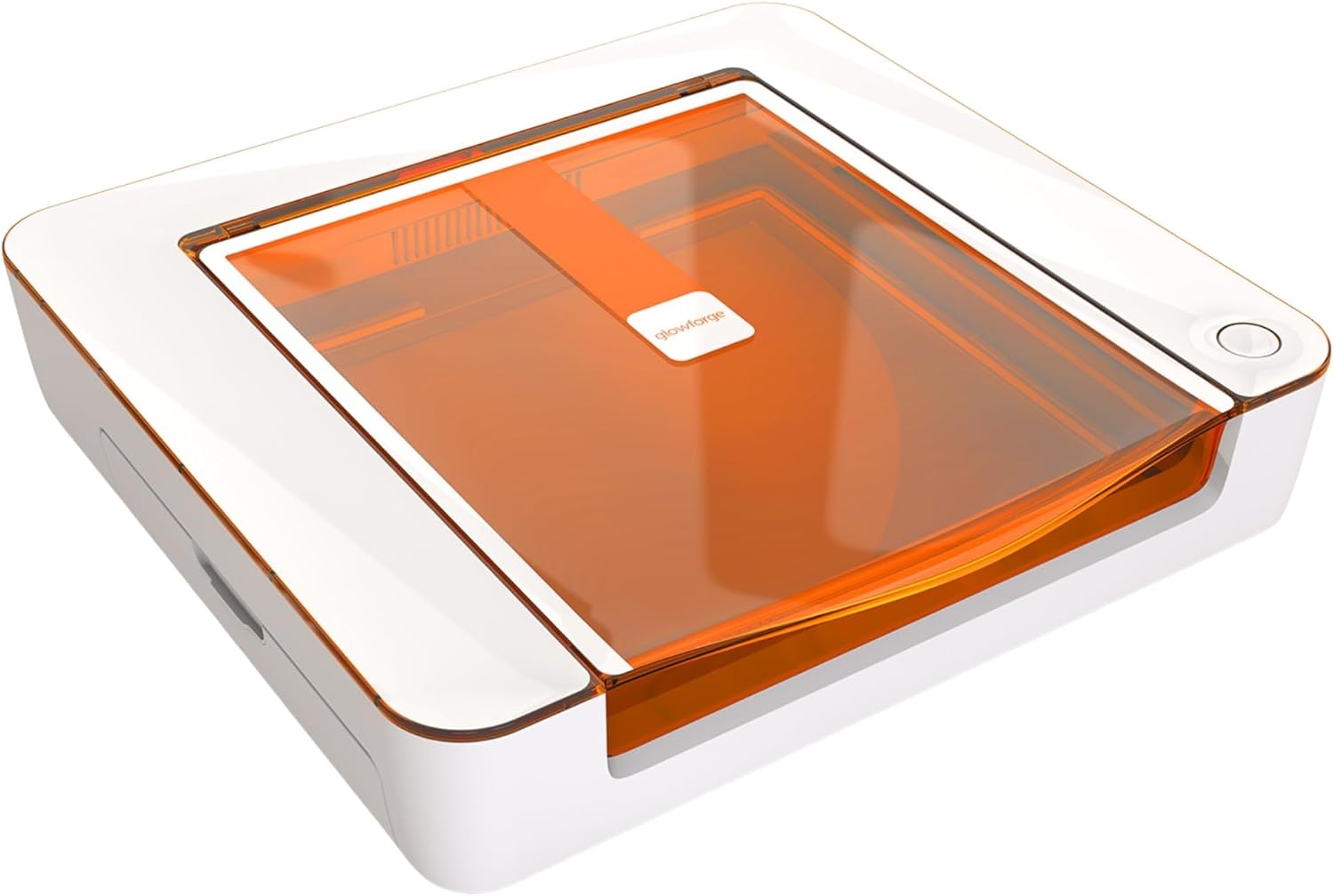
Glowforge Aura Laser Engraver and Cutter Machine, DIY Project & Craft Laser (6000 mW, Class I Laser Device) Cutter, Compatible with Mac and PC.

Description:

  • Unlock a new dimension to your creativity! Glowforge Aura is compatible with hundreds of materials including wood, leather, paper, cardboard, stickers, iron on, and many types of acrylic, stone, metal, and food. It is NOT compatible with MDF, vinyl made with PVC, or white, blue, or clear acrylic.
  • Create custom stickers and jewelry with this versatile laser cutter and engraver machine. Ideal for metal and wood engraving, this tool is perfect for making crafts, gifts, school projects, and more. Bring your ideas to life with Glowforge Aura.
  • Create hardwood place settings, an heirloom leather wallet, an intricately detailed paper birthday card, a plywood organizer perfectly sized for your desk, a unique team sweatshirt, an engraved stone coaster, or millions of other projects from hundreds of materials.
  • Easy Setup and Wifi connectivity - Aura connects to a standard 2.4GHz wifi network, easily connecting to most home networks and allowing for continual updates and the newest feature releases.
  • Aura is a Class 1 laser device and utilizes a 6000 mW 450nm diode laser, which prioritizes user safety and engraving efficacy

  • Reviews:

    5.0 out of 5 stars Works great out of box for this experienced laser user!

    N.K. · December 17, 2024

    (function() { P.when('cr-A', 'ready').execute(function(A) { if(typeof A.toggleExpanderAriaLabel === 'function') { A.toggleExpanderAriaLabel('review_text_read_more', 'Read more of this review', 'Read less of this review'); } }); })(); .review-text-read-more-expander:focus-visible { outline: 2px solid #2162a1; outline-offset: 2px; border-radius: 5px; } I bought this product a couple of months ago and wanted to put it through it's paces before writing a review. I have several years experience with laser cutters/engravers, and was upgrading from an older machine to something a bit newer/quicker, and perhaps a little more user friendly.I was immediately impressed by how well this laser worked right out of the box. Had everything set up and printed my first test project within a half hour. It's pretty slick, I think for a first-time laser purchase this thing is pretty much ideal. There are plenty of pre-made projects you can hop into straight away, and even more if you purchase the membership or are in the trial period. The membership wasn't for me in the long run, but it was great way to start off, and for people who don't want to get into the weeds with creating designs and cuts in other pieces of software and importing them into the Glowforge interface, I think it would be well worth the money. Like many users I tend to use GIMP & Inkscape to create my projects, but pretty much any graphics program such as photoshop should work, so long as you can export image files and SVG graphics. So don't let the membership aspect sway you away from this laser; if you feel like you have to pay a monthly fee to use it, you absolutely do not.I read some reviews talking about the speed of this laser, with some people expressing disappointment with it's speed. That all depends on your perspective. It's important to note that this is a diode laser, not a CO2. If you are wanting to go into large scale production you'll need to invest a lot more money on an expensive CO2 setup, but for the hobbyist or even a small Etsy store I think this laser will do the trick. Compared to my old diode laser, the Glowforge prints at least 6 times faster. Jobs that would take 3 hours to engrave can be done in less than 20 minutes, and the quality is just as good, maybe even a bit better. Cutting speeds are similarly faster. So for me, this thing has been a godsend.The software took a bit of getting used to, but again I was moving from an entirely different platform. I can safely say that compared to my earlier experiences with lasers the overall learning curve was much, much quicker. I was really impressed with the pre-sets. On my old unit I would waste an hour or more running test prints and grids to get satisfactory results, so I was a really amazed by how often my first print would turn out great without having to tweak any of the settings. The auto calibration and camera really work well on this unit. Initially I was a bit dismayed by the fact it had presets because I was so used to fine-tuning laser power and speed manually, but found that all of these functions are there if you really want to get that exact effect you're looking for.I'm pretty old-school, I like to back up my photographs to hard drives at my house and not store them on the cloud, so at first I wasn't wild about the platform being cloud based. But that's the way the world is moving, and I certainly haven't had any issues with this aspect, and in fact have fully embraced it.You can either buy Glowforge certified materials which will be automatically detected, but I have had excellent results by purchasing other non-certified materials as well. Just make sure to buy them from a decent supplier. For more advanced users, you can cut/engrave other materials as well (as long as they are diode laser compatible), but obviously you'll need to experiment a bit to get the settings rights. The Glowforge forum is a great place to go for advice or to see who has already done something similar so you'll have a good starting point. For me this is where a lot of the fun really comes in.In summary I'd say this is a great diode laser for both the novice and the experienced. The footprint is small, and it's a tidy device that looks great sitting in your craft room (or living room table).

    1.0 out of 5 stars Great marketing / GARBAGE Product; do NOT buy!

    m.s. · December 9, 2023

    I was so excited to buy this glow forge aura, I’ve been wanting one since 5 years ago but the pro was so expensive and when they came out with the more affordable aura, I went for it!! I should’ve done my due research:( the aura was amazingly slow. We made the test box they recommended and it took 5 min for it to cut typewriter paper, my son used it to cut leather and it took 5+ hours for a simple design. I tested what I wanted to etch for a cutting board on cardboard first and it took 3 hours to complete. When I did it on my cutting board it took 9.5 hours to etch, and the etching was uneven, and it left some letters incomplete!! I checked the lens to see if it needed cleaning, but the lens was still good. I tried to re-etch it again, but it wouldn’t etch it where it originally etched, so my good cutting board is ruined.Who has 9.5 hours of doing nothing to sit and watch the aura do its thing?!? You have to stay with it to make sure it doesn’t catch fire, plus you have to smell its fumes, it’s winter, the garage doors are open for air circulation and I was freezing. Eventually I went inside the house and checked it every 15-30 minutes. Totally disappointed when I checked it after 3 hours and it missed some parts of the letters.NO owner’s manual was provided (only a quick installation guide); everything about the glowforge aurora is trial and error, the company wants each user to ‘subscribe’ instead of allowing a household-account. This product is produced too quickly without any troubleshooting guide/owner’s manual; owners have to search on-line for any assistance/reviews from other owners.Note the partially-completed letters, inconsistent embossing, scorch marks…overall Cletus with his branding irons and soldering pen would have done a better job than glowforge. HUGELY DISAPPOINTED!If you want to buy a laser printer, maybe go with the glowforge pro, I read it’s faster and you can do more things with it, why waste your money and time for a slow inefficient machine. I ultimately decided to get the xTool D20, I read it was better, faster, similar in cost with the aura, better customer service and I did some actual research instead of blindly buying like I did. Also the YouTube and articles of aura vs. xTool was helpful too.I hope the xTool is better, it not, I’ll write a review on whether it is good or bad on that as well

    Glowforge Aura Laser Engraver and Cutter Machine, DIY Project & Craft Laser (6000 mW, Class I Laser Device) Cutter, Compatible with Mac and PC.

    Product ID: UO0PODEPIWK
    Condition: New

    3.6

    AED7,93323

    Price includes VAT & Import Duties
    Availability: In Stock

    Quantity:

    |

    Order today to get by 7-14 business days

    This item qualifies for free delivery

    Returns & Warranty policies

    Imported From: United States

    At BOLO, we work hard to ensure the products you receive are new, genuine, and sourced from reputable suppliers.

    BOLO is not an authorized or official retailer for most brands, nor are we affiliated with manufacturers unless specifically stated on a product page. Instead, we source verified sellers, authorized distributors or directly from the manufacturer.

    Each product undergoes thorough inspection and verification at our consolidation and fulfilment centers to ensure it meets our strict authenticity and quality standards before being shipped and delivered to you.

    If you ever have concerns regarding the authenticity of a product purchased from us, please contact Bolo Support. We will review your inquiry promptly and, if necessary, provide documentation verifying authenticity or offer a suitable resolution.

    Your trust is our top priority, and we are committed to maintaining transparency and integrity in every transaction.

    All product information, images, descriptions, and reviews originate from the manufacturer or from trusted sellers overseas. BOLO is not affiliated with, endorsed by, or an authorized retailer for most brands listed on our website unless stated otherwise.

    While we strive to display accurate information, variations in packaging, labeling, instructions, or formulation may occasionally occur due to regional differences or supplier updates. For detailed or manufacturer-specific information, please contact the brand directly or reach out to BOLO Support for assistance.

    Unless otherwise stated, all prices displayed on the product page include applicable taxes and import duties.

    BOLO operates in accordance with the laws and regulations of United Arab Emirates. Any items found to be restricted or prohibited for sale within the UAE will be cancelled prior to shipment. We take proactive measures to ensure that only products permitted for sale in United Arab Emirates are listed on our website.

    All items are shipped by air, and any products classified as “Dangerous Goods (DG)” under IATA regulations will be removed from the order and cancelled.

    All orders are processed manually, and we make every effort to process them promptly once confirmed. Products cancelled due to the above reasons will be permanently removed from listings across the website.

    Similar suggestions by Bolo

    More from this brand

    Similar items from “Engraving Machines & Tools”

    Glowforge Aura Laser Engraver and Cutter Machine, DIY Project & Craft Laser (6000 mW, Class I Laser Device) Cutter, Compatible with Mac and PC.

    Product ID: UO0PODEPIWK
    Condition: New

    3.6

    Glowforge Aura Laser Engraver and Cutter Machine, DIY Project & Craft Laser (6000 mW, Class I Laser Device) Cutter, Compatible with Mac and PC.-0

    AED7,93323

    Price includes VAT & Import Duties
    Availability: In Stock

    Quantity:

    |

    Order today to get by 7-14 business days

    This item qualifies for free delivery

    Returns & Warranty policies

    Imported From: United States

    At BOLO, we work hard to ensure the products you receive are new, genuine, and sourced from reputable suppliers.

    BOLO is not an authorized or official retailer for most brands, nor are we affiliated with manufacturers unless specifically stated on a product page. Instead, we source verified sellers, authorized distributors or directly from the manufacturer.

    Each product undergoes thorough inspection and verification at our consolidation and fulfilment centers to ensure it meets our strict authenticity and quality standards before being shipped and delivered to you.

    If you ever have concerns regarding the authenticity of a product purchased from us, please contact Bolo Support. We will review your inquiry promptly and, if necessary, provide documentation verifying authenticity or offer a suitable resolution.

    Your trust is our top priority, and we are committed to maintaining transparency and integrity in every transaction.

    All product information, images, descriptions, and reviews originate from the manufacturer or from trusted sellers overseas. BOLO is not affiliated with, endorsed by, or an authorized retailer for most brands listed on our website unless stated otherwise.

    While we strive to display accurate information, variations in packaging, labeling, instructions, or formulation may occasionally occur due to regional differences or supplier updates. For detailed or manufacturer-specific information, please contact the brand directly or reach out to BOLO Support for assistance.

    Unless otherwise stated, all prices displayed on the product page include applicable taxes and import duties.

    BOLO operates in accordance with the laws and regulations of United Arab Emirates. Any items found to be restricted or prohibited for sale within the UAE will be cancelled prior to shipment. We take proactive measures to ensure that only products permitted for sale in United Arab Emirates are listed on our website.

    All items are shipped by air, and any products classified as “Dangerous Goods (DG)” under IATA regulations will be removed from the order and cancelled.

    All orders are processed manually, and we make every effort to process them promptly once confirmed. Products cancelled due to the above reasons will be permanently removed from listings across the website.

    Description:

  • Unlock a new dimension to your creativity! Glowforge Aura is compatible with hundreds of materials including wood, leather, paper, cardboard, stickers, iron on, and many types of acrylic, stone, metal, and food. It is NOT compatible with MDF, vinyl made with PVC, or white, blue, or clear acrylic.
  • Create custom stickers and jewelry with this versatile laser cutter and engraver machine. Ideal for metal and wood engraving, this tool is perfect for making crafts, gifts, school projects, and more. Bring your ideas to life with Glowforge Aura.
  • Create hardwood place settings, an heirloom leather wallet, an intricately detailed paper birthday card, a plywood organizer perfectly sized for your desk, a unique team sweatshirt, an engraved stone coaster, or millions of other projects from hundreds of materials.
  • Easy Setup and Wifi connectivity - Aura connects to a standard 2.4GHz wifi network, easily connecting to most home networks and allowing for continual updates and the newest feature releases.
  • Aura is a Class 1 laser device and utilizes a 6000 mW 450nm diode laser, which prioritizes user safety and engraving efficacy

  • Reviews:

    5.0 out of 5 stars Works great out of box for this experienced laser user!

    N.K. · December 17, 2024

    (function() { P.when('cr-A', 'ready').execute(function(A) { if(typeof A.toggleExpanderAriaLabel === 'function') { A.toggleExpanderAriaLabel('review_text_read_more', 'Read more of this review', 'Read less of this review'); } }); })(); .review-text-read-more-expander:focus-visible { outline: 2px solid #2162a1; outline-offset: 2px; border-radius: 5px; } I bought this product a couple of months ago and wanted to put it through it's paces before writing a review. I have several years experience with laser cutters/engravers, and was upgrading from an older machine to something a bit newer/quicker, and perhaps a little more user friendly.I was immediately impressed by how well this laser worked right out of the box. Had everything set up and printed my first test project within a half hour. It's pretty slick, I think for a first-time laser purchase this thing is pretty much ideal. There are plenty of pre-made projects you can hop into straight away, and even more if you purchase the membership or are in the trial period. The membership wasn't for me in the long run, but it was great way to start off, and for people who don't want to get into the weeds with creating designs and cuts in other pieces of software and importing them into the Glowforge interface, I think it would be well worth the money. Like many users I tend to use GIMP & Inkscape to create my projects, but pretty much any graphics program such as photoshop should work, so long as you can export image files and SVG graphics. So don't let the membership aspect sway you away from this laser; if you feel like you have to pay a monthly fee to use it, you absolutely do not.I read some reviews talking about the speed of this laser, with some people expressing disappointment with it's speed. That all depends on your perspective. It's important to note that this is a diode laser, not a CO2. If you are wanting to go into large scale production you'll need to invest a lot more money on an expensive CO2 setup, but for the hobbyist or even a small Etsy store I think this laser will do the trick. Compared to my old diode laser, the Glowforge prints at least 6 times faster. Jobs that would take 3 hours to engrave can be done in less than 20 minutes, and the quality is just as good, maybe even a bit better. Cutting speeds are similarly faster. So for me, this thing has been a godsend.The software took a bit of getting used to, but again I was moving from an entirely different platform. I can safely say that compared to my earlier experiences with lasers the overall learning curve was much, much quicker. I was really impressed with the pre-sets. On my old unit I would waste an hour or more running test prints and grids to get satisfactory results, so I was a really amazed by how often my first print would turn out great without having to tweak any of the settings. The auto calibration and camera really work well on this unit. Initially I was a bit dismayed by the fact it had presets because I was so used to fine-tuning laser power and speed manually, but found that all of these functions are there if you really want to get that exact effect you're looking for.I'm pretty old-school, I like to back up my photographs to hard drives at my house and not store them on the cloud, so at first I wasn't wild about the platform being cloud based. But that's the way the world is moving, and I certainly haven't had any issues with this aspect, and in fact have fully embraced it.You can either buy Glowforge certified materials which will be automatically detected, but I have had excellent results by purchasing other non-certified materials as well. Just make sure to buy them from a decent supplier. For more advanced users, you can cut/engrave other materials as well (as long as they are diode laser compatible), but obviously you'll need to experiment a bit to get the settings rights. The Glowforge forum is a great place to go for advice or to see who has already done something similar so you'll have a good starting point. For me this is where a lot of the fun really comes in.In summary I'd say this is a great diode laser for both the novice and the experienced. The footprint is small, and it's a tidy device that looks great sitting in your craft room (or living room table).

    1.0 out of 5 stars Great marketing / GARBAGE Product; do NOT buy!

    m.s. · December 9, 2023

    I was so excited to buy this glow forge aura, I’ve been wanting one since 5 years ago but the pro was so expensive and when they came out with the more affordable aura, I went for it!! I should’ve done my due research:( the aura was amazingly slow. We made the test box they recommended and it took 5 min for it to cut typewriter paper, my son used it to cut leather and it took 5+ hours for a simple design. I tested what I wanted to etch for a cutting board on cardboard first and it took 3 hours to complete. When I did it on my cutting board it took 9.5 hours to etch, and the etching was uneven, and it left some letters incomplete!! I checked the lens to see if it needed cleaning, but the lens was still good. I tried to re-etch it again, but it wouldn’t etch it where it originally etched, so my good cutting board is ruined.Who has 9.5 hours of doing nothing to sit and watch the aura do its thing?!? You have to stay with it to make sure it doesn’t catch fire, plus you have to smell its fumes, it’s winter, the garage doors are open for air circulation and I was freezing. Eventually I went inside the house and checked it every 15-30 minutes. Totally disappointed when I checked it after 3 hours and it missed some parts of the letters.NO owner’s manual was provided (only a quick installation guide); everything about the glowforge aurora is trial and error, the company wants each user to ‘subscribe’ instead of allowing a household-account. This product is produced too quickly without any troubleshooting guide/owner’s manual; owners have to search on-line for any assistance/reviews from other owners.Note the partially-completed letters, inconsistent embossing, scorch marks…overall Cletus with his branding irons and soldering pen would have done a better job than glowforge. HUGELY DISAPPOINTED!If you want to buy a laser printer, maybe go with the glowforge pro, I read it’s faster and you can do more things with it, why waste your money and time for a slow inefficient machine. I ultimately decided to get the xTool D20, I read it was better, faster, similar in cost with the aura, better customer service and I did some actual research instead of blindly buying like I did. Also the YouTube and articles of aura vs. xTool was helpful too.I hope the xTool is better, it not, I’ll write a review on whether it is good or bad on that as well

    Similar suggestions by Bolo

    More from this brand

    Similar items from “Engraving Machines & Tools”