Description:
Reviews:
5.0 out of 5 stars Does what it's supposed to do for a low price
(function() { P.when('cr-A', 'ready').execute(function(A) { if(typeof A.toggleExpanderAriaLabel === 'function') { A.toggleExpanderAriaLabel('review_text_read_more', 'Read more of this review', 'Read less of this review'); } }); })(); .review-text-read-more-expander:focus-visible { outline: 2px solid #2162a1; outline-offset: 2px; border-radius: 5px; } If your color management needs require full control over color temperature, gamma, fine-tuning of monitor colors, more than 2 monitors, verification of calibration, or other features, then this isn't the product for you. But you will need to pay at least 2.5 times more to get those features.For many photographers and other content creators this calibrator might be all you need. It is super easy to use. Just download the software, plug the calibrator into a USB-C port (sorry, no USB-A without a user-supplied adapter), start the software, and follow the prompts. It really is as simple as 1,2,3. You are limited to a color temperature of 6500K and gamma of 2.2. You can either calibrate to a recommended luminance of 120 cd/m2, or to a monitor brightness level of your choice.You can download the software and use it in demo mode to see how the calibration process operates. prior to purchase.I used it to calibrate a MacBook Air M4 with Asus PA279CV monitor, as well as with a Dell XPS 15 with Dell S2718D monitor. Both monitors benefited significantly from calibration. I repeated the calibration procedure multiple times to ensure the results were consistent, which they were.My only complaint is that the calibration software's "Before and After" feature appears to be non-functional, both on the Mac and Windows. It's not needed; you can see the difference just by changing display profiles after calibration is complete.Highly recommended!
1.0 out of 5 stars Inaccurate
Pretty bad. Color profiles are inaccurate, completely useless. Calibrated 3 monitors 2 of profiles are completly different. One very warm, two other cold colors i can see difference clearly. Soft is very glitchy crushed several times. Doesn't support Linux. So it's absolutely useless.
5.0 out of 5 stars Monitor calibration tool
A basic unit for calibrating monitors. I am an amateur photographer who wanted photos on my iMac desktop computer to match what I printed on my Epson photo printer. This did the job. Easy to set up and use at a low price. Very pleased.
4.0 out of 5 stars it works well, but...
This product offers simplified features compared to typical display calibrators. Despite being half the price of standard models, it lacks user-friendliness. Yes, Calibrite claims to provide simple settings for casual users, but the reality is quite the opposite. First, calibration results are only added to system folders, and once measurement is complete, it arbitrarily changes the user's color profile—both actions that casual users cannot properly manage. Additionally, since measurement results can only be checked with the ICC inspector, it appears to be designed more for professionals.The affordable price may be attractive to those who understand the product's characteristics and know how to make additional adjustments, but others might find themselves confused.
5.0 out of 5 stars Easy to use, great color calibration
I purchased this color calibrater for my laptop. I was slightly disappointed that it only had a USB-C cord to plug it into my laptop. My laptop only had a USB-A port. I had to buy a converter. However, I was very pleased with the ease of use and the final calibration results. The pictures I printed through a professional studio matched my screen color very well. I highly recommend this product. I think the quality, ease of use, and results were well worth it.
5.0 out of 5 stars Secret: Adaptor needed?
One star at the start. Here's why:This device's cable ends in a USB-C male plug! Many of us use computers with the standardUSB-A sockets only. No, the Bolo product description does not mention this. Oddly, the product description on the Calibrite web site coyly mentions it only at the end of the product feature list; on the Calibrite video note that the user plugs it into a USB hub with USB-C.The adapter was easy enough to find on Bolo but now it's another two-day wait for me to calibrate my monitor, hence the failing grade.This should have been mentioned clearly in the product description.Three days later...I received the adapter from Bolo, plugged it in to my USB-A socket on my HP display, and started the calibration. Unlike my previous experience with freeware calibration (sadly no longer updated), there was no confusing and over-long preference stage; actually, there wasn't anything confusing at all except for the oddly-named "native" setting (I used "photo" and got an unaccustomed blue 5500 degrees).I've upgraded to five stars for good value and easy operation.(Hey, Calibrite! Do a re-write on the Bolo product description and let us know that we probably have to order a female USB-C to male USB-A adapter.)
1.0 out of 5 stars This is a paperweight, not a colour calibration device
Time and money wasted, I went through the whole setup process, made an account, and calibrated my monitor, for it to make absolutely no change at all. They show a before and after which, was completely the same. I’ve never calibrated my monitor before so if you’re telling me a 5 year old monitor is somehow perfectly colour accurate, that would be a miracle.
5.0 out of 5 stars Great product and price
This is a great product! I wanted to fix the yellowish tint on a monitor I bought second hand, and this did the trick! As a software developer, I need to ensure I see accurate colors to a certain extent, and this helps me do just that! Great price and very easy to use.
Quick Setup, Reliable Results
(function() { P.when('cr-A', 'ready').execute(function(A) { if(typeof A.toggleExpanderAriaLabel === 'function') { A.toggleExpanderAriaLabel('review_text_read_more', 'Read more of this review', 'Read less of this review'); } }); })(); .review-text-read-more-expander:focus-visible { outline: 2px solid #2162a1; outline-offset: 2px; border-radius: 5px; } Plug it in, follow a few steps, and boom—my monitor looks like it finally woke up. Colors are accurate, shadows balanced, and the process was painless.Exactly what I needed. No fluff, just proper calibration.
Pas très pratique
Il a fallu 3 chargements avant que ça fonctionne, arriver sur le site c'est très difficile de trouver le téléchargement dont 'on a besoin, en bref je trouve que le site de façon générale n'est pas très pratique
Worth it especially when at a discount!
Does what is says and does it brilliantly! Plop on the screen, let the software do its thing and in 10 minutes your monitor is ready to work! Super happy!
Works but not with micro led monitors
The description on the website isn't mentioning this but it doesn't work with micro led monitors. Regular LEDs and OLEDs are fine and it works perfectly.
Funktioniert
Bin in dem Thema was Bildschirmkalibrierung und Farbechtheut betrifft nicht wirklich drin.Bildschirmeinstellung war bis jetzt immer ein Blindflug für mich. Ein bisschen hier eingestellt, ein bisschen da. Vllt irgendwas auf dem Internet übernommen...man kennts.Mit diesem netten Gerätchen ist das nun Geschichte.Die Bedienung ist denkbar einfach. Man holt sich die Software auf der Hompage und schließt den Sensor an. Alles weitere wird direkt in der Software erklärt. Das ist so Idiotensicher, dass sogar ich auf anhieb damit klar kam :)Das ganze Prozedere dauert ca. 10-15min und das daraus resultierende Profil wird direkt in Windows übernommen, Zumal sich das Ergebnis sehen lassen kann.
Visit the Calibrite Store
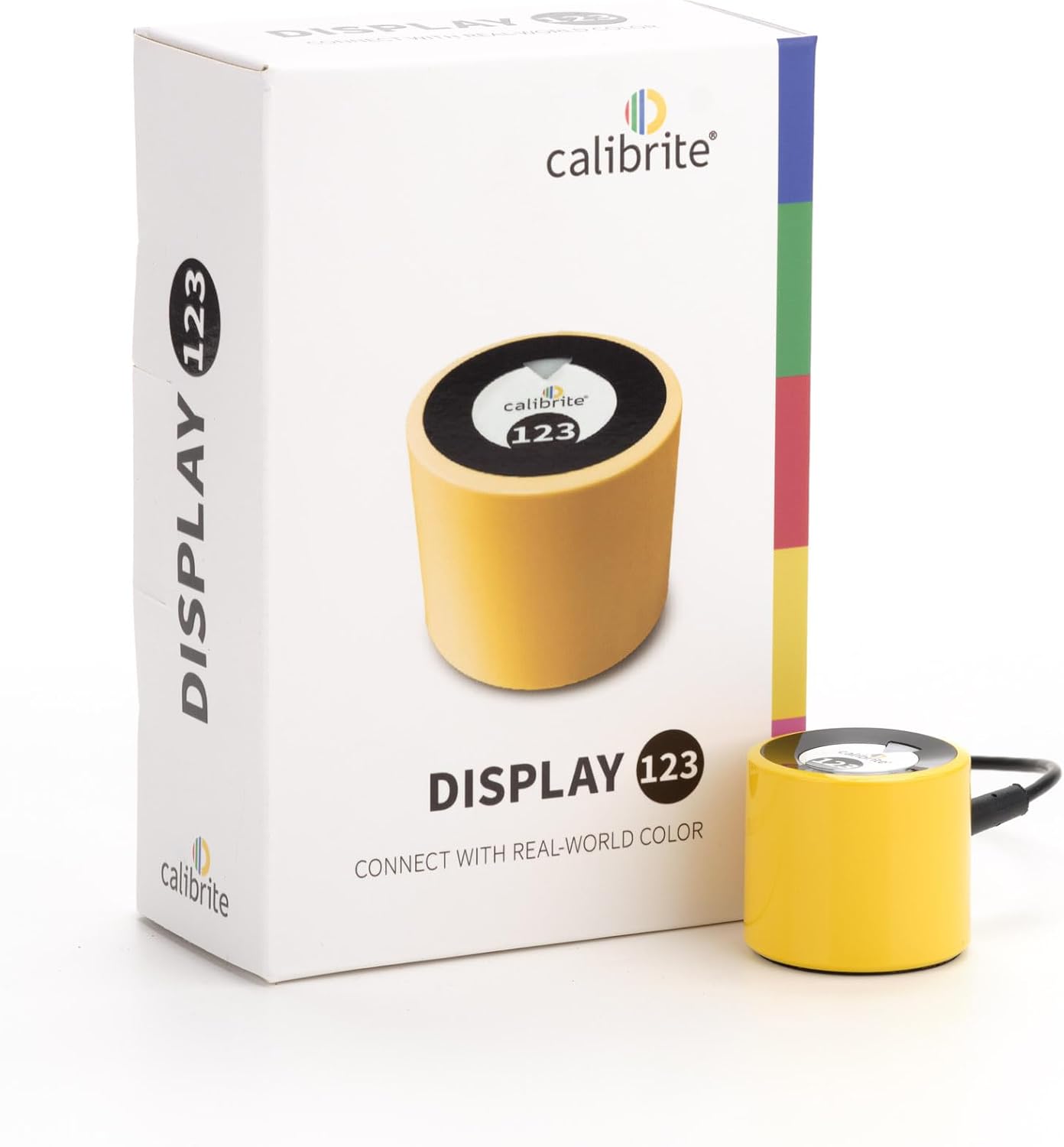
Calibrite Display 123 Colorimeter - Monitor Calibration Device with Calibrite PROFLER Software (CCDIS123)
AED76884
Quantity:
Order today to get by 7-14 business days
This item qualifies for free delivery
 Imported From: United States
At BOLO, we work hard to ensure the products you receive are new, genuine, and sourced from reputable suppliers.
BOLO is not an authorized or official retailer for most brands, nor are we affiliated with manufacturers unless specifically stated on a product page. Instead, we source verified sellers, authorized distributors or directly from the manufacturer.
Each product undergoes thorough inspection and verification at our consolidation and fulfilment centers to ensure it meets our strict authenticity and quality standards before being shipped and delivered to you.
If you ever have concerns regarding the authenticity of a product purchased from us, please contact Bolo Support. We will review your inquiry promptly and, if necessary, provide documentation verifying authenticity or offer a suitable resolution.
Your trust is our top priority, and we are committed to maintaining transparency and integrity in every transaction.
All product information, images, descriptions, and reviews originate from the manufacturer or from trusted sellers overseas. BOLO is not affiliated with, endorsed by, or an authorized retailer for most brands listed on our website unless stated otherwise.
While we strive to display accurate information, variations in packaging, labeling, instructions, or formulation may occasionally occur due to regional differences or supplier updates. For detailed or manufacturer-specific information, please contact the brand directly or reach out to BOLO Support for assistance.
Unless otherwise stated, all prices displayed on the product page include applicable taxes and import duties.
BOLO operates in accordance with the laws and regulations of United Arab Emirates. Any items found to be restricted or prohibited for sale within the UAE will be cancelled prior to shipment. We take proactive measures to ensure that only products permitted for sale in United Arab Emirates are listed on our website.
All items are shipped by air, and any products classified as “Dangerous Goods (DG)” under IATA regulations will be removed from the order and cancelled.
All orders are processed manually, and we make every effort to process them promptly once confirmed. Products cancelled due to the above reasons will be permanently removed from listings across the website.
Similar suggestions by Bolo
More from this brand
Similar items from “Color Calibration Charts”
Share with
Or share with link
https://www.bolo.ae/products/UO0PJ27DSJA
Visit the Calibrite Store
Calibrite Display 123 Colorimeter - Monitor Calibration Device with Calibrite PROFLER Software (CCDIS123)
AED76884
Quantity:
Order today to get by 7-14 business days
This item qualifies for free delivery
Imported From: United States
At BOLO, we work hard to ensure the products you receive are new, genuine, and sourced from reputable suppliers.
BOLO is not an authorized or official retailer for most brands, nor are we affiliated with manufacturers unless specifically stated on a product page. Instead, we source verified sellers, authorized distributors or directly from the manufacturer.
Each product undergoes thorough inspection and verification at our consolidation and fulfilment centers to ensure it meets our strict authenticity and quality standards before being shipped and delivered to you.
If you ever have concerns regarding the authenticity of a product purchased from us, please contact Bolo Support. We will review your inquiry promptly and, if necessary, provide documentation verifying authenticity or offer a suitable resolution.
Your trust is our top priority, and we are committed to maintaining transparency and integrity in every transaction.
All product information, images, descriptions, and reviews originate from the manufacturer or from trusted sellers overseas. BOLO is not affiliated with, endorsed by, or an authorized retailer for most brands listed on our website unless stated otherwise.
While we strive to display accurate information, variations in packaging, labeling, instructions, or formulation may occasionally occur due to regional differences or supplier updates. For detailed or manufacturer-specific information, please contact the brand directly or reach out to BOLO Support for assistance.
Unless otherwise stated, all prices displayed on the product page include applicable taxes and import duties.
BOLO operates in accordance with the laws and regulations of United Arab Emirates. Any items found to be restricted or prohibited for sale within the UAE will be cancelled prior to shipment. We take proactive measures to ensure that only products permitted for sale in United Arab Emirates are listed on our website.
All items are shipped by air, and any products classified as “Dangerous Goods (DG)” under IATA regulations will be removed from the order and cancelled.
All orders are processed manually, and we make every effort to process them promptly once confirmed. Products cancelled due to the above reasons will be permanently removed from listings across the website.
Description:
Reviews:
5.0 out of 5 stars Does what it's supposed to do for a low price
(function() { P.when('cr-A', 'ready').execute(function(A) { if(typeof A.toggleExpanderAriaLabel === 'function') { A.toggleExpanderAriaLabel('review_text_read_more', 'Read more of this review', 'Read less of this review'); } }); })(); .review-text-read-more-expander:focus-visible { outline: 2px solid #2162a1; outline-offset: 2px; border-radius: 5px; } If your color management needs require full control over color temperature, gamma, fine-tuning of monitor colors, more than 2 monitors, verification of calibration, or other features, then this isn't the product for you. But you will need to pay at least 2.5 times more to get those features.For many photographers and other content creators this calibrator might be all you need. It is super easy to use. Just download the software, plug the calibrator into a USB-C port (sorry, no USB-A without a user-supplied adapter), start the software, and follow the prompts. It really is as simple as 1,2,3. You are limited to a color temperature of 6500K and gamma of 2.2. You can either calibrate to a recommended luminance of 120 cd/m2, or to a monitor brightness level of your choice.You can download the software and use it in demo mode to see how the calibration process operates. prior to purchase.I used it to calibrate a MacBook Air M4 with Asus PA279CV monitor, as well as with a Dell XPS 15 with Dell S2718D monitor. Both monitors benefited significantly from calibration. I repeated the calibration procedure multiple times to ensure the results were consistent, which they were.My only complaint is that the calibration software's "Before and After" feature appears to be non-functional, both on the Mac and Windows. It's not needed; you can see the difference just by changing display profiles after calibration is complete.Highly recommended!
1.0 out of 5 stars Inaccurate
Pretty bad. Color profiles are inaccurate, completely useless. Calibrated 3 monitors 2 of profiles are completly different. One very warm, two other cold colors i can see difference clearly. Soft is very glitchy crushed several times. Doesn't support Linux. So it's absolutely useless.
5.0 out of 5 stars Monitor calibration tool
A basic unit for calibrating monitors. I am an amateur photographer who wanted photos on my iMac desktop computer to match what I printed on my Epson photo printer. This did the job. Easy to set up and use at a low price. Very pleased.
4.0 out of 5 stars it works well, but...
This product offers simplified features compared to typical display calibrators. Despite being half the price of standard models, it lacks user-friendliness. Yes, Calibrite claims to provide simple settings for casual users, but the reality is quite the opposite. First, calibration results are only added to system folders, and once measurement is complete, it arbitrarily changes the user's color profile—both actions that casual users cannot properly manage. Additionally, since measurement results can only be checked with the ICC inspector, it appears to be designed more for professionals.The affordable price may be attractive to those who understand the product's characteristics and know how to make additional adjustments, but others might find themselves confused.
5.0 out of 5 stars Easy to use, great color calibration
I purchased this color calibrater for my laptop. I was slightly disappointed that it only had a USB-C cord to plug it into my laptop. My laptop only had a USB-A port. I had to buy a converter. However, I was very pleased with the ease of use and the final calibration results. The pictures I printed through a professional studio matched my screen color very well. I highly recommend this product. I think the quality, ease of use, and results were well worth it.
5.0 out of 5 stars Secret: Adaptor needed?
One star at the start. Here's why:This device's cable ends in a USB-C male plug! Many of us use computers with the standardUSB-A sockets only. No, the Bolo product description does not mention this. Oddly, the product description on the Calibrite web site coyly mentions it only at the end of the product feature list; on the Calibrite video note that the user plugs it into a USB hub with USB-C.The adapter was easy enough to find on Bolo but now it's another two-day wait for me to calibrate my monitor, hence the failing grade.This should have been mentioned clearly in the product description.Three days later...I received the adapter from Bolo, plugged it in to my USB-A socket on my HP display, and started the calibration. Unlike my previous experience with freeware calibration (sadly no longer updated), there was no confusing and over-long preference stage; actually, there wasn't anything confusing at all except for the oddly-named "native" setting (I used "photo" and got an unaccustomed blue 5500 degrees).I've upgraded to five stars for good value and easy operation.(Hey, Calibrite! Do a re-write on the Bolo product description and let us know that we probably have to order a female USB-C to male USB-A adapter.)
1.0 out of 5 stars This is a paperweight, not a colour calibration device
Time and money wasted, I went through the whole setup process, made an account, and calibrated my monitor, for it to make absolutely no change at all. They show a before and after which, was completely the same. I’ve never calibrated my monitor before so if you’re telling me a 5 year old monitor is somehow perfectly colour accurate, that would be a miracle.
5.0 out of 5 stars Great product and price
This is a great product! I wanted to fix the yellowish tint on a monitor I bought second hand, and this did the trick! As a software developer, I need to ensure I see accurate colors to a certain extent, and this helps me do just that! Great price and very easy to use.
Quick Setup, Reliable Results
(function() { P.when('cr-A', 'ready').execute(function(A) { if(typeof A.toggleExpanderAriaLabel === 'function') { A.toggleExpanderAriaLabel('review_text_read_more', 'Read more of this review', 'Read less of this review'); } }); })(); .review-text-read-more-expander:focus-visible { outline: 2px solid #2162a1; outline-offset: 2px; border-radius: 5px; } Plug it in, follow a few steps, and boom—my monitor looks like it finally woke up. Colors are accurate, shadows balanced, and the process was painless.Exactly what I needed. No fluff, just proper calibration.
Pas très pratique
Il a fallu 3 chargements avant que ça fonctionne, arriver sur le site c'est très difficile de trouver le téléchargement dont 'on a besoin, en bref je trouve que le site de façon générale n'est pas très pratique
Worth it especially when at a discount!
Does what is says and does it brilliantly! Plop on the screen, let the software do its thing and in 10 minutes your monitor is ready to work! Super happy!
Works but not with micro led monitors
The description on the website isn't mentioning this but it doesn't work with micro led monitors. Regular LEDs and OLEDs are fine and it works perfectly.
Funktioniert
Bin in dem Thema was Bildschirmkalibrierung und Farbechtheut betrifft nicht wirklich drin.Bildschirmeinstellung war bis jetzt immer ein Blindflug für mich. Ein bisschen hier eingestellt, ein bisschen da. Vllt irgendwas auf dem Internet übernommen...man kennts.Mit diesem netten Gerätchen ist das nun Geschichte.Die Bedienung ist denkbar einfach. Man holt sich die Software auf der Hompage und schließt den Sensor an. Alles weitere wird direkt in der Software erklärt. Das ist so Idiotensicher, dass sogar ich auf anhieb damit klar kam :)Das ganze Prozedere dauert ca. 10-15min und das daraus resultierende Profil wird direkt in Windows übernommen, Zumal sich das Ergebnis sehen lassen kann.
Similar suggestions by Bolo
More from this brand
Similar items from “Color Calibration Charts”
Share with
Or share with link
https://www.bolo.ae/products/UO0PJ27DSJA