Deliver toUnited Arab Emirates
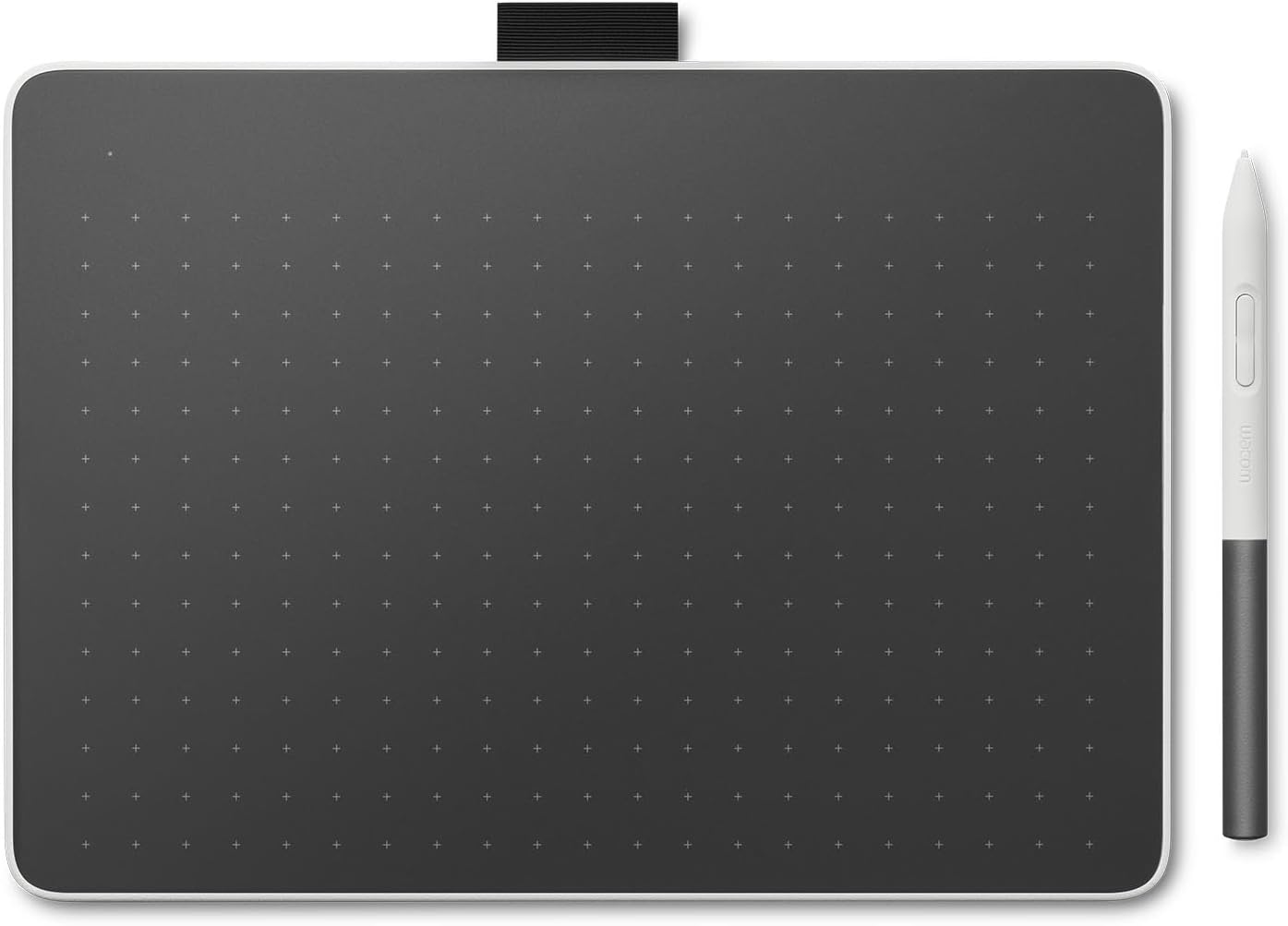
Wacom One Bluetooth Drawing Tablet, Medium, Compatible with Chromebook, Mac, Windows, Android

Description:

  • Entry-Level Tablet: Drawing tablet dimensions are 9.92" x 7.13" x 0.31" with a 8.5" x 5.3" active area; pen-on-paper feeling for digital pen starters, drawing, editing photos, or visual communication
  • Precision Pen Performance: Included Wacom One Pen features natural tilt recognition, virtually lag-free tracking, 4096 levels of pressure sensitivity, and 2 customizable switches
  • Optimal Efficiency: Shortcut buttons on the pen can be customized for your favorite keyboard shortcuts like undo or copy/paste, helping you stay immersed in your art
  • Multiple Compatibility: Connect to Windows PC, Mac, Chromebook, and Android smartphones and tablets via USB-C (some devices require 2nd USB-A adapters)
  • Includes: Medium Wacom One graphic design tablet, battery-free Wacom One Pen, power adapter, USB-C cable and quick start guide

  • The Wacom One drawing tablet helps the digital arts beginner or visual thinker illustrate, edit images, or design with a natural feel of pen and drawing paper while providing advanced digital capabilities. Whether you're sketching, painting, creating animations, or communicating your ideas, this medium (9.92" x 7.13" x 0.31") Bluetooth drawing pad helps bring your artistic visions to life. Featuring a thin and light design, this creative pen tablet is perfect for anyone with creative dreams but limited desk space. Built-in Bluetooth allows you to enjoy the convenience of wireless connection to your computer - or connect the digital drawing tablet to your computer with the included USB-C cable. Our drawing pad works with Windows PC, macOS, Chromebook, and Android devices, and comes with the battery-free Wacom One pen. With 4,096 levels of pressure, the cordless One pen can be customized to your liking with 2 programmable buttons, has no parallax, and vitrually no lag for a smoother workflow. Our pen's Electro Magnetic Resonance (EMR) tech draws power from your tablet, meaning you never need to charge it. The computer design pad is a great option for students and aspiring artists seeking an entry-level drawing tablet with stylus type pen. Level up your digital art skills by creating comics, manga, concept art, illustrations, fashion design, photography, video editing, motion graphics, and more.

    Reviews:

    Great tablet for use during Zoom meetings for sketches and annotation to convey ideas better.

    A. · November 30, 2025

    I am not an artist, and I use this pad for quick sketches during Zoom meetings and on-screen annotations.This tablet is the perfect size, sitting on my desk for quick sketches or highlights during a Zoom meeting. I also use it for quick diagrams or sketches, which come out more naturally than trying to do the same with a mouse.I work in the software and infrastructure engineering field, so I purchased this device to help me with sketching and sharing ideas during my Zoom calls. Sure, you can use a mouse to annotate or draw, but it comes out looking like something written by my left foot. The drawing tablet allows for a high level of precision in pen control, and I can literally sketch out ideas, plans, and diagrams right while talking with my team on Zoom.The size of this tablet is perfect for my needs. It's not too large and fits nicely on my desk next to my keyboard.The EMR pen used with the tablet frequently works with other E-Ink and EMR-type devices, so depending on the e-ink tablet you are using, you can just use the same pen to scribble on the pad. This worked fine for me when I was using Bolo Scribe; however, after switching, the ceramic nib of the Supernote Manta does not work well with this pad. Regardless, I have the native stylus sitting nearby, so I can just grab that and go.I am using this device with an older Apple MacBook Pro M1, and it has been working flawlessly through the many operating system upgrades (which I cannot say the same for my older HP laser printer).Ultimately, it's a great device that meets my needs.

    As simple and as easy as it gets to connect an inexpensive drawing tablet to your computer.

    K.L. · September 29, 2025

    Had purchased a Wacom One 13.3 on Wacom's eBay page as a refurb. What that ad didn't explain is that it was an even older model that the current 13.3 on their site and came with a ridiculous octopus cable that had to be plugged into a USB port, HDMI port, a separate AC/DC power supply, and finally the unit itself.Returned that and paid the extra for a new One 14 model that has one, simple USB-C cable. One. Goes from the tablet to a USB-C port on the back of our M4 Pro mini. Done.Before you commit to a purchase, make absolutely certain at least one port on your computer supports DisplayPort Alternate Mode and Power Delivery. Otherwise, this tablet will not be recognized.

    Don’t Waste Your Money on This Lemon

    J.R. · October 6, 2025

    Bought this Wacom One (DTC133) thinking it’d be great for digital notes at work, but what a massive disappointment. It worked fine for about a week—smooth pressure, no issues—then bam, ghost strokes everywhere, registering input when the pen’s not even touching the screen. Tried everything: updated drivers (latest 6.4.11-1), swapped nibs, cleaned the channel, toggled Windows Ink, adjusted pressure curves, even firmware updates. Nothing fixed this glitchy mess.This thing’s unreliable as a sailor on Saturday morning right out of the box. Wacom’s support is a joke, and their “fixes” are just busywork. If you’re looking for a pen tablet that doesn’t fail after a few days, skip this overpriced garbage and go with something else.Sending mine back for a refund—stick to a mouse or real paper if you value your sanity. Total waste of time and cash.

    Good but could be improved

    K. · March 11, 2026

    Pretty decent, not as crisp of a screen as I hoped but good for traveling. Touch option is finicky.

    Excellent

    m. · January 21, 2026

    Easy to use, super, handy, great small size. I use with 13” and 16” laptops. the stylus has a compartment that seems like it should store spare nibs, but is for looping a string through.

    OK drawing tablet, but won't work with most USB C hubs

    R. · October 1, 2025

    This seems to work well as a drawing tablet, however it's connectivity is problematic. It only has a USB C connection which has to carry the video via DisplayPort Alt, data for the pen, and power via PD. There is no separate power input. This means that almost no USB C hubs will work because they don't supply power over their USB C video ports. Directly connecting to a laptop will likely work. However the laptop USB C must supply both power and DisplayPort Alt connection.

    Worth the price!

    B. · January 30, 2026

    Love it! Just the right size. Easy to use and writes exactly as I needed it to. I use it for remote training classes where I need a whiteboard to draw on. Fits nicely in laptop bag and weighs very little.

    Integrates well in the animation program

    D. · January 20, 2026

    Very easy to set up on Mac. If you have been drawing on iPad this is very different feel.Looking at the PC while drawing on Wacom was very different for my kiddo. She stuck with it and loves how it integrates with Toon Boom program.The pencil it comes with is sensitive and flows smoothly.

    Research before buying!!

    m. · March 16, 2026

    I don't usually do reviews but if you are considering buying this, please research into other options. I had needed some sort of note-taking device for university that connects to my computer because I am a student and decided that an ipad would be another distraction and screen to carry around so it wasn't worth it to me at the time.The tablet worked well for around two weeks of constant usage and then it started lagging and glitching when I tried to write. I would either glitch and not write anything I've written or there would be a lag that messed up all my letters. I had contacted their support and they gave me a new driver to download and then it worked perfect again. However, seven months later, the issue started up again even worse. I updated the driver to the latest one, updated my computer and it was the same so I contacted support again but this time their new driver they gave me did not fix anything and I was told they were going to look into it.I use this every day and I write a lot so I decided to cave and invest in an ipad because, although I am adaptable, I cannot adapt to the lag because it is so unpredictable AND the issue occurred twice within less than eight months. All this to say if you are considering buying, please be mindful of issues like these.Things I liked:- support was friendly and easy to reach- easy to set up- the two settings you can make the buttons have is really helpful- easy to use- i personally only changed the tip once in the seven months I've used it and even then I didn't feel like I NEEDED to- light and easy to bring around- bluetooth ability and also being able to connect with cable- size was perfect for meThings I disliked:- THE DELAY- support didn't seem to know much about the issue BUT they were kind and patient- the tablet surface is easily scratch-able- very portable- the fabric loop that holds the pen gets looser over time so the pen slips out- the cable would sometimes not connect when I went to charge itThat being said, it seems that a lot of drawing tablets have this issue so I would say it's a risk to try and buy a different model (at least for me) because pretty much all brands have this kind of issue for some people. Besides that though, I would say its a solid product, just the issues are hard to ignore

    Excellent digitizer

    R.G. · April 30, 2025

    Turned out to be the perfect solution for lecturing while annotating slides. The quality of the digitizer is excellent, much better than digitizers I've had on recent laptop screens. Being able to turn touch sensitivity on and off with a switch is extremely useful when you want to avoid unwanted effects when annotating with the stylus.

    Tablet is responsive. Don't like the pen.

    P. · August 7, 2024

    The tablet is good with a good surface, and easy to use. The pen isn't nearly the quality of the old Intuos 3. It's too thin and difficult to manipulate the buttons. And, of course, no wireless mouse.

    great table with one flaw

    A. · August 1, 2024

    I like everything about it from the size to design to connectivity to the penonly problem for me is the sound when drawing on the tablet so annoying noise as if scratching a nail on plastic so irritatingunlike my old intous pro table it doesn't make any annoying sound

    Perfect Size and Color Match

    l. · August 15, 2025

    The size is just right for my desk setup, and the color matches my keyboard and mouse perfectly.

    Wacom One Bluetooth Drawing Tablet, Medium, Compatible with Chromebook, Mac, Windows, Android

    Product ID: UO0OITQ26WG
    Condition: New

    3.9

    AED83944

    Price includes VAT & Import Duties
    Size: Medium
    Availability: In Stock

    Quantity:

    |

    Order today to get by 7-14 business days

    This item qualifies for free delivery

    Returns & Warranty policies

    Imported From: United States

    At BOLO, we work hard to ensure the products you receive are new, genuine, and sourced from reputable suppliers.

    BOLO is not an authorized or official retailer for most brands, nor are we affiliated with manufacturers unless specifically stated on a product page. Instead, we source verified sellers, authorized distributors or directly from the manufacturer.

    Each product undergoes thorough inspection and verification at our consolidation and fulfilment centers to ensure it meets our strict authenticity and quality standards before being shipped and delivered to you.

    If you ever have concerns regarding the authenticity of a product purchased from us, please contact Bolo Support. We will review your inquiry promptly and, if necessary, provide documentation verifying authenticity or offer a suitable resolution.

    Your trust is our top priority, and we are committed to maintaining transparency and integrity in every transaction.

    All product information, images, descriptions, and reviews originate from the manufacturer or from trusted sellers overseas. BOLO is not affiliated with, endorsed by, or an authorized retailer for most brands listed on our website unless stated otherwise.

    While we strive to display accurate information, variations in packaging, labeling, instructions, or formulation may occasionally occur due to regional differences or supplier updates. For detailed or manufacturer-specific information, please contact the brand directly or reach out to BOLO Support for assistance.

    Unless otherwise stated, all prices displayed on the product page include applicable taxes and import duties.

    BOLO operates in accordance with the laws and regulations of United Arab Emirates. Any items found to be restricted or prohibited for sale within the UAE will be cancelled prior to shipment. We take proactive measures to ensure that only products permitted for sale in United Arab Emirates are listed on our website.

    All items are shipped by air, and any products classified as “Dangerous Goods (DG)” under IATA regulations will be removed from the order and cancelled.

    All orders are processed manually, and we make every effort to process them promptly once confirmed. Products cancelled due to the above reasons will be permanently removed from listings across the website.

    More from this brand

    Similar items from “Graphics Tablets”

    Wacom One Bluetooth Drawing Tablet, Medium, Compatible with Chromebook, Mac, Windows, Android

    Product ID: UO0OITQ26WG
    Condition: New

    3.9

    Wacom One Bluetooth Drawing Tablet, Medium, Compatible with Chromebook, Mac, Windows, Android-0
    Size: Medium

    AED83944

    Price includes VAT & Import Duties
    Availability: In Stock

    Quantity:

    |

    Order today to get by 7-14 business days

    This item qualifies for free delivery

    Returns & Warranty policies

    Imported From: United States

    At BOLO, we work hard to ensure the products you receive are new, genuine, and sourced from reputable suppliers.

    BOLO is not an authorized or official retailer for most brands, nor are we affiliated with manufacturers unless specifically stated on a product page. Instead, we source verified sellers, authorized distributors or directly from the manufacturer.

    Each product undergoes thorough inspection and verification at our consolidation and fulfilment centers to ensure it meets our strict authenticity and quality standards before being shipped and delivered to you.

    If you ever have concerns regarding the authenticity of a product purchased from us, please contact Bolo Support. We will review your inquiry promptly and, if necessary, provide documentation verifying authenticity or offer a suitable resolution.

    Your trust is our top priority, and we are committed to maintaining transparency and integrity in every transaction.

    All product information, images, descriptions, and reviews originate from the manufacturer or from trusted sellers overseas. BOLO is not affiliated with, endorsed by, or an authorized retailer for most brands listed on our website unless stated otherwise.

    While we strive to display accurate information, variations in packaging, labeling, instructions, or formulation may occasionally occur due to regional differences or supplier updates. For detailed or manufacturer-specific information, please contact the brand directly or reach out to BOLO Support for assistance.

    Unless otherwise stated, all prices displayed on the product page include applicable taxes and import duties.

    BOLO operates in accordance with the laws and regulations of United Arab Emirates. Any items found to be restricted or prohibited for sale within the UAE will be cancelled prior to shipment. We take proactive measures to ensure that only products permitted for sale in United Arab Emirates are listed on our website.

    All items are shipped by air, and any products classified as “Dangerous Goods (DG)” under IATA regulations will be removed from the order and cancelled.

    All orders are processed manually, and we make every effort to process them promptly once confirmed. Products cancelled due to the above reasons will be permanently removed from listings across the website.

    Description:

  • Entry-Level Tablet: Drawing tablet dimensions are 9.92" x 7.13" x 0.31" with a 8.5" x 5.3" active area; pen-on-paper feeling for digital pen starters, drawing, editing photos, or visual communication
  • Precision Pen Performance: Included Wacom One Pen features natural tilt recognition, virtually lag-free tracking, 4096 levels of pressure sensitivity, and 2 customizable switches
  • Optimal Efficiency: Shortcut buttons on the pen can be customized for your favorite keyboard shortcuts like undo or copy/paste, helping you stay immersed in your art
  • Multiple Compatibility: Connect to Windows PC, Mac, Chromebook, and Android smartphones and tablets via USB-C (some devices require 2nd USB-A adapters)
  • Includes: Medium Wacom One graphic design tablet, battery-free Wacom One Pen, power adapter, USB-C cable and quick start guide

  • The Wacom One drawing tablet helps the digital arts beginner or visual thinker illustrate, edit images, or design with a natural feel of pen and drawing paper while providing advanced digital capabilities. Whether you're sketching, painting, creating animations, or communicating your ideas, this medium (9.92" x 7.13" x 0.31") Bluetooth drawing pad helps bring your artistic visions to life. Featuring a thin and light design, this creative pen tablet is perfect for anyone with creative dreams but limited desk space. Built-in Bluetooth allows you to enjoy the convenience of wireless connection to your computer - or connect the digital drawing tablet to your computer with the included USB-C cable. Our drawing pad works with Windows PC, macOS, Chromebook, and Android devices, and comes with the battery-free Wacom One pen. With 4,096 levels of pressure, the cordless One pen can be customized to your liking with 2 programmable buttons, has no parallax, and vitrually no lag for a smoother workflow. Our pen's Electro Magnetic Resonance (EMR) tech draws power from your tablet, meaning you never need to charge it. The computer design pad is a great option for students and aspiring artists seeking an entry-level drawing tablet with stylus type pen. Level up your digital art skills by creating comics, manga, concept art, illustrations, fashion design, photography, video editing, motion graphics, and more.

    Reviews:

    Great tablet for use during Zoom meetings for sketches and annotation to convey ideas better.

    A. · November 30, 2025

    I am not an artist, and I use this pad for quick sketches during Zoom meetings and on-screen annotations.This tablet is the perfect size, sitting on my desk for quick sketches or highlights during a Zoom meeting. I also use it for quick diagrams or sketches, which come out more naturally than trying to do the same with a mouse.I work in the software and infrastructure engineering field, so I purchased this device to help me with sketching and sharing ideas during my Zoom calls. Sure, you can use a mouse to annotate or draw, but it comes out looking like something written by my left foot. The drawing tablet allows for a high level of precision in pen control, and I can literally sketch out ideas, plans, and diagrams right while talking with my team on Zoom.The size of this tablet is perfect for my needs. It's not too large and fits nicely on my desk next to my keyboard.The EMR pen used with the tablet frequently works with other E-Ink and EMR-type devices, so depending on the e-ink tablet you are using, you can just use the same pen to scribble on the pad. This worked fine for me when I was using Bolo Scribe; however, after switching, the ceramic nib of the Supernote Manta does not work well with this pad. Regardless, I have the native stylus sitting nearby, so I can just grab that and go.I am using this device with an older Apple MacBook Pro M1, and it has been working flawlessly through the many operating system upgrades (which I cannot say the same for my older HP laser printer).Ultimately, it's a great device that meets my needs.

    As simple and as easy as it gets to connect an inexpensive drawing tablet to your computer.

    K.L. · September 29, 2025

    Had purchased a Wacom One 13.3 on Wacom's eBay page as a refurb. What that ad didn't explain is that it was an even older model that the current 13.3 on their site and came with a ridiculous octopus cable that had to be plugged into a USB port, HDMI port, a separate AC/DC power supply, and finally the unit itself.Returned that and paid the extra for a new One 14 model that has one, simple USB-C cable. One. Goes from the tablet to a USB-C port on the back of our M4 Pro mini. Done.Before you commit to a purchase, make absolutely certain at least one port on your computer supports DisplayPort Alternate Mode and Power Delivery. Otherwise, this tablet will not be recognized.

    Don’t Waste Your Money on This Lemon

    J.R. · October 6, 2025

    Bought this Wacom One (DTC133) thinking it’d be great for digital notes at work, but what a massive disappointment. It worked fine for about a week—smooth pressure, no issues—then bam, ghost strokes everywhere, registering input when the pen’s not even touching the screen. Tried everything: updated drivers (latest 6.4.11-1), swapped nibs, cleaned the channel, toggled Windows Ink, adjusted pressure curves, even firmware updates. Nothing fixed this glitchy mess.This thing’s unreliable as a sailor on Saturday morning right out of the box. Wacom’s support is a joke, and their “fixes” are just busywork. If you’re looking for a pen tablet that doesn’t fail after a few days, skip this overpriced garbage and go with something else.Sending mine back for a refund—stick to a mouse or real paper if you value your sanity. Total waste of time and cash.

    Good but could be improved

    K. · March 11, 2026

    Pretty decent, not as crisp of a screen as I hoped but good for traveling. Touch option is finicky.

    Excellent

    m. · January 21, 2026

    Easy to use, super, handy, great small size. I use with 13” and 16” laptops. the stylus has a compartment that seems like it should store spare nibs, but is for looping a string through.

    OK drawing tablet, but won't work with most USB C hubs

    R. · October 1, 2025

    This seems to work well as a drawing tablet, however it's connectivity is problematic. It only has a USB C connection which has to carry the video via DisplayPort Alt, data for the pen, and power via PD. There is no separate power input. This means that almost no USB C hubs will work because they don't supply power over their USB C video ports. Directly connecting to a laptop will likely work. However the laptop USB C must supply both power and DisplayPort Alt connection.

    Worth the price!

    B. · January 30, 2026

    Love it! Just the right size. Easy to use and writes exactly as I needed it to. I use it for remote training classes where I need a whiteboard to draw on. Fits nicely in laptop bag and weighs very little.

    Integrates well in the animation program

    D. · January 20, 2026

    Very easy to set up on Mac. If you have been drawing on iPad this is very different feel.Looking at the PC while drawing on Wacom was very different for my kiddo. She stuck with it and loves how it integrates with Toon Boom program.The pencil it comes with is sensitive and flows smoothly.

    Research before buying!!

    m. · March 16, 2026

    I don't usually do reviews but if you are considering buying this, please research into other options. I had needed some sort of note-taking device for university that connects to my computer because I am a student and decided that an ipad would be another distraction and screen to carry around so it wasn't worth it to me at the time.The tablet worked well for around two weeks of constant usage and then it started lagging and glitching when I tried to write. I would either glitch and not write anything I've written or there would be a lag that messed up all my letters. I had contacted their support and they gave me a new driver to download and then it worked perfect again. However, seven months later, the issue started up again even worse. I updated the driver to the latest one, updated my computer and it was the same so I contacted support again but this time their new driver they gave me did not fix anything and I was told they were going to look into it.I use this every day and I write a lot so I decided to cave and invest in an ipad because, although I am adaptable, I cannot adapt to the lag because it is so unpredictable AND the issue occurred twice within less than eight months. All this to say if you are considering buying, please be mindful of issues like these.Things I liked:- support was friendly and easy to reach- easy to set up- the two settings you can make the buttons have is really helpful- easy to use- i personally only changed the tip once in the seven months I've used it and even then I didn't feel like I NEEDED to- light and easy to bring around- bluetooth ability and also being able to connect with cable- size was perfect for meThings I disliked:- THE DELAY- support didn't seem to know much about the issue BUT they were kind and patient- the tablet surface is easily scratch-able- very portable- the fabric loop that holds the pen gets looser over time so the pen slips out- the cable would sometimes not connect when I went to charge itThat being said, it seems that a lot of drawing tablets have this issue so I would say it's a risk to try and buy a different model (at least for me) because pretty much all brands have this kind of issue for some people. Besides that though, I would say its a solid product, just the issues are hard to ignore

    Excellent digitizer

    R.G. · April 30, 2025

    Turned out to be the perfect solution for lecturing while annotating slides. The quality of the digitizer is excellent, much better than digitizers I've had on recent laptop screens. Being able to turn touch sensitivity on and off with a switch is extremely useful when you want to avoid unwanted effects when annotating with the stylus.

    Tablet is responsive. Don't like the pen.

    P. · August 7, 2024

    The tablet is good with a good surface, and easy to use. The pen isn't nearly the quality of the old Intuos 3. It's too thin and difficult to manipulate the buttons. And, of course, no wireless mouse.

    great table with one flaw

    A. · August 1, 2024

    I like everything about it from the size to design to connectivity to the penonly problem for me is the sound when drawing on the tablet so annoying noise as if scratching a nail on plastic so irritatingunlike my old intous pro table it doesn't make any annoying sound

    Perfect Size and Color Match

    l. · August 15, 2025

    The size is just right for my desk setup, and the color matches my keyboard and mouse perfectly.

    More from this brand

    Similar items from “Graphics Tablets”