Description:
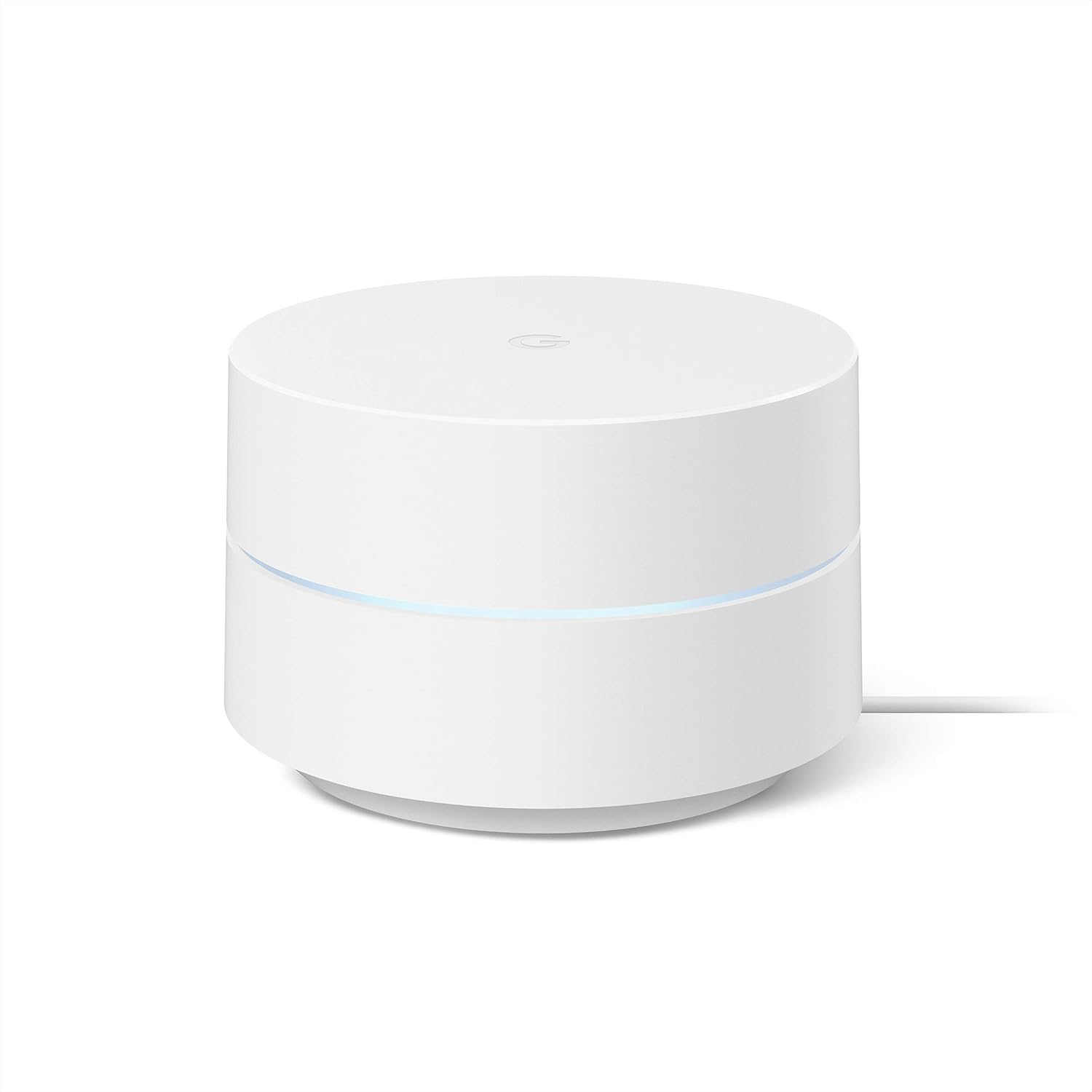
This Google Product features the Google Seal for Online Marketplace when purchased from a seller other than Amazon. Google Wifi is an easy-to-set-up whole-home mesh Wi-Fi system. Google Wifi points work together to create a mesh network that blankets your whole home in fast, reliable Wi-Fi and eliminates buffering in every room, on every device – with coverage up to 4500 square feet. [1] It’s Wi-Fi that just works. [2] Home size, materials, and layout can affect how Wi-Fi signal travels. Larger homes or homes with thicker walls or long, narrow layouts may need extra Wifi points for full coverage. Strength and speed of signal will depend on your internet provider. [3] Minimum OS requirements are available at g.co/googlewifi/req. [4] Controlling certain devices and features in your home requires a compatible smart device.
Reviews:
5.0 out of 5 stars As an IT professional for over 40 years, I have to say I am impressed.
(function() { P.when('cr-A', 'ready').execute(function(A) { if(typeof A.toggleExpanderAriaLabel === 'function') { A.toggleExpanderAriaLabel('review_text_read_more', 'Read more of this review', 'Read less of this review'); } }); })(); .review-text-read-more-expander:focus-visible { outline: 2px solid #2162a1; outline-offset: 2px; border-radius: 5px; } I had been an IT professional for over 40 years, and am now retired, but remain the IT professional for my household. In that time, I have had to set up many different routers to provide internet service for my home with multiple Alexa devices, Internet TV, and multiple PC's often running at the same time.We have a large, 4500+ square ft., home with two stories and a basement. Our basement has 3 large rooms with concrete walls that have caused dead spots in most parts of the basement. Internet on the second floor works, but devices often need to be reconnect to establish a new connection. I have tried multiple internet extenders and access points that usually worked sporadically. Having to constantly reconnect them and reestablish a connect was frustrating, and I finally gave up on them.I found out about the Google Mesh WIFI system and decided to look into them. I debated on the higher priced system that units include speakers and voice, but decided on this one since we have so many Alexa devices in our home. Another consideration was the cost of the upgraded system since 3 units costs 2 1/2 times more than this one. If you have a number of Google devices it may be worth the extra cost. All I wanted was a dependable WIFI system that would deliver WIFI to our entire house with no dead spots.I am so happy that I chose this WIFI system. After I downloaded and installed the Google Home app, it took me all of 15 minutes to set up the system, and at least 10 of those minutes was used to find the best locations for the satellite units. The app really does it all. There was no setup of the ISP - it was just so simple anyone could set up this system with absolutely no knowledge of setting up a router. You don't have to fool with an internet connection to router software- it's all in the app. Just connect one unit to the Ethernet cable you would connect to the router and scan the QR code on the unit with your phone. After the router unit is connected, plug in the satellite units to electricity and select + at the top left of the screen in the app to add each satellite. I did notice that I had to wait until the light on the new unit stopped blinking and it was finished booting up before connecting. After all of the units are connected, you can check the connections of each and move the units to get the best connections to all of them. Since the Google Home app is also used for the upgraded system, there are a lot of options that don't apply to this system.At this point, I couldn't be happier with this WIFI system. We now have fast internet in every corner of our house, including all of the rooms in the basement. I also tested the this system by taking one of my tablets out to the furthest end of our patio which is 60 feet from the router. I was still able to stream Netflix video with no lag. I should also mention that with this system and router, you don't have a choice on the connections between 2.4 GHz and 5 GHz. The system automatically uses the 5 GHz connection unless the device is too far. Then it will automatically switch to the 2.4 GHz connection.Knowing this is helpful if you need to initially connect a device that uses only 2.4 GHz. You need only to get far enough way from the router for it to switch the the 2.4 GHZ band. After the initial connection, the device will automatically connect to the 2.4 GHz band. When connecting a computer, you don't have to choose a band width, only your network name.I am super happy with this WIFI system, and would highly recommend it. For the first time in years, we have internet service in every area of our house and for an extended area outdoors. Setup was so incredibly easy - so much easier than setting up a router. In addition, the WIFI signal is much better than ever before when checking it with the internet speed tests. Although we have been paying for 10 mbps download, previous to getting this system, our speed was 4-5 mbps. Now, we consistently get 7-9 mbps according to the speed tests. We watch internet TV and no longer have times the programs buffer. In addition, the TV doesn't cut out if we use the microwave. To-date, we have not had to restart any of the devices to get a WIFI signal on any of the 3 floors in our house.UPDATE 8/10/21:We have been using this system for over 2 months, and, to-date have not had to reboot any of the 3 modules. When watching TV (all internet apps), there has not been any buffering even when we use the microwave. The only minor problem I have had is in setting up a device that will connect only to a 2.4 GHz connection. Most peripherals now will use both 2.4 GHz and 5 GHz, so this usually isn't a problem. I did manage to get this device connected using the method described above. At this point, I am thrilled with the performance of this system. Since I am the techy in my house, this means less trouble shooting and less problems for me.UPDATE 01/14/22:We have been using this WIFI system for about 8 months, and I can now say that it is the best we have ever had. I have tried all of the "high-end" routers, and have never had the great connection to WIFI throughout the house that we have now. Since getting this system, I have rebooted the main router only once. With all other routers we have had, it was a regular thing. We use only internet services for our TV, and since getting this system, there has been absolutely no buffering problems. The WIFI signal reaches every part of our 3 story house, and our devices have not had to be reconnected because of connection problems. There are enough problems in life to spend time trying to resolve WIFI connection problems. It's so very nice to not have this problem anymore.I hope this review was helpful for you. I will update this review if my opinion changes.
5.0 out of 5 stars Decent single router buy for a small apartment, upgradable to a bigger network. MESH baby!!!!
Bought this for my friends parents as an add on to their current Google Mesh system. So far have heard no complaints from them. My parents have this same system in their home and it works just fine. Auto updates itself, keeping with current settings and security. Pretty much a no brainer. (review posted 1-5-24) I don't know how long Google will support this Google Mesh router, my parents have had theirs for quite awhile, at least since COVID-19. The Google Home App, which deals with all your devices in your "smart" home, covers the routers with a basic but effective interface, test mesh strength, download speed, see current download usage, there's plenty of settings in there to tweak if you're a tweaker. Decent coverage for being such a small router, but i recommend upgrading to a dual or triple setup if you have a large house. My family has a large patio out back, four bedrooms upstairs, it's not absolutely massive, but a decently big older home, and three (3) cover it just perfectly, even in the basement. We have the router connected to the modem upstairs in a centrally located room, and the two "points" are located on the ground level on opposite sides of the home. Coverage on the patio is good, front porch is good. the house sits a bit back off the street, a smaller sized front lawn, but before the lawn ends the signal starts to drop off, and is weak at the street. its a pretty good setup, Thanks Google!! I don't have any headaches with it. have tons of devices connected. Occasionally a "point" will drop off, but usually this is after a power failure or some such, or an internet outage. Disconnect power from both Modem and Router. Wait at least five minutes. Trust me, if this doesn't work something else could be wrong. Then plug in the Modem, wait five minutes for Modem to cycle through its initialization start-up scheme. Typically you'll know this is done if after five minutes or so lights on the front of the Modem have stayed pretty much constant. Sometimes this takes longer/shorter depending on your equipment. Then after the Modem is settled plug in the power to the Router (Google Mesh Router AC1200) and wait another five minutes or so. After five minutes (approx)(sometimes much less) your network should be up and running. Reboot or restart equipment such as computer or iMac or whatever to ensure that everything is working well.sorry got into a setup lesson. Google mesh is the way to go. You'll pay quite a bit more for fancier routers but these Google Mesh routers are decently designed good workers.
Muito facil e rapido de instalar!
(function() { P.when('cr-A', 'ready').execute(function(A) { if(typeof A.toggleExpanderAriaLabel === 'function') { A.toggleExpanderAriaLabel('review_text_read_more', 'Read more of this review', 'Read less of this review'); } }); })(); .review-text-read-more-expander:focus-visible { outline: 2px solid #2162a1; outline-offset: 2px; border-radius: 5px; } Recomendo! Aumentou consideravelmente o sinal da internet Agora tenho sinal de qualidade em todo terreno da casa e ate em areas comuns no condominio como salao de festas, piscinas e quadras.
Amazing Product!
Amazing product, delivered before time, properly packaged. Very easy to install and total control through an application.
Sencillos de instalar y muy potentes
Sencillos de instalar y muy potentes, ya los pusieron mis papás y mi hermano también
was my first choice but ..
i thought to buy Wifi mesh to solve the dead spots issues behind concrete walls , well , this system didn't solve it .i would say any other system that dose not support a wired back-haul connection will also not solve it .it has a premium build quality and very intelligent software and will work amazingly in open space , but if you have concrete walls in your home , don't waste your money. the only solution is to buy a system where you can connect all the nodes with main unit through a wired connection .
Como eu esperava!
No inicio, o app pra iOS não queria funcionar. Passei quase 40 min até ele finalmente funcionar. A instalação é fácil e rápido. O mesh é rapido tbm... com apenas 2 eu consegui ter acesso à internet na casa toda, um apt de 110m2 com 3 quartos e varias paredes.
Visit the Google Store
Google Wifi - AC1200 - Mesh WiFi System - Wifi Router - 1500 Sq Ft Coverage - 1 pack
AED41611
Quantity:
Order today to get by 7-14 business days
This item qualifies for free delivery
Imported From: United States
At BOLO, we work hard to ensure the products you receive are new, genuine, and sourced from reputable suppliers.
BOLO is not an authorized or official retailer for most brands, nor are we affiliated with manufacturers unless specifically stated on a product page. Instead, we source verified sellers, authorized distributors or directly from the manufacturer.
Each product undergoes thorough inspection and verification at our consolidation and fulfilment centers to ensure it meets our strict authenticity and quality standards before being shipped and delivered to you.
If you ever have concerns regarding the authenticity of a product purchased from us, please contact Bolo Support. We will review your inquiry promptly and, if necessary, provide documentation verifying authenticity or offer a suitable resolution.
Your trust is our top priority, and we are committed to maintaining transparency and integrity in every transaction.
All product information, images, descriptions, and reviews originate from the manufacturer or from trusted sellers overseas. BOLO is not affiliated with, endorsed by, or an authorized retailer for most brands listed on our website unless stated otherwise.
While we strive to display accurate information, variations in packaging, labeling, instructions, or formulation may occasionally occur due to regional differences or supplier updates. For detailed or manufacturer-specific information, please contact the brand directly or reach out to BOLO Support for assistance.
Unless otherwise stated, all prices displayed on the product page include applicable taxes and import duties.
BOLO operates in accordance with the laws and regulations of United Arab Emirates. Any items found to be restricted or prohibited for sale within the UAE will be cancelled prior to shipment. We take proactive measures to ensure that only products permitted for sale in United Arab Emirates are listed on our website.
All items are shipped by air, and any products classified as “Dangerous Goods (DG)” under IATA regulations will be removed from the order and cancelled.
All orders are processed manually, and we make every effort to process them promptly once confirmed. Products cancelled due to the above reasons will be permanently removed from listings across the website.
Similar suggestions by Bolo
More from this brand
Similar items from “Whole Home & Mesh Wi-Fi Systems”
Share with
Or share with link
https://www.bolo.ae/products/UO08TTOMAM5
Visit the Google Store
Google Wifi - AC1200 - Mesh WiFi System - Wifi Router - 1500 Sq Ft Coverage - 1 pack

AED41611
Quantity:
Order today to get by 7-14 business days
This item qualifies for free delivery
Imported From: United States
At BOLO, we work hard to ensure the products you receive are new, genuine, and sourced from reputable suppliers.
BOLO is not an authorized or official retailer for most brands, nor are we affiliated with manufacturers unless specifically stated on a product page. Instead, we source verified sellers, authorized distributors or directly from the manufacturer.
Each product undergoes thorough inspection and verification at our consolidation and fulfilment centers to ensure it meets our strict authenticity and quality standards before being shipped and delivered to you.
If you ever have concerns regarding the authenticity of a product purchased from us, please contact Bolo Support. We will review your inquiry promptly and, if necessary, provide documentation verifying authenticity or offer a suitable resolution.
Your trust is our top priority, and we are committed to maintaining transparency and integrity in every transaction.
All product information, images, descriptions, and reviews originate from the manufacturer or from trusted sellers overseas. BOLO is not affiliated with, endorsed by, or an authorized retailer for most brands listed on our website unless stated otherwise.
While we strive to display accurate information, variations in packaging, labeling, instructions, or formulation may occasionally occur due to regional differences or supplier updates. For detailed or manufacturer-specific information, please contact the brand directly or reach out to BOLO Support for assistance.
Unless otherwise stated, all prices displayed on the product page include applicable taxes and import duties.
BOLO operates in accordance with the laws and regulations of United Arab Emirates. Any items found to be restricted or prohibited for sale within the UAE will be cancelled prior to shipment. We take proactive measures to ensure that only products permitted for sale in United Arab Emirates are listed on our website.
All items are shipped by air, and any products classified as “Dangerous Goods (DG)” under IATA regulations will be removed from the order and cancelled.
All orders are processed manually, and we make every effort to process them promptly once confirmed. Products cancelled due to the above reasons will be permanently removed from listings across the website.
Description:
This Google Product features the Google Seal for Online Marketplace when purchased from a seller other than Amazon. Google Wifi is an easy-to-set-up whole-home mesh Wi-Fi system. Google Wifi points work together to create a mesh network that blankets your whole home in fast, reliable Wi-Fi and eliminates buffering in every room, on every device – with coverage up to 4500 square feet. [1] It’s Wi-Fi that just works. [2] Home size, materials, and layout can affect how Wi-Fi signal travels. Larger homes or homes with thicker walls or long, narrow layouts may need extra Wifi points for full coverage. Strength and speed of signal will depend on your internet provider. [3] Minimum OS requirements are available at g.co/googlewifi/req. [4] Controlling certain devices and features in your home requires a compatible smart device.
Reviews:
5.0 out of 5 stars As an IT professional for over 40 years, I have to say I am impressed.
(function() { P.when('cr-A', 'ready').execute(function(A) { if(typeof A.toggleExpanderAriaLabel === 'function') { A.toggleExpanderAriaLabel('review_text_read_more', 'Read more of this review', 'Read less of this review'); } }); })(); .review-text-read-more-expander:focus-visible { outline: 2px solid #2162a1; outline-offset: 2px; border-radius: 5px; } I had been an IT professional for over 40 years, and am now retired, but remain the IT professional for my household. In that time, I have had to set up many different routers to provide internet service for my home with multiple Alexa devices, Internet TV, and multiple PC's often running at the same time.We have a large, 4500+ square ft., home with two stories and a basement. Our basement has 3 large rooms with concrete walls that have caused dead spots in most parts of the basement. Internet on the second floor works, but devices often need to be reconnect to establish a new connection. I have tried multiple internet extenders and access points that usually worked sporadically. Having to constantly reconnect them and reestablish a connect was frustrating, and I finally gave up on them.I found out about the Google Mesh WIFI system and decided to look into them. I debated on the higher priced system that units include speakers and voice, but decided on this one since we have so many Alexa devices in our home. Another consideration was the cost of the upgraded system since 3 units costs 2 1/2 times more than this one. If you have a number of Google devices it may be worth the extra cost. All I wanted was a dependable WIFI system that would deliver WIFI to our entire house with no dead spots.I am so happy that I chose this WIFI system. After I downloaded and installed the Google Home app, it took me all of 15 minutes to set up the system, and at least 10 of those minutes was used to find the best locations for the satellite units. The app really does it all. There was no setup of the ISP - it was just so simple anyone could set up this system with absolutely no knowledge of setting up a router. You don't have to fool with an internet connection to router software- it's all in the app. Just connect one unit to the Ethernet cable you would connect to the router and scan the QR code on the unit with your phone. After the router unit is connected, plug in the satellite units to electricity and select + at the top left of the screen in the app to add each satellite. I did notice that I had to wait until the light on the new unit stopped blinking and it was finished booting up before connecting. After all of the units are connected, you can check the connections of each and move the units to get the best connections to all of them. Since the Google Home app is also used for the upgraded system, there are a lot of options that don't apply to this system.At this point, I couldn't be happier with this WIFI system. We now have fast internet in every corner of our house, including all of the rooms in the basement. I also tested the this system by taking one of my tablets out to the furthest end of our patio which is 60 feet from the router. I was still able to stream Netflix video with no lag. I should also mention that with this system and router, you don't have a choice on the connections between 2.4 GHz and 5 GHz. The system automatically uses the 5 GHz connection unless the device is too far. Then it will automatically switch to the 2.4 GHz connection.Knowing this is helpful if you need to initially connect a device that uses only 2.4 GHz. You need only to get far enough way from the router for it to switch the the 2.4 GHZ band. After the initial connection, the device will automatically connect to the 2.4 GHz band. When connecting a computer, you don't have to choose a band width, only your network name.I am super happy with this WIFI system, and would highly recommend it. For the first time in years, we have internet service in every area of our house and for an extended area outdoors. Setup was so incredibly easy - so much easier than setting up a router. In addition, the WIFI signal is much better than ever before when checking it with the internet speed tests. Although we have been paying for 10 mbps download, previous to getting this system, our speed was 4-5 mbps. Now, we consistently get 7-9 mbps according to the speed tests. We watch internet TV and no longer have times the programs buffer. In addition, the TV doesn't cut out if we use the microwave. To-date, we have not had to restart any of the devices to get a WIFI signal on any of the 3 floors in our house.UPDATE 8/10/21:We have been using this system for over 2 months, and, to-date have not had to reboot any of the 3 modules. When watching TV (all internet apps), there has not been any buffering even when we use the microwave. The only minor problem I have had is in setting up a device that will connect only to a 2.4 GHz connection. Most peripherals now will use both 2.4 GHz and 5 GHz, so this usually isn't a problem. I did manage to get this device connected using the method described above. At this point, I am thrilled with the performance of this system. Since I am the techy in my house, this means less trouble shooting and less problems for me.UPDATE 01/14/22:We have been using this WIFI system for about 8 months, and I can now say that it is the best we have ever had. I have tried all of the "high-end" routers, and have never had the great connection to WIFI throughout the house that we have now. Since getting this system, I have rebooted the main router only once. With all other routers we have had, it was a regular thing. We use only internet services for our TV, and since getting this system, there has been absolutely no buffering problems. The WIFI signal reaches every part of our 3 story house, and our devices have not had to be reconnected because of connection problems. There are enough problems in life to spend time trying to resolve WIFI connection problems. It's so very nice to not have this problem anymore.I hope this review was helpful for you. I will update this review if my opinion changes.
5.0 out of 5 stars Decent single router buy for a small apartment, upgradable to a bigger network. MESH baby!!!!
Bought this for my friends parents as an add on to their current Google Mesh system. So far have heard no complaints from them. My parents have this same system in their home and it works just fine. Auto updates itself, keeping with current settings and security. Pretty much a no brainer. (review posted 1-5-24) I don't know how long Google will support this Google Mesh router, my parents have had theirs for quite awhile, at least since COVID-19. The Google Home App, which deals with all your devices in your "smart" home, covers the routers with a basic but effective interface, test mesh strength, download speed, see current download usage, there's plenty of settings in there to tweak if you're a tweaker. Decent coverage for being such a small router, but i recommend upgrading to a dual or triple setup if you have a large house. My family has a large patio out back, four bedrooms upstairs, it's not absolutely massive, but a decently big older home, and three (3) cover it just perfectly, even in the basement. We have the router connected to the modem upstairs in a centrally located room, and the two "points" are located on the ground level on opposite sides of the home. Coverage on the patio is good, front porch is good. the house sits a bit back off the street, a smaller sized front lawn, but before the lawn ends the signal starts to drop off, and is weak at the street. its a pretty good setup, Thanks Google!! I don't have any headaches with it. have tons of devices connected. Occasionally a "point" will drop off, but usually this is after a power failure or some such, or an internet outage. Disconnect power from both Modem and Router. Wait at least five minutes. Trust me, if this doesn't work something else could be wrong. Then plug in the Modem, wait five minutes for Modem to cycle through its initialization start-up scheme. Typically you'll know this is done if after five minutes or so lights on the front of the Modem have stayed pretty much constant. Sometimes this takes longer/shorter depending on your equipment. Then after the Modem is settled plug in the power to the Router (Google Mesh Router AC1200) and wait another five minutes or so. After five minutes (approx)(sometimes much less) your network should be up and running. Reboot or restart equipment such as computer or iMac or whatever to ensure that everything is working well.sorry got into a setup lesson. Google mesh is the way to go. You'll pay quite a bit more for fancier routers but these Google Mesh routers are decently designed good workers.
Muito facil e rapido de instalar!
(function() { P.when('cr-A', 'ready').execute(function(A) { if(typeof A.toggleExpanderAriaLabel === 'function') { A.toggleExpanderAriaLabel('review_text_read_more', 'Read more of this review', 'Read less of this review'); } }); })(); .review-text-read-more-expander:focus-visible { outline: 2px solid #2162a1; outline-offset: 2px; border-radius: 5px; } Recomendo! Aumentou consideravelmente o sinal da internet Agora tenho sinal de qualidade em todo terreno da casa e ate em areas comuns no condominio como salao de festas, piscinas e quadras.
Amazing Product!
Amazing product, delivered before time, properly packaged. Very easy to install and total control through an application.
Sencillos de instalar y muy potentes
Sencillos de instalar y muy potentes, ya los pusieron mis papás y mi hermano también
was my first choice but ..
i thought to buy Wifi mesh to solve the dead spots issues behind concrete walls , well , this system didn't solve it .i would say any other system that dose not support a wired back-haul connection will also not solve it .it has a premium build quality and very intelligent software and will work amazingly in open space , but if you have concrete walls in your home , don't waste your money. the only solution is to buy a system where you can connect all the nodes with main unit through a wired connection .
Como eu esperava!
No inicio, o app pra iOS não queria funcionar. Passei quase 40 min até ele finalmente funcionar. A instalação é fácil e rápido. O mesh é rapido tbm... com apenas 2 eu consegui ter acesso à internet na casa toda, um apt de 110m2 com 3 quartos e varias paredes.
Similar suggestions by Bolo
More from this brand
Similar items from “Whole Home & Mesh Wi-Fi Systems”
Share with
Or share with link
https://www.bolo.ae/products/UO08TTOMAM5