Deliver toUnited Arab Emirates
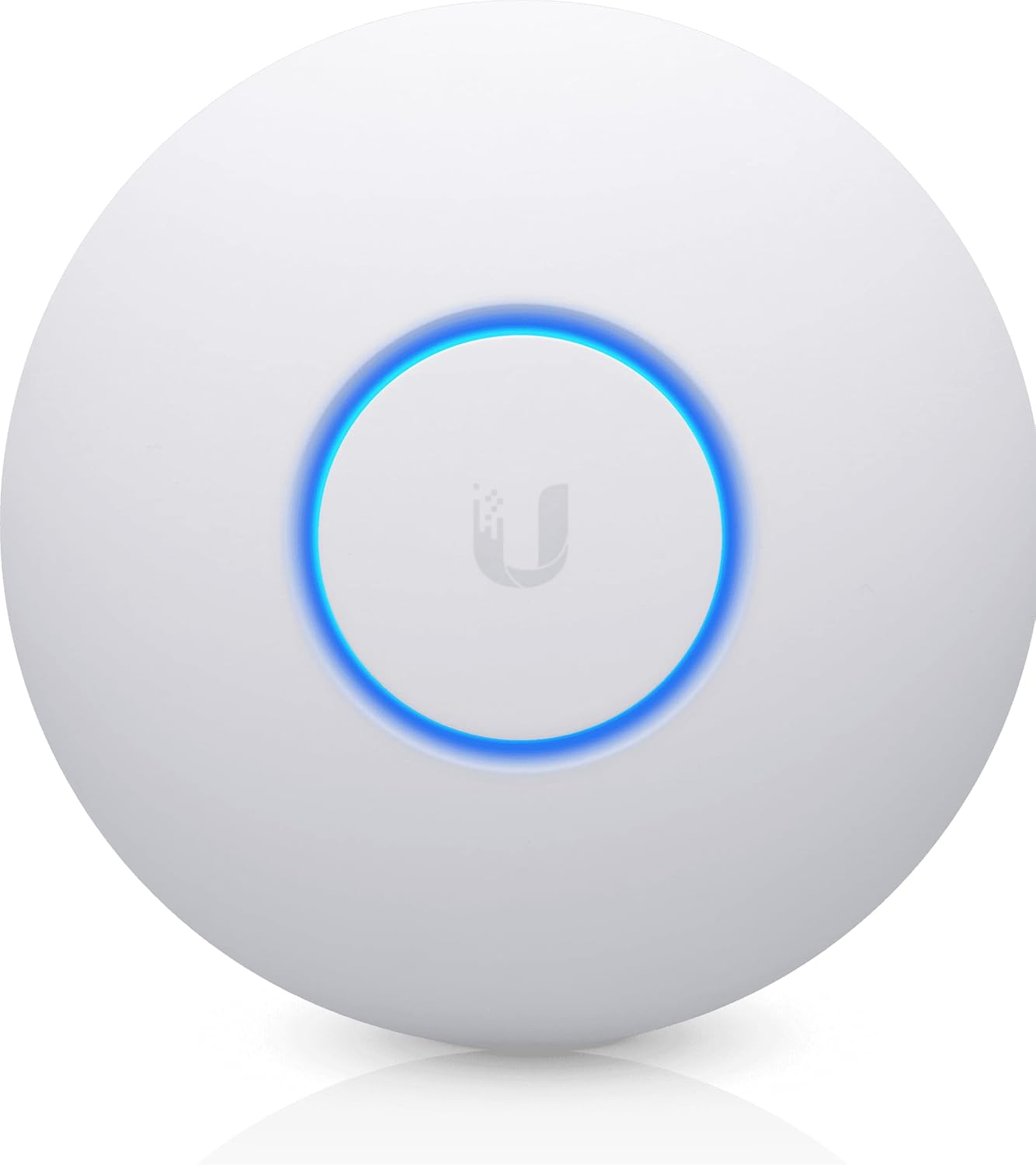
Ubiquiti Networks UniFi nanoHD Internal 1733Mbit/s Power Over Ethernet (PoE) White WLAN Access poin

Description:

  • Model: UAP-NanoHD-US UniFi nanoHD Wave-2 Access Point Discretely install the UniFi nanoHD 4x4 MU-MIMO 802.11ac Wave-2 Access Point from Ubiquiti Networks into nearly any building environment, thanks to the optional skins which come in a variety of designs including camouflage, concrete, marble, wood, black and fabric. This Ubiquiti Networks AP also comes equipped with a single Gigabit Ethernet 802.3af PoE-compliant network port and includes mounting kits for easy installation to either the wall
  • Deploy the UniFi nanoHD AP in high-density environments requiring maximum wireless performance and minimal footprint.
  • Our Smallest UniFi Access Point Available On the Market. UAP nanoHD is 30% smaller than UAP AC Pro version.
  • Supports 200+ Concurrent Users

  • Model: UAP-NanoHD-US UniFi nanoHD Wave-2 Access Point Discretely install the UniFi nanoHD 4x4 MU-MIMO 802.11ac Wave-2 Access Point from Ubiquiti Networks into nearly any building environment, thanks to the optional skins which come in a variety of designs including camouflage, concrete, marble, wood, black and fabric. This Ubiquiti Networks AP also comes equipped with a single Gigabit Ethernet 802.3af PoE-compliant network port and includes mounting kits for easy installation to either the wall or ceiling.

    Reviews:

    5.0 out of 5 stars Great product, reliable

    d.p. · January 30, 2023

    Been using these in a few properties. Great system and they never have connection issues

    5.0 out of 5 stars Easy to setup and use, with some searching.

    J. · February 2, 2025

    I knew of Ubiquity, and there middle of the road pricing. I figured I would try with one access point, and see how it went. I originally used the mobile app, moved to a local web server install, then to the cloud gateway, due to my previous router getting in the way, and not wanting my broadband modem also acting as a router. After doing searches on setup the first few times (mobile app, then PC install), I was up and running. I was happy. After adding in the cloud gateway, and then a second nano, I have great coverage in my home, an app to check on my network connection, and a clear web console for the new gateway router. Would highly recommend Ubiquity.

    5.0 out of 5 stars Extraordinary Product.

    E.V. · June 6, 2021

    Tested without controller, standalone, with included injector, maximum power, upstairs. This is the best piece of network equipment that I have ever tested. I am an IT Manager. I live in a two-story block, cement and concrete house about 1,200 square feet in total.Test 1, Upstairs, 5.0 GHz: Using an iPad watching a movie on Netflix walking through all the bedrooms, rooms, bathrooms, closets, etc. I couldn't get the connection to fail, we're talking about going through three walls, amazing.Test 2, Upstairs, 2.4 GHz: Taking into account that the 5.0 GHz band is more vulnerable to penetrating solid objects than the 2.4 GHz band, this test is superfluous.Test 3, Downstairs, 2.4 GHz: No fault on the whole floor below.Test 4, Outside the house, 2.4 GHz: No failures outside the house, tested up to the neighbor's sidewalk across the street. Alien technology without a doubt. I would give it six stars if I could. Highly recommended.

    4.0 out of 5 stars Does a fine job, very comperable to the UAP AC-Lite

    A.C. · November 25, 2022

    We needed to add another node to a facility with AC-Lite UAPs powered by an older ToughSwitch that does 24/48V PoE. We're migrating assets to our new Cisco BMS network with no 24V provision so it was necessary to spec a device with standard 48V PoE.This UAP is fine. It appear to perform roughly the same as the older AC-Lites, which was actually a touch of disappointment. I was hoping for better signal/range out of it. But it's doing the job just fine with no user complaints and the only real performance issue is coming from IoT devices on its fringe coverage area. These are building sensors, smart switches, managed thermostats and the like, so nothing that's super critical in terms of throughput or latency.If I could do it over again, I'd go for a UAP 6 Pro instead, but it's not worth the hassle of swapping.

    5.0 out of 5 stars muy bueno

    E. · September 11, 2024

    me agradó

    5.0 out of 5 stars YouTube was essential.

    B.T. · November 10, 2022

    This works well but not easy to get up and running.

    5.0 out of 5 stars It works well

    r. · June 4, 2021

    Huge upgrade from what originally came in my new home. Easy to set up and install. Computer set up was easy as well. I purchased two for my home and both work in sync. Upload times are phenomenal for the price.

    1.0 out of 5 stars It's SLOWWWWW (600Mbps)

    J.C. · June 21, 2024

    Tried all configuration - widening channel width, picking least busy channel, messing with transmit power - and it's maxing out at - best - 50MBps (or 600Mbps), and not getting any higher.With the U6+, wifi is saturating my 1GB network.Will be sending this one back for another U6+.

    BE WARNED - EU Plug not UK

    J. · December 31, 2021

    Can't review product as couldn't use it fully. I know that these are great products so didn't want to mark it down due to Bolos poor descriptions as this comes with an EU plug and not a UK one.Second item in 24 hours with poor item descriptions.BE WARNED - EU Plug not UK

    Prima accesspoint

    R. · March 30, 2020

    Om WiFi thuis beter geschikt te maken voor thuiswerken deze accesspoints gekocht, in combinatie met een DreamMachine. Zeer tevreden: stabiel internet, groot bereik en goed dashboard zodat je ziet wat er gebeurt. Ondanks dat het een professioneel netwerk systeem is, toch gebruikers vriendelijk. Zeer aan te raden, mits je bekabeling hebt voor de accesspoints.

    Apuesta segura. Buena calidad.

    S. · February 5, 2020

    Se puede instalar directamente con la app del móvil en muy pocos pasos, pero eso te da acceso solo a las funciones básicas, si quieres poder acceder a todas las funciones avanzadas (crear multiples wifis por ejemplo) debes instalarte el software controlador en un PC o comprarte un controlador físico que te hará estadísticas, te avisará de cualquier anomalía en la red, etc. La instalación muy sencilla, tienen infinidad de opciones pero las básicas son fáciles, solo indicar el nombre de la wifi, clave y poco más. Por los comentarios supongo que antes sería más complicado, ahora es muy fácil.Alcance solo he probado en 5GHz y llega como todos, la habitación en la que esté y contiguas. Atravesar dos paredes con 5GHz ya es complicado. Sí llega a la segunda habitación atravesando las dos paredes (baño con alicatado) pero ya con unos 50MB. Pero la potencia está limitada por Ley y no pueden poner más así que todos llegan más o menos lo mismo. Tengo otro AP in wall hd y llegan más o menos lo mismo. Seguramente en 2GHz llegue más pero no lo he probado. Puedes poner que tanto 2GHz como 5GHz tengan el mismo nombre y cambie de una a otra automáticamente según sea necesario pero en mi caso me conecto y siempre mantiene la 5GHz que lógicamente tendrá prioridad, pero al moverme a otras habitaciones e ir alejándome no cambia a 2GHz, si me alejo mucho termina por desconectarse pero siempre a 5GHz.En general muy bien excepto por el precio que me parece caro pero espero poder aprovechar toda la potencia que tiene en algún momento (de momento equipos con una sola antena en la misma habitación se conectan a 200Mb un Galaxy S7 y a 400MB un Huawei más moderno). Opté por este y no por el PRO porque lleva mejor tecnología y porque es más pequeño y discreto, aunque el PRO tiene más velocidad en 2GHz pero el 5GHz gana el NanoHD, en distancia según dicen llega algo más el PRO en 2GHz pero no lo he probado.Otra "desventaja" es que entrar en el mundo Unifi es terminar gastándote una pasta porque funcionan muy bien y te dejan trastear mucho y al final terminas queriendo un controlador físico para que te haga estadísticas, un swicht poe para tener más control de toda la red, una cámara poe por seguridad... y todo es de calidad pero caro.

    Sehr guter AccessPoint, sowohl für privaten als auch für gewerblichen Gebrauch

    H. · April 28, 2020

    Ich vergleiche den Ubiquity Unify nanoHD sowohl mit meinem zuvor privat eingesetzten AP-AC PRO, als auch mit den von mir administrierten AP-AC HDs.Ich betreibe den nanoHD privat in meinem Heimnetz, wo er aktuell vier separate WLANs für privates Internet, Sat-over-IP und Home-Office (je eins für mich und meine Frau) bereit stellt. Die WLANs werden über getrennte VLANs umgesetzt. Die einzelnen VLANs werden dabei von meiner Firewall bereit gestellt und über den ebenfalls im Einsatz befindlichen Unify Switch 8-60W an den Unify nanoHD durchgereicht. Die Administration erfolgte zuerst über einen auf debian Linux gehorsteten UnifyController - später wurde sie auf einen Unify CloudKey Gen 1 umgestellt.Der AccessPoint funktioniert reibungslos und bietet verglichen mit dem AP-AC PRO einen deutlich besseren Durchsatz im 5 GHz Band. Die Leistung im 2.4 GHz Band ist zwar messbar schlechter als beim zuvor verwendeten AP-AC PRO - jedoch macht sich das bei mir in der Praxis nicht bemerkbar. Um es einmal salopp zu formulieren: Wenn man ein Mehrfamilienhaus mit Stahlbetonzwischendecken mit WLAN ausleuchten möchte, sollte man einen AccessPoint je Stockwerk planen. Sofern man Unify AccessPoints in Verbindung mit einem aktiven UnifyController verwendet, klappt dabei das sogenannte "Handover" (das automatische weiterreichen des WLAN-Clients an den jeweils nächsten AccessPoint) sehr zuverlässig. Für eine optimale Performance, sollte dabei jeder AccessPoint über Gigabit LAN mit dem UnifyController, bzw. mit dem Switch verbunden sein. Auch wenn diese technische Umsetzung einen gewissen Aufwand mit sich bringt (man muss jeden AccessPoint einzeln über LAN-Kabel mit dem Switch verbinden) ist doch der erzielte Netzwerkdurchsatz einer klassischen Erweiterung des WLANs über Repeater deutlich überlegen.Die Stromversorgung der AccessPoints kann entweder über die im Lieferumfang enthaltenen PoE-Injektoren, oder über PoE-Switches erfolgen. Setzt man mehrere AccessPoints, sowie den CloudKey ein, ist ein PoE-Switch die sinnvollere Alternative, weil er energieeffizienter arbeitet.Ich würde den AccessPoint wieder kaufen und kann ihn auch persönlich empfehlen.

    Prodotto Eccezionale!

    S.F. · May 24, 2022

    Se conoscente l'ecosistema UniFi allora sapete che sono efficienti e potenti. Il prodotto si installa facilmente ed una volta configurato funziona egregiamente. usato per aumentare e migliorare la copertura Wi-Fi in una casa di campagna con muri grandi e tante stanze, compreso giardino. Funziona tutto egregiamente. Serve un minimo di esperienza per configurarlo se avete firewall e simili. la resa sarà poi ottimale e molto migliore dei classici wi-fi extender.prodotto validissimo, top.

    Ubiquiti Networks UniFi nanoHD Internal 1733Mbit/s Power Over Ethernet (PoE) White WLAN Access poin

    Product ID: UO07SSAGYWQ
    Condition: New

    4.5

    AED75640

    Price includes VAT & Import Duties
    Availability: In Stock

    Quantity:

    |

    Order today to get by 7-14 business days

    This item qualifies for free delivery

    Returns & Warranty policies

    Imported From: United States

    At BOLO, we work hard to ensure the products you receive are new, genuine, and sourced from reputable suppliers.

    BOLO is not an authorized or official retailer for most brands, nor are we affiliated with manufacturers unless specifically stated on a product page. Instead, we source verified sellers, authorized distributors or directly from the manufacturer.

    Each product undergoes thorough inspection and verification at our consolidation and fulfilment centers to ensure it meets our strict authenticity and quality standards before being shipped and delivered to you.

    If you ever have concerns regarding the authenticity of a product purchased from us, please contact Bolo Support. We will review your inquiry promptly and, if necessary, provide documentation verifying authenticity or offer a suitable resolution.

    Your trust is our top priority, and we are committed to maintaining transparency and integrity in every transaction.

    All product information, images, descriptions, and reviews originate from the manufacturer or from trusted sellers overseas. BOLO is not affiliated with, endorsed by, or an authorized retailer for most brands listed on our website unless stated otherwise.

    While we strive to display accurate information, variations in packaging, labeling, instructions, or formulation may occasionally occur due to regional differences or supplier updates. For detailed or manufacturer-specific information, please contact the brand directly or reach out to BOLO Support for assistance.

    Unless otherwise stated, all prices displayed on the product page include applicable taxes and import duties.

    BOLO operates in accordance with the laws and regulations of United Arab Emirates. Any items found to be restricted or prohibited for sale within the UAE will be cancelled prior to shipment. We take proactive measures to ensure that only products permitted for sale in United Arab Emirates are listed on our website.

    All items are shipped by air, and any products classified as “Dangerous Goods (DG)” under IATA regulations will be removed from the order and cancelled.

    All orders are processed manually, and we make every effort to process them promptly once confirmed. Products cancelled due to the above reasons will be permanently removed from listings across the website.

    Similar suggestions by Bolo

    More from this brand

    Similar items from “Wireless Access Points”

    Ubiquiti Networks UniFi nanoHD Internal 1733Mbit/s Power Over Ethernet (PoE) White WLAN Access poin

    Product ID: UO07SSAGYWQ
    Condition: New

    4.5

    Ubiquiti Networks UniFi nanoHD Internal 1733Mbit/s Power Over Ethernet (PoE) White WLAN Access poin-0

    AED75640

    Price includes VAT & Import Duties
    Availability: In Stock

    Quantity:

    |

    Order today to get by 7-14 business days

    This item qualifies for free delivery

    Returns & Warranty policies

    Imported From: United States

    At BOLO, we work hard to ensure the products you receive are new, genuine, and sourced from reputable suppliers.

    BOLO is not an authorized or official retailer for most brands, nor are we affiliated with manufacturers unless specifically stated on a product page. Instead, we source verified sellers, authorized distributors or directly from the manufacturer.

    Each product undergoes thorough inspection and verification at our consolidation and fulfilment centers to ensure it meets our strict authenticity and quality standards before being shipped and delivered to you.

    If you ever have concerns regarding the authenticity of a product purchased from us, please contact Bolo Support. We will review your inquiry promptly and, if necessary, provide documentation verifying authenticity or offer a suitable resolution.

    Your trust is our top priority, and we are committed to maintaining transparency and integrity in every transaction.

    All product information, images, descriptions, and reviews originate from the manufacturer or from trusted sellers overseas. BOLO is not affiliated with, endorsed by, or an authorized retailer for most brands listed on our website unless stated otherwise.

    While we strive to display accurate information, variations in packaging, labeling, instructions, or formulation may occasionally occur due to regional differences or supplier updates. For detailed or manufacturer-specific information, please contact the brand directly or reach out to BOLO Support for assistance.

    Unless otherwise stated, all prices displayed on the product page include applicable taxes and import duties.

    BOLO operates in accordance with the laws and regulations of United Arab Emirates. Any items found to be restricted or prohibited for sale within the UAE will be cancelled prior to shipment. We take proactive measures to ensure that only products permitted for sale in United Arab Emirates are listed on our website.

    All items are shipped by air, and any products classified as “Dangerous Goods (DG)” under IATA regulations will be removed from the order and cancelled.

    All orders are processed manually, and we make every effort to process them promptly once confirmed. Products cancelled due to the above reasons will be permanently removed from listings across the website.

    Description:

  • Model: UAP-NanoHD-US UniFi nanoHD Wave-2 Access Point Discretely install the UniFi nanoHD 4x4 MU-MIMO 802.11ac Wave-2 Access Point from Ubiquiti Networks into nearly any building environment, thanks to the optional skins which come in a variety of designs including camouflage, concrete, marble, wood, black and fabric. This Ubiquiti Networks AP also comes equipped with a single Gigabit Ethernet 802.3af PoE-compliant network port and includes mounting kits for easy installation to either the wall
  • Deploy the UniFi nanoHD AP in high-density environments requiring maximum wireless performance and minimal footprint.
  • Our Smallest UniFi Access Point Available On the Market. UAP nanoHD is 30% smaller than UAP AC Pro version.
  • Supports 200+ Concurrent Users

  • Model: UAP-NanoHD-US UniFi nanoHD Wave-2 Access Point Discretely install the UniFi nanoHD 4x4 MU-MIMO 802.11ac Wave-2 Access Point from Ubiquiti Networks into nearly any building environment, thanks to the optional skins which come in a variety of designs including camouflage, concrete, marble, wood, black and fabric. This Ubiquiti Networks AP also comes equipped with a single Gigabit Ethernet 802.3af PoE-compliant network port and includes mounting kits for easy installation to either the wall or ceiling.

    Reviews:

    5.0 out of 5 stars Great product, reliable

    d.p. · January 30, 2023

    Been using these in a few properties. Great system and they never have connection issues

    5.0 out of 5 stars Easy to setup and use, with some searching.

    J. · February 2, 2025

    I knew of Ubiquity, and there middle of the road pricing. I figured I would try with one access point, and see how it went. I originally used the mobile app, moved to a local web server install, then to the cloud gateway, due to my previous router getting in the way, and not wanting my broadband modem also acting as a router. After doing searches on setup the first few times (mobile app, then PC install), I was up and running. I was happy. After adding in the cloud gateway, and then a second nano, I have great coverage in my home, an app to check on my network connection, and a clear web console for the new gateway router. Would highly recommend Ubiquity.

    5.0 out of 5 stars Extraordinary Product.

    E.V. · June 6, 2021

    Tested without controller, standalone, with included injector, maximum power, upstairs. This is the best piece of network equipment that I have ever tested. I am an IT Manager. I live in a two-story block, cement and concrete house about 1,200 square feet in total.Test 1, Upstairs, 5.0 GHz: Using an iPad watching a movie on Netflix walking through all the bedrooms, rooms, bathrooms, closets, etc. I couldn't get the connection to fail, we're talking about going through three walls, amazing.Test 2, Upstairs, 2.4 GHz: Taking into account that the 5.0 GHz band is more vulnerable to penetrating solid objects than the 2.4 GHz band, this test is superfluous.Test 3, Downstairs, 2.4 GHz: No fault on the whole floor below.Test 4, Outside the house, 2.4 GHz: No failures outside the house, tested up to the neighbor's sidewalk across the street. Alien technology without a doubt. I would give it six stars if I could. Highly recommended.

    4.0 out of 5 stars Does a fine job, very comperable to the UAP AC-Lite

    A.C. · November 25, 2022

    We needed to add another node to a facility with AC-Lite UAPs powered by an older ToughSwitch that does 24/48V PoE. We're migrating assets to our new Cisco BMS network with no 24V provision so it was necessary to spec a device with standard 48V PoE.This UAP is fine. It appear to perform roughly the same as the older AC-Lites, which was actually a touch of disappointment. I was hoping for better signal/range out of it. But it's doing the job just fine with no user complaints and the only real performance issue is coming from IoT devices on its fringe coverage area. These are building sensors, smart switches, managed thermostats and the like, so nothing that's super critical in terms of throughput or latency.If I could do it over again, I'd go for a UAP 6 Pro instead, but it's not worth the hassle of swapping.

    5.0 out of 5 stars muy bueno

    E. · September 11, 2024

    me agradó

    5.0 out of 5 stars YouTube was essential.

    B.T. · November 10, 2022

    This works well but not easy to get up and running.

    5.0 out of 5 stars It works well

    r. · June 4, 2021

    Huge upgrade from what originally came in my new home. Easy to set up and install. Computer set up was easy as well. I purchased two for my home and both work in sync. Upload times are phenomenal for the price.

    1.0 out of 5 stars It's SLOWWWWW (600Mbps)

    J.C. · June 21, 2024

    Tried all configuration - widening channel width, picking least busy channel, messing with transmit power - and it's maxing out at - best - 50MBps (or 600Mbps), and not getting any higher.With the U6+, wifi is saturating my 1GB network.Will be sending this one back for another U6+.

    BE WARNED - EU Plug not UK

    J. · December 31, 2021

    Can't review product as couldn't use it fully. I know that these are great products so didn't want to mark it down due to Bolos poor descriptions as this comes with an EU plug and not a UK one.Second item in 24 hours with poor item descriptions.BE WARNED - EU Plug not UK

    Prima accesspoint

    R. · March 30, 2020

    Om WiFi thuis beter geschikt te maken voor thuiswerken deze accesspoints gekocht, in combinatie met een DreamMachine. Zeer tevreden: stabiel internet, groot bereik en goed dashboard zodat je ziet wat er gebeurt. Ondanks dat het een professioneel netwerk systeem is, toch gebruikers vriendelijk. Zeer aan te raden, mits je bekabeling hebt voor de accesspoints.

    Apuesta segura. Buena calidad.

    S. · February 5, 2020

    Se puede instalar directamente con la app del móvil en muy pocos pasos, pero eso te da acceso solo a las funciones básicas, si quieres poder acceder a todas las funciones avanzadas (crear multiples wifis por ejemplo) debes instalarte el software controlador en un PC o comprarte un controlador físico que te hará estadísticas, te avisará de cualquier anomalía en la red, etc. La instalación muy sencilla, tienen infinidad de opciones pero las básicas son fáciles, solo indicar el nombre de la wifi, clave y poco más. Por los comentarios supongo que antes sería más complicado, ahora es muy fácil.Alcance solo he probado en 5GHz y llega como todos, la habitación en la que esté y contiguas. Atravesar dos paredes con 5GHz ya es complicado. Sí llega a la segunda habitación atravesando las dos paredes (baño con alicatado) pero ya con unos 50MB. Pero la potencia está limitada por Ley y no pueden poner más así que todos llegan más o menos lo mismo. Tengo otro AP in wall hd y llegan más o menos lo mismo. Seguramente en 2GHz llegue más pero no lo he probado. Puedes poner que tanto 2GHz como 5GHz tengan el mismo nombre y cambie de una a otra automáticamente según sea necesario pero en mi caso me conecto y siempre mantiene la 5GHz que lógicamente tendrá prioridad, pero al moverme a otras habitaciones e ir alejándome no cambia a 2GHz, si me alejo mucho termina por desconectarse pero siempre a 5GHz.En general muy bien excepto por el precio que me parece caro pero espero poder aprovechar toda la potencia que tiene en algún momento (de momento equipos con una sola antena en la misma habitación se conectan a 200Mb un Galaxy S7 y a 400MB un Huawei más moderno). Opté por este y no por el PRO porque lleva mejor tecnología y porque es más pequeño y discreto, aunque el PRO tiene más velocidad en 2GHz pero el 5GHz gana el NanoHD, en distancia según dicen llega algo más el PRO en 2GHz pero no lo he probado.Otra "desventaja" es que entrar en el mundo Unifi es terminar gastándote una pasta porque funcionan muy bien y te dejan trastear mucho y al final terminas queriendo un controlador físico para que te haga estadísticas, un swicht poe para tener más control de toda la red, una cámara poe por seguridad... y todo es de calidad pero caro.

    Sehr guter AccessPoint, sowohl für privaten als auch für gewerblichen Gebrauch

    H. · April 28, 2020

    Ich vergleiche den Ubiquity Unify nanoHD sowohl mit meinem zuvor privat eingesetzten AP-AC PRO, als auch mit den von mir administrierten AP-AC HDs.Ich betreibe den nanoHD privat in meinem Heimnetz, wo er aktuell vier separate WLANs für privates Internet, Sat-over-IP und Home-Office (je eins für mich und meine Frau) bereit stellt. Die WLANs werden über getrennte VLANs umgesetzt. Die einzelnen VLANs werden dabei von meiner Firewall bereit gestellt und über den ebenfalls im Einsatz befindlichen Unify Switch 8-60W an den Unify nanoHD durchgereicht. Die Administration erfolgte zuerst über einen auf debian Linux gehorsteten UnifyController - später wurde sie auf einen Unify CloudKey Gen 1 umgestellt.Der AccessPoint funktioniert reibungslos und bietet verglichen mit dem AP-AC PRO einen deutlich besseren Durchsatz im 5 GHz Band. Die Leistung im 2.4 GHz Band ist zwar messbar schlechter als beim zuvor verwendeten AP-AC PRO - jedoch macht sich das bei mir in der Praxis nicht bemerkbar. Um es einmal salopp zu formulieren: Wenn man ein Mehrfamilienhaus mit Stahlbetonzwischendecken mit WLAN ausleuchten möchte, sollte man einen AccessPoint je Stockwerk planen. Sofern man Unify AccessPoints in Verbindung mit einem aktiven UnifyController verwendet, klappt dabei das sogenannte "Handover" (das automatische weiterreichen des WLAN-Clients an den jeweils nächsten AccessPoint) sehr zuverlässig. Für eine optimale Performance, sollte dabei jeder AccessPoint über Gigabit LAN mit dem UnifyController, bzw. mit dem Switch verbunden sein. Auch wenn diese technische Umsetzung einen gewissen Aufwand mit sich bringt (man muss jeden AccessPoint einzeln über LAN-Kabel mit dem Switch verbinden) ist doch der erzielte Netzwerkdurchsatz einer klassischen Erweiterung des WLANs über Repeater deutlich überlegen.Die Stromversorgung der AccessPoints kann entweder über die im Lieferumfang enthaltenen PoE-Injektoren, oder über PoE-Switches erfolgen. Setzt man mehrere AccessPoints, sowie den CloudKey ein, ist ein PoE-Switch die sinnvollere Alternative, weil er energieeffizienter arbeitet.Ich würde den AccessPoint wieder kaufen und kann ihn auch persönlich empfehlen.

    Prodotto Eccezionale!

    S.F. · May 24, 2022

    Se conoscente l'ecosistema UniFi allora sapete che sono efficienti e potenti. Il prodotto si installa facilmente ed una volta configurato funziona egregiamente. usato per aumentare e migliorare la copertura Wi-Fi in una casa di campagna con muri grandi e tante stanze, compreso giardino. Funziona tutto egregiamente. Serve un minimo di esperienza per configurarlo se avete firewall e simili. la resa sarà poi ottimale e molto migliore dei classici wi-fi extender.prodotto validissimo, top.

    Similar suggestions by Bolo

    More from this brand

    Similar items from “Wireless Access Points”