Description:
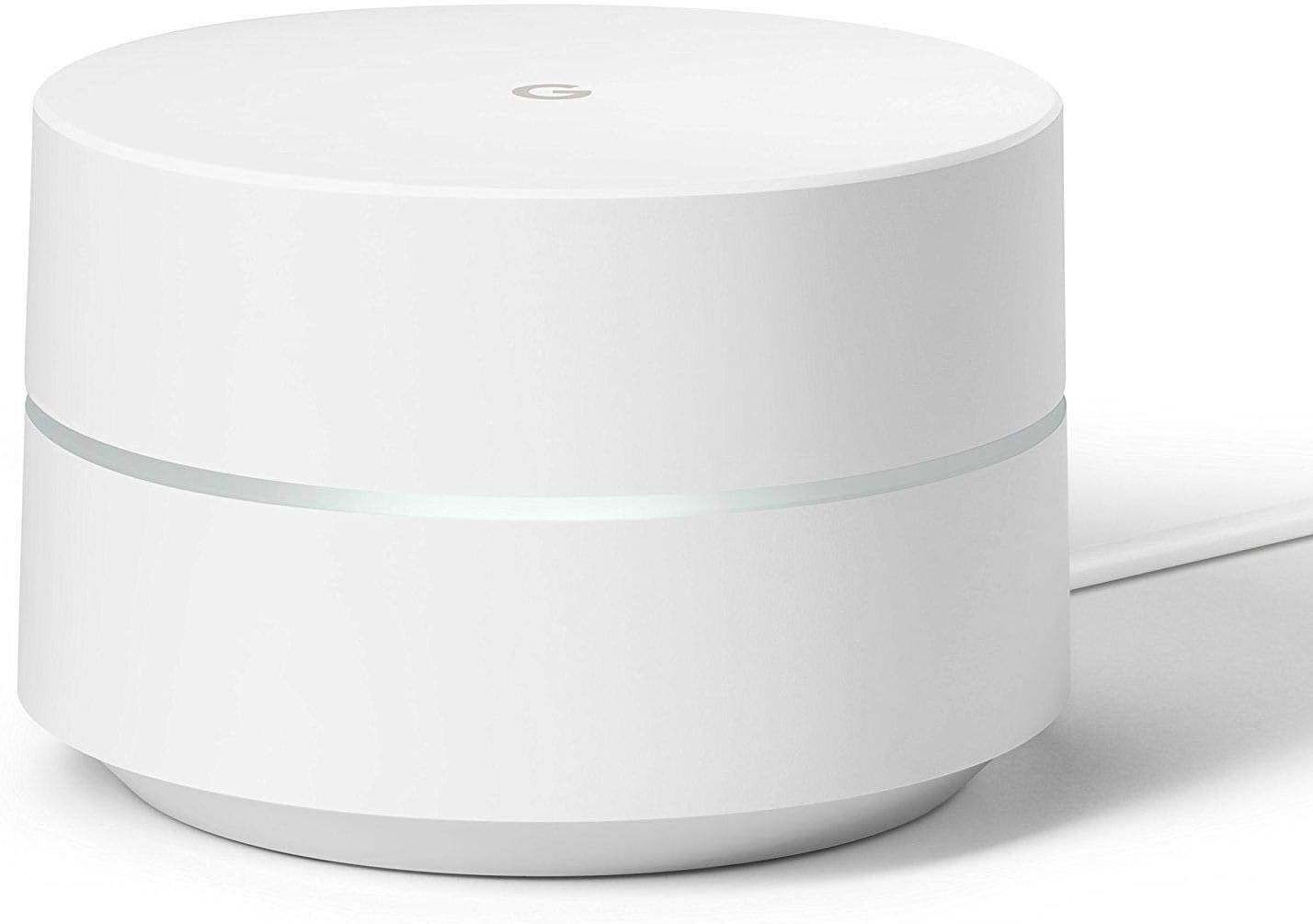
Google WiFi System, 1-Pack - Router Replacement for Whole Home Coverage - NLS-1304-25,white
Reviews:
5.0 out of 5 stars Google Wifi - Easy Setup, Fast Wifi, Everything I Wanted!
(function() { P.when('cr-A', 'ready').execute(function(A) { if(typeof A.toggleExpanderAriaLabel === 'function') { A.toggleExpanderAriaLabel('review_text_read_more', 'Read more of this review', 'Read less of this review'); } }); })(); .review-text-read-more-expander:focus-visible { outline: 2px solid #2162a1; outline-offset: 2px; border-radius: 5px; } Google Wifi ReviewTL;DR version: 48 hours in and I’m absolutely amazed. True to form and other reviews, these things just work, are rock solid, and fast. Very happy with the purchase.The longer version for those interested….Background: A while back I got gigabit speed internet here at home. The speed is amazing on my wired iMac, but wifi through my Apple AirPort routers (1x AirPort Extreme, 3x AirPort Expresses acting as repeaters) was leaving something to be desired. Comcast had given me a big Netgear Nighthawk monstrosity as part of the gigabit package and when I tried it out vs. the AirPorts the difference was night and day - the Nighthawk wifi network was multiple times faster than the AirPort network. Come to find out my trusty AirPort network didn't support the newest, latest, greatest wifi standards so simply wasn't as fast as the Nighthawk. And Apple has apparently decided to get out of the router game.The Problem: To take advantage of the greater speed, I reconfigured my network to support both the higher speed Nighthawk wifi and the lower speed AirPort network. Why keep both? Because the single nighthawk didn't have enough range to cover my three story, 4,500 sq.ft. house (and the now hard-wired 1,000 sq. ft. guest house) while the multiple AirPort expresses did. So now I had two completely different wifi networks running at two different speeds covering different parts of the house. Not ideal, especially now that I'm more reliant on wifi for my iPhone (T-Mobile's signal in the house isn't great, so my wife and I have been using the really excellent wifi calling feature.)The Solution: Today I replaced ALL my routers with four Google Wifi units. The primary wired into the Comcast modem in the office (downstairs), one for the Master Bedroom (2nd level, mesh), one for the guest bedroom (kind of a separate split level thing off to the side, also mesh), and one for the Guest House (hard wired to Ethernet run from the main house). The primary unit connects to a gigabit switch that then connects to several wired devices.The Verdict: Only two days in, but so far I'm thrilled. The Google Wifi units form a mesh network that seems to cover my entire house in strong wifi. I haven’t found anywhere in my oddly shaped and sized house that i’m not getting flawless wifi. Some places are “faster” than others, but even in the “worst” spots I’m still getting at least 40Mbps which I’m not going to complain about. At best, I’m getting 200+Mbps, which definitely isn’t full gigabit but is leagues better than I could get from the AirPorts and on par with the best I’d ever gotten from the Nighthawk… while covering both houses with a single, uninterrupted network with great signal in every room.Setup was stupid simple and completely done from the iPhone app. Haven’t had a chance to really play with all of the cool features (internet pause, etc.), but the core functionality is fantastic. I was slightly concerned about functionality since it’s a Google device and we’re all-in on Apple gear (3x Macs, 2x iPhones, 4x iPads, etc.), but almost everything has worked flawlessly (the only glitch was, ironically, with the now Google-owned Nest Thermostats I have - the trick is to reset the network settings on the Nests and re-enter the new wifi info). Every device, wired or wireless, has worked beautifully and the speed is phenomenal.(As a note and as a point of comparison, I had been a pre-orderer for the Luma mesh wifi system and had briefly tried that out when it finally shipped. I had been greatly looking forward to it and was so disappointed when the units finally arrived. Setup was a nightmare - the stations couldn’t find each other requiring starting over, but then I entered a slightly different name during the process and then it tried to set up two networks, the coverage was bad, and on and on… The Google Wifi units are everything I had hoped the Luma system would be and more.)Downsides: Honestly, none that I can really tell so far. I’ve long since given up on caring about being able to tweak every little power user setting in a router, so the options offered by the Google Wifi app more than take care of my needs. It was a little confusing when I hooked up the Guest House unit (wired into Ethernet) as a wifi point because it asked me to unplug the ethernet during configuration but then didn’t really give me any guidance, but it still flawlessly added the unit to the existing mesh network (but now with ethernet backhaul). Placement in my house was a little bit of a pain, but that’s just my house being weird - since you just have to plug in wherever there’s a power outlet it’s about as painless as it can be.Final Thoughts: If anything changes or something wonky happens I’ll update this, but otherwise I wholeheartedly recommend Google Wifi. Buy it you’ll love it!
5.0 out of 5 stars One of the best routers on the market!
Words cannot describe how much we love our Google Wifi System that we purchased during Cyber Monday last year for a set of 3 for around $200. We originally had an Apple Extreme (third generation), but due to overheating issues from the Apple's fan, we had to replace it even though we simply love Apple products, the Extreme is a POS. It took us several days to do our research and look online for a system that was versatile and easy to use and had our eye on this particular system for a while, but didn't want to make the purchase because of the high investment costs. We were quite happy when it came on sale during the Black Friday/Cyber Monday week.Installation was a breeze (surprisingly). Simply add the first dot near your modem and install the Google Wifi App on your phone. The app will walkthrough the installation process. To install the other dots, all you have to do is place the dot ANYWHERE you want and the system will automatically pick the second or third dot up and it takes a few seconds for the App to identify the additional dots. Unlike the Apple Extreme, the App provides comprehensive information on what devices are currently being connected to the wifi network. A great way to see who is on your network and how to remove devices that you aren't really sure should be on your network. Google went one step-up by providing remote access to your wifi network. A great tool for anyone going on vacation or traveling for work to track your wifi network at home. Perfect for anyone who has multiple devices or any smart home devices that you need to monitor (security system, pet feeder, Nest Cam).Each single "dot" covered about 1,500 square feet with all three covering about 4,00 square feet (about the size of a large home with 3-5 bedrooms). One dot can cover an apartment complex without any issue. The only negative is that the Google Wifi system had difficulty pushing signals through walls, hence the need for multiple dots throughout each room. We didn't have this particular issue with the Apple Extreme as it had no problem pushing wifi signals through different types of walls.Our rating scaleDesign: 5/5Utility: 5/5Effectiveness: 5/5Noticeable flaws: The only flaws is the inability of the mesh network to push the wifi signal through walls as effective as other routers. Secondly, some people had issues with the LED light that is emitted from the device itself (but we enjoyed the light but wanted to put it here in case you do not).Our answers to the frequently asked questions:What data does Google collect from this router?This is what we found from Google: "The information your Wifi points and the Google Wifi app collect helps us deliver the best Wi-Fi experience possible. Importantly, the Google Wifi app and your Wifi points do not track the websites you visit or collect the content of any traffic on your network. However, your Wifi points does collect data such as Wi-Fi channel, signal strength, and device types that are relevant to optimize your Wi-Fi performance. Google policies and terms of services apply as normal to any Google services you use (like Gmail or Google search), whether you’re using them on an Google Wifi network or not."Can I set up a guest network that is isolated from my main home network?Yes, you can setup additional networks that is isolated from your main network with the different dots.Can i link up one google wifi router with a google onhub router to create a mesh network?Yes, they are linkable together.Overall, it is a simple, easy to use, and versatile mesh wifi system that can be used by anyone. We recommend purchasing the three dot system as it is more cost effective than purchasing one. The ability to track your network on the go is a great tool for anyone who has a smart home device system.Like our review? Hit the "Yes" button below for it being useful. Leave us a comment if you have any questions or send us an email. Follow us on Twitter, Facebook, or Bolo to get updates and daily deals.Thanks for reading!
Google Wifi is Relatively Easy
(function() { P.when('cr-A', 'ready').execute(function(A) { if(typeof A.toggleExpanderAriaLabel === 'function') { A.toggleExpanderAriaLabel('review_text_read_more', 'Read more of this review', 'Read less of this review'); } }); })(); .review-text-read-more-expander:focus-visible { outline: 2px solid #2162a1; outline-offset: 2px; border-radius: 5px; } I needed a wifi mesh system to extend my wifi across my 3 story home. I installed the base station near my office on the ground floor in the staircase. I then mounted the slave units in the staircase on the second and third floors. My home is all concrete floors and walls so it was always hard to get a signal around the house. Now with Google, it is just perfect. Installation and setup was relatively easy, but not as simple as just plug and play.
Excelente roteador
Excelente produto, mantém a rede estável e distribui a sua disponibilidade de velocidade de acordo com a necessidade dos dispositivos conectados
Vollkommen überzeugt.
Ich bin mit dem Artikel von der ersten Minute an sehr zufrieden.Es klappt alles und wir haben endlich ein stabiles WLAN Netz in unserer 100 qm Wohnung. Dabei reicht bei unserer Situation ein Gerät völlig aus.
Molto soddisfatto
Facilissimo da istallare, funziona molto meglio di quanto mi aspettassi visto che alcune recensioni su youtube non erano al 100% positive. Con questo sistema ho collegato 3 router; uno collegato tramite cavo rete al router principale della casa, un altro nel soggiorno a distanza di 10m più o meno dove ho collegato lo smart TV, e l'ultimo al piano di sopra. Ho provato la connessione in tutti i punti e da 80Mbps al router principale, riesco ad ottenere 60Mbps al piano di sopra, sia con wifi che con cavo collegato direttamente al terzo router. Finora nessuno problema, e noto un netto miglioramento nel performance del smartTV. Unica cosa da considerare e che ho ricevuto spine americane al quale il venditore mi ha rimborsato il costo di 3 adattatori.
Excellent device
I have 1400 sqft house and 900 sqft office, both in different location. so i bought pack of 3, 2 for home and one for office. Started with home, a single unit covered my entire house (the router is almost in the center portion of house). My priority was to get break free internet all around the house and google is doing it pretty well. the features i use most1. Pause internet. Kids got tablet.also chromecast connected to TV. i can pause connectivity to these devices when needed. very useful if you don't want your kids to use internet when you are away.2. IFTTT. Google wifi suport ifttt. You can write rules when a device connect/disconnect. I get an email when my wife connects/disconnect wifi and she gets email when I come/leave home.3. Bandwidth usage : You can check on which device is taking most bandwidth.I haven't find any negative so far. I would love to give bandwidth limit to certain device.Like max 5Mbps to some device. I think the request is already gone to google and hope they come up with this feature.google wifi, google home ,google chromecast, philips hue works great together.
Visit the Google Store
Google WiFi System, 1-Pack - Router Replacement for Whole Home Coverage - NLS-1304-25,white
AED65855
Quantity:
Order today to get by 7-14 business days
This item qualifies for free delivery
Imported From: United States
At BOLO, we work hard to ensure the products you receive are new, genuine, and sourced from reputable suppliers.
BOLO is not an authorized or official retailer for most brands, nor are we affiliated with manufacturers unless specifically stated on a product page. Instead, we source verified sellers, authorized distributors or directly from the manufacturer.
Each product undergoes thorough inspection and verification at our consolidation and fulfilment centers to ensure it meets our strict authenticity and quality standards before being shipped and delivered to you.
If you ever have concerns regarding the authenticity of a product purchased from us, please contact Bolo Support. We will review your inquiry promptly and, if necessary, provide documentation verifying authenticity or offer a suitable resolution.
Your trust is our top priority, and we are committed to maintaining transparency and integrity in every transaction.
All product information, images, descriptions, and reviews originate from the manufacturer or from trusted sellers overseas. BOLO is not affiliated with, endorsed by, or an authorized retailer for most brands listed on our website unless stated otherwise.
While we strive to display accurate information, variations in packaging, labeling, instructions, or formulation may occasionally occur due to regional differences or supplier updates. For detailed or manufacturer-specific information, please contact the brand directly or reach out to BOLO Support for assistance.
Unless otherwise stated, all prices displayed on the product page include applicable taxes and import duties.
BOLO operates in accordance with the laws and regulations of United Arab Emirates. Any items found to be restricted or prohibited for sale within the UAE will be cancelled prior to shipment. We take proactive measures to ensure that only products permitted for sale in United Arab Emirates are listed on our website.
All items are shipped by air, and any products classified as “Dangerous Goods (DG)” under IATA regulations will be removed from the order and cancelled.
All orders are processed manually, and we make every effort to process them promptly once confirmed. Products cancelled due to the above reasons will be permanently removed from listings across the website.
Similar suggestions by Bolo
More from this brand
Similar items from “Whole Home & Mesh Wi-Fi Systems”
Share with
Or share with link
https://www.bolo.ae/products/UO01ZQW0UIT
Visit the Google Store
Google WiFi System, 1-Pack - Router Replacement for Whole Home Coverage - NLS-1304-25,white

AED65855
Quantity:
Order today to get by 7-14 business days
This item qualifies for free delivery
Imported From: United States
At BOLO, we work hard to ensure the products you receive are new, genuine, and sourced from reputable suppliers.
BOLO is not an authorized or official retailer for most brands, nor are we affiliated with manufacturers unless specifically stated on a product page. Instead, we source verified sellers, authorized distributors or directly from the manufacturer.
Each product undergoes thorough inspection and verification at our consolidation and fulfilment centers to ensure it meets our strict authenticity and quality standards before being shipped and delivered to you.
If you ever have concerns regarding the authenticity of a product purchased from us, please contact Bolo Support. We will review your inquiry promptly and, if necessary, provide documentation verifying authenticity or offer a suitable resolution.
Your trust is our top priority, and we are committed to maintaining transparency and integrity in every transaction.
All product information, images, descriptions, and reviews originate from the manufacturer or from trusted sellers overseas. BOLO is not affiliated with, endorsed by, or an authorized retailer for most brands listed on our website unless stated otherwise.
While we strive to display accurate information, variations in packaging, labeling, instructions, or formulation may occasionally occur due to regional differences or supplier updates. For detailed or manufacturer-specific information, please contact the brand directly or reach out to BOLO Support for assistance.
Unless otherwise stated, all prices displayed on the product page include applicable taxes and import duties.
BOLO operates in accordance with the laws and regulations of United Arab Emirates. Any items found to be restricted or prohibited for sale within the UAE will be cancelled prior to shipment. We take proactive measures to ensure that only products permitted for sale in United Arab Emirates are listed on our website.
All items are shipped by air, and any products classified as “Dangerous Goods (DG)” under IATA regulations will be removed from the order and cancelled.
All orders are processed manually, and we make every effort to process them promptly once confirmed. Products cancelled due to the above reasons will be permanently removed from listings across the website.
Description:
Google WiFi System, 1-Pack - Router Replacement for Whole Home Coverage - NLS-1304-25,white
Reviews:
5.0 out of 5 stars Google Wifi - Easy Setup, Fast Wifi, Everything I Wanted!
(function() { P.when('cr-A', 'ready').execute(function(A) { if(typeof A.toggleExpanderAriaLabel === 'function') { A.toggleExpanderAriaLabel('review_text_read_more', 'Read more of this review', 'Read less of this review'); } }); })(); .review-text-read-more-expander:focus-visible { outline: 2px solid #2162a1; outline-offset: 2px; border-radius: 5px; } Google Wifi ReviewTL;DR version: 48 hours in and I’m absolutely amazed. True to form and other reviews, these things just work, are rock solid, and fast. Very happy with the purchase.The longer version for those interested….Background: A while back I got gigabit speed internet here at home. The speed is amazing on my wired iMac, but wifi through my Apple AirPort routers (1x AirPort Extreme, 3x AirPort Expresses acting as repeaters) was leaving something to be desired. Comcast had given me a big Netgear Nighthawk monstrosity as part of the gigabit package and when I tried it out vs. the AirPorts the difference was night and day - the Nighthawk wifi network was multiple times faster than the AirPort network. Come to find out my trusty AirPort network didn't support the newest, latest, greatest wifi standards so simply wasn't as fast as the Nighthawk. And Apple has apparently decided to get out of the router game.The Problem: To take advantage of the greater speed, I reconfigured my network to support both the higher speed Nighthawk wifi and the lower speed AirPort network. Why keep both? Because the single nighthawk didn't have enough range to cover my three story, 4,500 sq.ft. house (and the now hard-wired 1,000 sq. ft. guest house) while the multiple AirPort expresses did. So now I had two completely different wifi networks running at two different speeds covering different parts of the house. Not ideal, especially now that I'm more reliant on wifi for my iPhone (T-Mobile's signal in the house isn't great, so my wife and I have been using the really excellent wifi calling feature.)The Solution: Today I replaced ALL my routers with four Google Wifi units. The primary wired into the Comcast modem in the office (downstairs), one for the Master Bedroom (2nd level, mesh), one for the guest bedroom (kind of a separate split level thing off to the side, also mesh), and one for the Guest House (hard wired to Ethernet run from the main house). The primary unit connects to a gigabit switch that then connects to several wired devices.The Verdict: Only two days in, but so far I'm thrilled. The Google Wifi units form a mesh network that seems to cover my entire house in strong wifi. I haven’t found anywhere in my oddly shaped and sized house that i’m not getting flawless wifi. Some places are “faster” than others, but even in the “worst” spots I’m still getting at least 40Mbps which I’m not going to complain about. At best, I’m getting 200+Mbps, which definitely isn’t full gigabit but is leagues better than I could get from the AirPorts and on par with the best I’d ever gotten from the Nighthawk… while covering both houses with a single, uninterrupted network with great signal in every room.Setup was stupid simple and completely done from the iPhone app. Haven’t had a chance to really play with all of the cool features (internet pause, etc.), but the core functionality is fantastic. I was slightly concerned about functionality since it’s a Google device and we’re all-in on Apple gear (3x Macs, 2x iPhones, 4x iPads, etc.), but almost everything has worked flawlessly (the only glitch was, ironically, with the now Google-owned Nest Thermostats I have - the trick is to reset the network settings on the Nests and re-enter the new wifi info). Every device, wired or wireless, has worked beautifully and the speed is phenomenal.(As a note and as a point of comparison, I had been a pre-orderer for the Luma mesh wifi system and had briefly tried that out when it finally shipped. I had been greatly looking forward to it and was so disappointed when the units finally arrived. Setup was a nightmare - the stations couldn’t find each other requiring starting over, but then I entered a slightly different name during the process and then it tried to set up two networks, the coverage was bad, and on and on… The Google Wifi units are everything I had hoped the Luma system would be and more.)Downsides: Honestly, none that I can really tell so far. I’ve long since given up on caring about being able to tweak every little power user setting in a router, so the options offered by the Google Wifi app more than take care of my needs. It was a little confusing when I hooked up the Guest House unit (wired into Ethernet) as a wifi point because it asked me to unplug the ethernet during configuration but then didn’t really give me any guidance, but it still flawlessly added the unit to the existing mesh network (but now with ethernet backhaul). Placement in my house was a little bit of a pain, but that’s just my house being weird - since you just have to plug in wherever there’s a power outlet it’s about as painless as it can be.Final Thoughts: If anything changes or something wonky happens I’ll update this, but otherwise I wholeheartedly recommend Google Wifi. Buy it you’ll love it!
5.0 out of 5 stars One of the best routers on the market!
Words cannot describe how much we love our Google Wifi System that we purchased during Cyber Monday last year for a set of 3 for around $200. We originally had an Apple Extreme (third generation), but due to overheating issues from the Apple's fan, we had to replace it even though we simply love Apple products, the Extreme is a POS. It took us several days to do our research and look online for a system that was versatile and easy to use and had our eye on this particular system for a while, but didn't want to make the purchase because of the high investment costs. We were quite happy when it came on sale during the Black Friday/Cyber Monday week.Installation was a breeze (surprisingly). Simply add the first dot near your modem and install the Google Wifi App on your phone. The app will walkthrough the installation process. To install the other dots, all you have to do is place the dot ANYWHERE you want and the system will automatically pick the second or third dot up and it takes a few seconds for the App to identify the additional dots. Unlike the Apple Extreme, the App provides comprehensive information on what devices are currently being connected to the wifi network. A great way to see who is on your network and how to remove devices that you aren't really sure should be on your network. Google went one step-up by providing remote access to your wifi network. A great tool for anyone going on vacation or traveling for work to track your wifi network at home. Perfect for anyone who has multiple devices or any smart home devices that you need to monitor (security system, pet feeder, Nest Cam).Each single "dot" covered about 1,500 square feet with all three covering about 4,00 square feet (about the size of a large home with 3-5 bedrooms). One dot can cover an apartment complex without any issue. The only negative is that the Google Wifi system had difficulty pushing signals through walls, hence the need for multiple dots throughout each room. We didn't have this particular issue with the Apple Extreme as it had no problem pushing wifi signals through different types of walls.Our rating scaleDesign: 5/5Utility: 5/5Effectiveness: 5/5Noticeable flaws: The only flaws is the inability of the mesh network to push the wifi signal through walls as effective as other routers. Secondly, some people had issues with the LED light that is emitted from the device itself (but we enjoyed the light but wanted to put it here in case you do not).Our answers to the frequently asked questions:What data does Google collect from this router?This is what we found from Google: "The information your Wifi points and the Google Wifi app collect helps us deliver the best Wi-Fi experience possible. Importantly, the Google Wifi app and your Wifi points do not track the websites you visit or collect the content of any traffic on your network. However, your Wifi points does collect data such as Wi-Fi channel, signal strength, and device types that are relevant to optimize your Wi-Fi performance. Google policies and terms of services apply as normal to any Google services you use (like Gmail or Google search), whether you’re using them on an Google Wifi network or not."Can I set up a guest network that is isolated from my main home network?Yes, you can setup additional networks that is isolated from your main network with the different dots.Can i link up one google wifi router with a google onhub router to create a mesh network?Yes, they are linkable together.Overall, it is a simple, easy to use, and versatile mesh wifi system that can be used by anyone. We recommend purchasing the three dot system as it is more cost effective than purchasing one. The ability to track your network on the go is a great tool for anyone who has a smart home device system.Like our review? Hit the "Yes" button below for it being useful. Leave us a comment if you have any questions or send us an email. Follow us on Twitter, Facebook, or Bolo to get updates and daily deals.Thanks for reading!
Google Wifi is Relatively Easy
(function() { P.when('cr-A', 'ready').execute(function(A) { if(typeof A.toggleExpanderAriaLabel === 'function') { A.toggleExpanderAriaLabel('review_text_read_more', 'Read more of this review', 'Read less of this review'); } }); })(); .review-text-read-more-expander:focus-visible { outline: 2px solid #2162a1; outline-offset: 2px; border-radius: 5px; } I needed a wifi mesh system to extend my wifi across my 3 story home. I installed the base station near my office on the ground floor in the staircase. I then mounted the slave units in the staircase on the second and third floors. My home is all concrete floors and walls so it was always hard to get a signal around the house. Now with Google, it is just perfect. Installation and setup was relatively easy, but not as simple as just plug and play.
Excelente roteador
Excelente produto, mantém a rede estável e distribui a sua disponibilidade de velocidade de acordo com a necessidade dos dispositivos conectados
Vollkommen überzeugt.
Ich bin mit dem Artikel von der ersten Minute an sehr zufrieden.Es klappt alles und wir haben endlich ein stabiles WLAN Netz in unserer 100 qm Wohnung. Dabei reicht bei unserer Situation ein Gerät völlig aus.
Molto soddisfatto
Facilissimo da istallare, funziona molto meglio di quanto mi aspettassi visto che alcune recensioni su youtube non erano al 100% positive. Con questo sistema ho collegato 3 router; uno collegato tramite cavo rete al router principale della casa, un altro nel soggiorno a distanza di 10m più o meno dove ho collegato lo smart TV, e l'ultimo al piano di sopra. Ho provato la connessione in tutti i punti e da 80Mbps al router principale, riesco ad ottenere 60Mbps al piano di sopra, sia con wifi che con cavo collegato direttamente al terzo router. Finora nessuno problema, e noto un netto miglioramento nel performance del smartTV. Unica cosa da considerare e che ho ricevuto spine americane al quale il venditore mi ha rimborsato il costo di 3 adattatori.
Excellent device
I have 1400 sqft house and 900 sqft office, both in different location. so i bought pack of 3, 2 for home and one for office. Started with home, a single unit covered my entire house (the router is almost in the center portion of house). My priority was to get break free internet all around the house and google is doing it pretty well. the features i use most1. Pause internet. Kids got tablet.also chromecast connected to TV. i can pause connectivity to these devices when needed. very useful if you don't want your kids to use internet when you are away.2. IFTTT. Google wifi suport ifttt. You can write rules when a device connect/disconnect. I get an email when my wife connects/disconnect wifi and she gets email when I come/leave home.3. Bandwidth usage : You can check on which device is taking most bandwidth.I haven't find any negative so far. I would love to give bandwidth limit to certain device.Like max 5Mbps to some device. I think the request is already gone to google and hope they come up with this feature.google wifi, google home ,google chromecast, philips hue works great together.
Similar suggestions by Bolo
More from this brand
Similar items from “Whole Home & Mesh Wi-Fi Systems”
Share with
Or share with link
https://www.bolo.ae/products/UO01ZQW0UIT