Deliver toUnited Arab Emirates
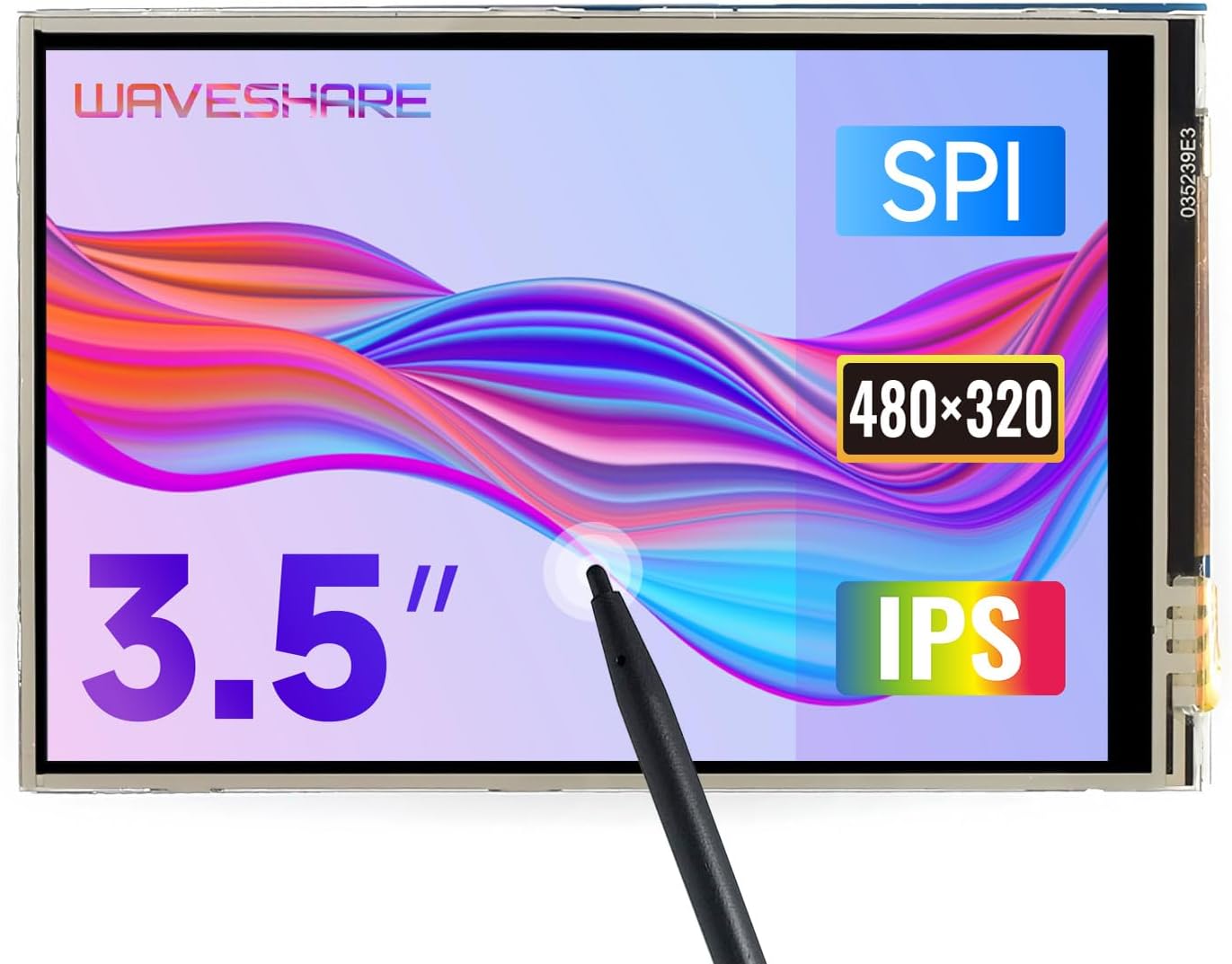
Waveshare 3.5inch Touch Screen, Compatible with Raspberry Pi 5/4B/3B/Zero/Zero W/Zero 2W/Pico/Pico W/Pico WH, TFT LCD, 480x320

Description:

  • Provide online user manual, please check the manual carefully before using!
  • 480x320 hardware resolution.Resistive touch control Size perfectly fits the Pi (Raspberry Pi B+/2B/3B/3B+/Pi 4B)
  • Drivers provided (works with your own Raspbian/Ubuntu/Kali)
  • Supports FBCP software driver as well, allows to config software resolution and set up dual-display
  • High quality immersion gold surface plating

  • Reviews:

    5.0 out of 5 stars Good

    E.V. · December 22, 2024

    Good

    5.0 out of 5 stars Nice Waveshare Raspberry Pi Display I want to try although ...

    A.C. · September 21, 2016

    Nice Waveshare Raspberry Pi DisplayI want to try although there are many negative reviews of this display. And I get a result out of my expectation. It runs well, works great!! I go to the supported website on their manual within the package.The 3.5inch small screen is the same size as the raspberry pi.The RPi LCD can be driven in two ways: Method 1. install driver to your Raspberry OS. Method 2. use the Ready-to-use image file of which LCD driver was preinstalled.Method 1. Driver installationDescription: Supports the latest version of Raspbian and Ubuntu Mate.LCD-show-160811.tar.gz1. Configure your Pi:sudo raspi-configset as:Select Expand Filesystem.Boot Option -> Desktop Autologin (may differ depending on Raspbian revision)2. Copy the driver (choose the driver according to your OS) into your OS then Run the following commands:tar xvd LCD-show-YYMMDD.tar.gzcd LCD-show/This toggles the mode to LCD display: ./LCD35-show 3. After system rebooting, the RPi LCD is ready to use.Method 2. Using Ready-to-use imageThe image file with pre-installed driver is located in the IMAGE directory of the CD, or you can download it from #Image. Extract the .7z file and you will get an .img file. Write the image to your micro SD card ( How to write an image to a micro SD card for your Pi? See RPi Image Installation Guides for more details). Then insert the card to your Pi, power up and enjoy it.

    1.0 out of 5 stars Not compatible

    j.r. · October 6, 2025

    The screens stayed white after hooking them up and running the software. I have a raspberry pi 5 with the new bookworm software and it isn’t compatible.

    3.0 out of 5 stars Good luck on Pi5 and anything with Ubuntu greater than 22

    R.L. · June 30, 2025

    If you are going to try to use this with a Raspberry Pi 5 running Raspian Bookwork you might be OK. It will be a pain to get working so be prepared. The Waveshare Wiki isn't accurate for what you need to do to get this running on a Raspberry Pi5. It's primarily for older models of Pi.If you want to run this on a Pi running Ubuntu newer than 22.04 good luck! I couldn't get it working at all. I run my Pi 5 in a Pironman case with a 2tb SSD running Ubuntu....it doesn't work. I can use it, although not well with a work around when I boot Raspberry Pi OS from the microsd card. It is a good product, just not for every use case.

    4.0 out of 5 stars Works as intended

    j. · April 26, 2022

    Easy to install, works easily with Octoprint after installing correct drivers/plugins. The touchscreen isn't the best, but it came with a stylus that makes it easier to use. Screen quality is mediocre, but there's really no reason to have a better one for this application so it fits the use case.

    4.0 out of 5 stars Ok I finally got it running and it works great! You MUST use the manufacturer's Raspbian Image from ...

    E.M. · May 20, 2015

    Ok I finally got it running and it works great! You MUST use the manufacturer's Raspbian Image from this link: :https://drive.google.com/file/d/0BxTKwT1nnLaoM001MDhyTGJIZU0/view?usp=sharing. The CD that comes with it is useless - use it as a drink coaster or a Frisbee, but don't try to load that image.Next don't do a apt-get update or upgrade with out first doing this sudo apt-mark hold raspberrypi-bootloader. If you do, the touchscreen will stop working.Other than that product came in one piece and looks good.

    1.0 out of 5 stars Horriible product with horrible support!

    U. · May 11, 2015

    After having a really bad time with the shipping, I finally went and picked this up form the shippers instead of it actually going to my house like it was suppose. I open the box and it the LCD looks like it has a bunch of scratches all over the screen until I take of the protective cover and see it only had one minor scratch on it. It said this was suppose to be a plug and play kind of device, where you load the OS on a micro SD card and after about 30 seconds the screen will turn on and it should work, but it didn't, I spent the next three days scouring the internet trying to find the right drivers for this "touchscreen", finally I came to this website https://github.com/notro/fbtft/issues/215 and was able to get the screen to pop up, but still no touchscreen, and I still haven't been able to get it to work, after loading the kernel and drivers manually, to trying 10 different downloads of the same zip file to see if that was the problem. Still can't get the stupid touch part to work for this screen, the crappy part is that the screen actually looks good when its on...Overall this is a horrible product with no support...

    3.0 out of 5 stars It still works well if you search the internet for the latest (user supplied) information

    S.L.U. · December 17, 2017

    I paid more for this brand name, rather than buying the less expensive no name knockoff. I did this because I wanted it to work out of the box. Pretty much did. A few things have changed in the Raspberry Pi operating system since this display and it's documentation were made. There is enough good information on the internet to get it working correctly. Not sure why the Asians can't keep up with the evolution of the software. Lady Ada manages to stay current, so the Asians probably could too. Nice clear display.

    Nice

    L.B. · September 13, 2023

    It's a nice little touchscreen for status display on the RPi. The resistive touch is a nice extra. The screen is the same form-factor as the Rpi and just fits straight on top using the GPIO pins. No extra cables required. Nice!

    lasted 7 days

    s. · May 30, 2018

    Only lasted a week then died.

    Schickes kleines Display - wenn man den richtigen Treiber erwischt!

    U.E. · May 11, 2016

    Grundsätzlich sind 480x320 Punkte ja nicht die Welt. Aber es geht hier ja nicht um Full-HD oder 4K, sondern einfach nur darum, dem Pi ein kleines Display zu geben, über das man auch mal direkt auf die Konsole kann, oder das beispielsweise ein Webradio-Interface anzeigt. Und dafür ist es allemal geeignet.Grundsätzlich kann man sich das angepasste Raspbian von Waveshare installieren. Da ich aber nicht weiß, was dort wirklich alles angepasst ist, möchte ich das nicht permanent laufen haben. Zum Test wurde es einmal eingerichtet und hat auch funktioniert. Letztlich sollte es aber auch mit einem "originalen" Raspbian laufen.Probleme gab es dann mit dem von Waveshare (in deren Wiki) bereitgestellten Treiber. Der Download ist über 70MB groß und scheint über ein Modem zu laufen. Ich habe knappe zwei Stunden gebraucht bis ich ihn auf dem Rechner hatte. Dann funktioniert er mit dem von Raspberry bereitgestellten Raspbian Image nur so lange bis man Updates eingespielt hat. Danach ist Schluß mit lustig. Ich habe auch eine Neuinstallation des Treibers nicht mehr hinbekommen.Lustigerweise habe ich bei dx.com das gleiche Display von einem anderen Anbieter gefunden. Und dort in den Kommentaren war jemand so nett und hat einen Link gepostet, über den man einen deutlich kleineren Treiber herunterladen kann. Ich hoffe, Bolo entfernt diesen Link jetzt nicht. Denn das wäre gemein gegenüber allen, die damit ihre Probleme mit der Hardware lösen könnten.[ [...] ]Falls der Link doch gelöscht wird: Es gibt eine Seite "spotpear.com", dort einen Ordner "download", hier wieder einen Ordner "diver24-5" und da liegt dann eine Datei "LCD-show-151102.tar.gz". Schätze man kann sich darüber alles Notwendige zusammenklicken ;)Mit diesem Treiber und dem originalen Raspbian von Raspberry.org habe ich das Display problemlos zum Laufen bekommen. Auch nach einem Upgrade aller Pakete und anschließendem Reboot war das LCD noch aktiv.Insofern kann ich diesen Bildschirm nun wirklich empfehlen :)

    Way too many scratches on the screen

    s.c. · December 19, 2019

    The product came in decent time and is worth the value for money.But the screen has alot of scratches which cannot be ignored.

    Waveshare Raspberry Pi LCD Display

    H.D. · November 28, 2016

    Ecran acheté après le bris d'un autre d'une autre marque!Emballage, livraison et rapidité au top!Premier contact excellent, l’écran est calibré dans le bon sens (prise vers le haut), contrairement au premier.aucuns problème de fonctionnement..Je le conseille vivement aux possesseur du raspi 3!

    Waveshare 3.5inch Touch Screen, Compatible with Raspberry Pi 5/4B/3B/Zero/Zero W/Zero 2W/Pico/Pico W/Pico WH, TFT LCD, 480x320

    Product ID: UO00BMYT2LF
    Condition: New

    3.8

    (126 ratings)

    AED25944

    Price includes VAT & Import Duties
    Availability: In Stock

    Quantity:

    |

    Order today to get by 7-14 business days

    This item qualifies for free delivery

    Returns & Warranty policies

    Imported From: United States

    At BOLO, we work hard to ensure the products you receive are new, genuine, and sourced from reputable suppliers.

    BOLO is not an authorized or official retailer for most brands, nor are we affiliated with manufacturers unless specifically stated on a product page. Instead, we source verified sellers, authorized distributors or directly from the manufacturer.

    Each product undergoes thorough inspection and verification at our consolidation and fulfilment centers to ensure it meets our strict authenticity and quality standards before being shipped and delivered to you.

    If you ever have concerns regarding the authenticity of a product purchased from us, please contact Bolo Support. We will review your inquiry promptly and, if necessary, provide documentation verifying authenticity or offer a suitable resolution.

    Your trust is our top priority, and we are committed to maintaining transparency and integrity in every transaction.

    All product information, images, descriptions, and reviews originate from the manufacturer or from trusted sellers overseas. BOLO is not affiliated with, endorsed by, or an authorized retailer for most brands listed on our website unless stated otherwise.

    While we strive to display accurate information, variations in packaging, labeling, instructions, or formulation may occasionally occur due to regional differences or supplier updates. For detailed or manufacturer-specific information, please contact the brand directly or reach out to BOLO Support for assistance.

    Unless otherwise stated, all prices displayed on the product page include applicable taxes and import duties.

    BOLO operates in accordance with the laws and regulations of United Arab Emirates. Any items found to be restricted or prohibited for sale within the UAE will be cancelled prior to shipment. We take proactive measures to ensure that only products permitted for sale in United Arab Emirates are listed on our website.

    All items are shipped by air, and any products classified as “Dangerous Goods (DG)” under IATA regulations will be removed from the order and cancelled.

    All orders are processed manually, and we make every effort to process them promptly once confirmed. Products cancelled due to the above reasons will be permanently removed from listings across the website.

    Similar suggestions by Bolo

    More from this brand

    Similar items from “Single Board Computers”

    Waveshare 3.5inch Touch Screen, Compatible with Raspberry Pi 5/4B/3B/Zero/Zero W/Zero 2W/Pico/Pico W/Pico WH, TFT LCD, 480x320

    Product ID: UO00BMYT2LF
    Condition: New

    3.8

    (126 ratings)
    Waveshare 3.5inch Touch Screen, Compatible with Raspberry Pi 5/4B/3B/Zero/Zero W/Zero 2W/Pico/Pico W/Pico WH, TFT LCD, 480x320-0

    AED25944

    Price includes VAT & Import Duties
    Availability: In Stock

    Quantity:

    |

    Order today to get by 7-14 business days

    This item qualifies for free delivery

    Returns & Warranty policies

    Imported From: United States

    At BOLO, we work hard to ensure the products you receive are new, genuine, and sourced from reputable suppliers.

    BOLO is not an authorized or official retailer for most brands, nor are we affiliated with manufacturers unless specifically stated on a product page. Instead, we source verified sellers, authorized distributors or directly from the manufacturer.

    Each product undergoes thorough inspection and verification at our consolidation and fulfilment centers to ensure it meets our strict authenticity and quality standards before being shipped and delivered to you.

    If you ever have concerns regarding the authenticity of a product purchased from us, please contact Bolo Support. We will review your inquiry promptly and, if necessary, provide documentation verifying authenticity or offer a suitable resolution.

    Your trust is our top priority, and we are committed to maintaining transparency and integrity in every transaction.

    All product information, images, descriptions, and reviews originate from the manufacturer or from trusted sellers overseas. BOLO is not affiliated with, endorsed by, or an authorized retailer for most brands listed on our website unless stated otherwise.

    While we strive to display accurate information, variations in packaging, labeling, instructions, or formulation may occasionally occur due to regional differences or supplier updates. For detailed or manufacturer-specific information, please contact the brand directly or reach out to BOLO Support for assistance.

    Unless otherwise stated, all prices displayed on the product page include applicable taxes and import duties.

    BOLO operates in accordance with the laws and regulations of United Arab Emirates. Any items found to be restricted or prohibited for sale within the UAE will be cancelled prior to shipment. We take proactive measures to ensure that only products permitted for sale in United Arab Emirates are listed on our website.

    All items are shipped by air, and any products classified as “Dangerous Goods (DG)” under IATA regulations will be removed from the order and cancelled.

    All orders are processed manually, and we make every effort to process them promptly once confirmed. Products cancelled due to the above reasons will be permanently removed from listings across the website.

    Description:

  • Provide online user manual, please check the manual carefully before using!
  • 480x320 hardware resolution.Resistive touch control Size perfectly fits the Pi (Raspberry Pi B+/2B/3B/3B+/Pi 4B)
  • Drivers provided (works with your own Raspbian/Ubuntu/Kali)
  • Supports FBCP software driver as well, allows to config software resolution and set up dual-display
  • High quality immersion gold surface plating

  • Reviews:

    5.0 out of 5 stars Good

    E.V. · December 22, 2024

    Good

    5.0 out of 5 stars Nice Waveshare Raspberry Pi Display I want to try although ...

    A.C. · September 21, 2016

    Nice Waveshare Raspberry Pi DisplayI want to try although there are many negative reviews of this display. And I get a result out of my expectation. It runs well, works great!! I go to the supported website on their manual within the package.The 3.5inch small screen is the same size as the raspberry pi.The RPi LCD can be driven in two ways: Method 1. install driver to your Raspberry OS. Method 2. use the Ready-to-use image file of which LCD driver was preinstalled.Method 1. Driver installationDescription: Supports the latest version of Raspbian and Ubuntu Mate.LCD-show-160811.tar.gz1. Configure your Pi:sudo raspi-configset as:Select Expand Filesystem.Boot Option -> Desktop Autologin (may differ depending on Raspbian revision)2. Copy the driver (choose the driver according to your OS) into your OS then Run the following commands:tar xvd LCD-show-YYMMDD.tar.gzcd LCD-show/This toggles the mode to LCD display: ./LCD35-show 3. After system rebooting, the RPi LCD is ready to use.Method 2. Using Ready-to-use imageThe image file with pre-installed driver is located in the IMAGE directory of the CD, or you can download it from #Image. Extract the .7z file and you will get an .img file. Write the image to your micro SD card ( How to write an image to a micro SD card for your Pi? See RPi Image Installation Guides for more details). Then insert the card to your Pi, power up and enjoy it.

    1.0 out of 5 stars Not compatible

    j.r. · October 6, 2025

    The screens stayed white after hooking them up and running the software. I have a raspberry pi 5 with the new bookworm software and it isn’t compatible.

    3.0 out of 5 stars Good luck on Pi5 and anything with Ubuntu greater than 22

    R.L. · June 30, 2025

    If you are going to try to use this with a Raspberry Pi 5 running Raspian Bookwork you might be OK. It will be a pain to get working so be prepared. The Waveshare Wiki isn't accurate for what you need to do to get this running on a Raspberry Pi5. It's primarily for older models of Pi.If you want to run this on a Pi running Ubuntu newer than 22.04 good luck! I couldn't get it working at all. I run my Pi 5 in a Pironman case with a 2tb SSD running Ubuntu....it doesn't work. I can use it, although not well with a work around when I boot Raspberry Pi OS from the microsd card. It is a good product, just not for every use case.

    4.0 out of 5 stars Works as intended

    j. · April 26, 2022

    Easy to install, works easily with Octoprint after installing correct drivers/plugins. The touchscreen isn't the best, but it came with a stylus that makes it easier to use. Screen quality is mediocre, but there's really no reason to have a better one for this application so it fits the use case.

    4.0 out of 5 stars Ok I finally got it running and it works great! You MUST use the manufacturer's Raspbian Image from ...

    E.M. · May 20, 2015

    Ok I finally got it running and it works great! You MUST use the manufacturer's Raspbian Image from this link: :https://drive.google.com/file/d/0BxTKwT1nnLaoM001MDhyTGJIZU0/view?usp=sharing. The CD that comes with it is useless - use it as a drink coaster or a Frisbee, but don't try to load that image.Next don't do a apt-get update or upgrade with out first doing this sudo apt-mark hold raspberrypi-bootloader. If you do, the touchscreen will stop working.Other than that product came in one piece and looks good.

    1.0 out of 5 stars Horriible product with horrible support!

    U. · May 11, 2015

    After having a really bad time with the shipping, I finally went and picked this up form the shippers instead of it actually going to my house like it was suppose. I open the box and it the LCD looks like it has a bunch of scratches all over the screen until I take of the protective cover and see it only had one minor scratch on it. It said this was suppose to be a plug and play kind of device, where you load the OS on a micro SD card and after about 30 seconds the screen will turn on and it should work, but it didn't, I spent the next three days scouring the internet trying to find the right drivers for this "touchscreen", finally I came to this website https://github.com/notro/fbtft/issues/215 and was able to get the screen to pop up, but still no touchscreen, and I still haven't been able to get it to work, after loading the kernel and drivers manually, to trying 10 different downloads of the same zip file to see if that was the problem. Still can't get the stupid touch part to work for this screen, the crappy part is that the screen actually looks good when its on...Overall this is a horrible product with no support...

    3.0 out of 5 stars It still works well if you search the internet for the latest (user supplied) information

    S.L.U. · December 17, 2017

    I paid more for this brand name, rather than buying the less expensive no name knockoff. I did this because I wanted it to work out of the box. Pretty much did. A few things have changed in the Raspberry Pi operating system since this display and it's documentation were made. There is enough good information on the internet to get it working correctly. Not sure why the Asians can't keep up with the evolution of the software. Lady Ada manages to stay current, so the Asians probably could too. Nice clear display.

    Nice

    L.B. · September 13, 2023

    It's a nice little touchscreen for status display on the RPi. The resistive touch is a nice extra. The screen is the same form-factor as the Rpi and just fits straight on top using the GPIO pins. No extra cables required. Nice!

    lasted 7 days

    s. · May 30, 2018

    Only lasted a week then died.

    Schickes kleines Display - wenn man den richtigen Treiber erwischt!

    U.E. · May 11, 2016

    Grundsätzlich sind 480x320 Punkte ja nicht die Welt. Aber es geht hier ja nicht um Full-HD oder 4K, sondern einfach nur darum, dem Pi ein kleines Display zu geben, über das man auch mal direkt auf die Konsole kann, oder das beispielsweise ein Webradio-Interface anzeigt. Und dafür ist es allemal geeignet.Grundsätzlich kann man sich das angepasste Raspbian von Waveshare installieren. Da ich aber nicht weiß, was dort wirklich alles angepasst ist, möchte ich das nicht permanent laufen haben. Zum Test wurde es einmal eingerichtet und hat auch funktioniert. Letztlich sollte es aber auch mit einem "originalen" Raspbian laufen.Probleme gab es dann mit dem von Waveshare (in deren Wiki) bereitgestellten Treiber. Der Download ist über 70MB groß und scheint über ein Modem zu laufen. Ich habe knappe zwei Stunden gebraucht bis ich ihn auf dem Rechner hatte. Dann funktioniert er mit dem von Raspberry bereitgestellten Raspbian Image nur so lange bis man Updates eingespielt hat. Danach ist Schluß mit lustig. Ich habe auch eine Neuinstallation des Treibers nicht mehr hinbekommen.Lustigerweise habe ich bei dx.com das gleiche Display von einem anderen Anbieter gefunden. Und dort in den Kommentaren war jemand so nett und hat einen Link gepostet, über den man einen deutlich kleineren Treiber herunterladen kann. Ich hoffe, Bolo entfernt diesen Link jetzt nicht. Denn das wäre gemein gegenüber allen, die damit ihre Probleme mit der Hardware lösen könnten.[ [...] ]Falls der Link doch gelöscht wird: Es gibt eine Seite "spotpear.com", dort einen Ordner "download", hier wieder einen Ordner "diver24-5" und da liegt dann eine Datei "LCD-show-151102.tar.gz". Schätze man kann sich darüber alles Notwendige zusammenklicken ;)Mit diesem Treiber und dem originalen Raspbian von Raspberry.org habe ich das Display problemlos zum Laufen bekommen. Auch nach einem Upgrade aller Pakete und anschließendem Reboot war das LCD noch aktiv.Insofern kann ich diesen Bildschirm nun wirklich empfehlen :)

    Way too many scratches on the screen

    s.c. · December 19, 2019

    The product came in decent time and is worth the value for money.But the screen has alot of scratches which cannot be ignored.

    Waveshare Raspberry Pi LCD Display

    H.D. · November 28, 2016

    Ecran acheté après le bris d'un autre d'une autre marque!Emballage, livraison et rapidité au top!Premier contact excellent, l’écran est calibré dans le bon sens (prise vers le haut), contrairement au premier.aucuns problème de fonctionnement..Je le conseille vivement aux possesseur du raspi 3!

    Similar suggestions by Bolo

    More from this brand

    Similar items from “Single Board Computers”