Description:
Reviews:
5.0 out of 5 stars Excellent small kvm for remote access to PCs-servers-firewalls etc,
(function() { P.when('cr-A', 'ready').execute(function(A) { if(typeof A.toggleExpanderAriaLabel === 'function') { A.toggleExpanderAriaLabel('review_text_read_more', 'Read more of this review', 'Read less of this review'); } }); })(); .review-text-read-more-expander:focus-visible { outline: 2px solid #2162a1; outline-offset: 2px; border-radius: 5px; } Excellent. Really small KVM that will prove useful in accessing systems remotely. I didnt realise how compact it was until I unboxed it. Really well made also. HDMI video input - so if you have a VGA monitor connection - like I have - you will need a VGA to HDMI converter. (also available on Bolo).Works very well from the local LAN + Tailscale already setup - just needed to be authorised with my tailscale account.The PC I tried it with previously failed using PiKVM which complained about Video signal mismatch. Not so with this one. (Not saying that PiKVM isnt any good - it is - just didnt have the time to spend to fix the video mismatch). Only area I am not certain of is the lack of 2FA on the unit itself. This is included with PiKVM from the outset. When you search for 2FA, it points to the Glnet web site supporting 2FA. So basically, you login to their remote cloud portal (after signing in) using 2FA and then are able to access your KVM. IMO, Tailscale is the better approach. I dont want another cloud account.
4.0 out of 5 stars Great little device
Great option for a kvm for any of my home servers. It was mostly plug and play other than needing a firmware update out of the box.It’s not necessary to use the “app” as a simple web interface is available you just have to figure out its assigned up via your router.
5.0 out of 5 stars Works well
Only had it for about a week. Works very well. Plugged in and on first connect it had an update, that went smoothly. Aftet that, no tinkering, it connects to network every time and I can connect immediately.On the internal network, lag is minimal.Graphics qualify is decent, not as good as a RDP session. Text is kinda fussy but readable even at High quality setting.Can be powered by the USBC port on my Mac mini, so I no longer use the included adapter. I only need it to be on when my Mac is on so that's perfect.It boots quickly so I dont missed much.
5.0 out of 5 stars Excellent product.
Excellent product , fast and efficient works great after updates. The mouse support is limited, on some of the devices, other than computers,
5.0 out of 5 stars Impressive and responsive remote KVM solution
This GL.iNet Remote KVM device works impressively well for controlling my home server computer over the internet. Setup was straightforward and the companion app makes connecting and operating the keyboard, video and mouse controls a breeze. It supports 4K resolution, and it remains very responsive even with modest network speeds. I’m extremely pleased with its performance for home office and IT management tasks. One more thing, the build quality is excellent too. It is priced at £89.99 at the time of review, which I think is reasonable considering the performance. highly recommended!
3.0 out of 5 stars sign up process doesn't work
Product can't be used without making an online account. Online account creation requires an email verification code, which never arrives. Will be returning ASAP
4.0 out of 5 stars Broken app, but useful widget
As always with this sort of thing your first question is 'what is this thing'. Well, it's a little tiny box that connects to you PC and takes the place of the keyboard, mouse and monitor. You can then connect remotely to it and control your computer as if your were right next to it. Very clever.I was testing this between two windows PCs, and a chromebook and PC. There is an app for windows to connect remotely, but this basically wouldn't install on my PC because its supposed to email you a passcode to log in. And it just didn't ever send me the code, so I couldn't use it. You can connect via a web page interface though, and this worked easily and nicely. The web page means you can also connect to your PC via anything that can show a webpage, so it works fine with a chromebook. This is all on a local network however, and I didn't try it off-site.I did struggle to get the whole thing to work, as my PC just would not recognise the HDMI connection of the unit. Multiple HDMI cables failed to work, except occasionally for no reason I could fathom. I suspect this is a problem with the PC rather than the unit, but it was still really frustrating as I could see my remote PC moving the mouse and entering keystrokes, but not from the PC I was sending them from.It's a neat little unit, and if you can get it to work it works well. Shame the app doesn't work.
5.0 out of 5 stars Handy - easy to use and set up
This ticks all the boxes with what I wanted and needed, when I'm away from home I often find myself needing to remotely access my pc.I normal use horizon but sometimes this can be buggy and if there's been an update on my system whilst away it shuts down the app.With this you're able to directly connect to the pc/laptop and gain control by physically having the box intercept within the bridge.It works great and I've accessed my pc now several times without issues, it is capped at 2560x1440p for the HDMI port but as my Alienware monitor is already set to that I'm more than happy.What I like is the ability to log on with multiple devices too and you're not limited to just one bridge.Everything is smooth and as I'm on a symmetric gig FTTP connection at home, it's instantly recognised when I'm clicking. I use mainly for file access and work but I've tried seeing how gaming works and it seems alright considering.This is a remote access device and those who work from home will be used to virtual desktop interfaces.
Works better than Sipeed Nano KVM and Jet KVM
(function() { P.when('cr-A', 'ready').execute(function(A) { if(typeof A.toggleExpanderAriaLabel === 'function') { A.toggleExpanderAriaLabel('review_text_read_more', 'Read more of this review', 'Read less of this review'); } }); })(); .review-text-read-more-expander:focus-visible { outline: 2px solid #2162a1; outline-offset: 2px; border-radius: 5px; } Excellent work, works perfect !I had a lot of issues with JetKVM infinite video loading issue, even with network passthrough for udp.But Comet works incredibly well with low latency !
Does the job.
Workshop as planned
A cheap, flexible and reliable hardware solution to allow remote KVM access.
There were two primary functions I wanted to test this KVM for: 1. Using WOL to wake up a headless host and then be able to remotely connect to it both via LAN and WAN. Previously I had to use one utility to do the WOL and have a client loaded onto the host which meant that you couldn't remote to it until the OS had booted. The KVM allows me to use a single interface to WOL and then connect to the device. Having no client means you can also connect during POST if needed.2. Connect to a Chromebook remotelyPreviously to connect to a Chromebook remotely you needed to have Chrome Remote Desktop installed and you had to enter a code to allow remote access at the host meaning someone had to be at the host Chromebook. The KVM allows full access to the Chromebook now but with the caveat that the Chromebook is turned on as Chromebooks don't support WOL. (You could do with a remote power switch if you need to as most Chromebook will boot on power up).The unit is well made with an aluminum body which does get a bit warm even when in standby. You can connect via the app but that's only available for Windows and Mac at the moment and as primarily a Chromebook user, I use a Wireguard VPN into my home Flint 2 and then just use the web interface direct to the KVM. I can't seem to see any major differences in performance using the different connection methods ( Windows app vs Chromebook VPN). For remote access this unit works wonders. There's no software client or subscription fees which is a huge bonus and initial capital cost is low. The ability to do whatever I need to on the remote host is great and I can even stream videos with audio. There's a heap of settings to play with to get the most optimal solution for your requirements so it's pretty flexible.At the moment I don't have any use for the more advance functions like ATX or Fingerbot control but nice to know they're there if I ever need it. Well worth the money if you need simple, clientless and easy remote access.
High latency and no voice redirection.
Sehr kostengünstige Internet KVM-Lösung
Diese Mini-KVM-Lösung "GL-RM1/Comet" von "GL.iNet" kommt in einer Verkaufsverpackung mit folgendem Inhalt: GL-RM1 Grundgerät, Ethernet-Kabel, USB-Kabel A/C und C/C, HDMI-Kabel und eine kurze englischsprachige Anleitung.Ein USB-Netzteil wird nicht mitgeliefert. Ich empfehle, ein separates Netzteil zu verwenden und die KVM-Fernsteuerung nicht über einen USB-Port des zu steuernden Rechners mit Strom (5 V) zu versorgen.Der Hardwareaufbau ist nahezu ohne Anleitung möglich. Ethernet-Port mit dem Ethernet-Kabel an den Router anschließen, oder andere Netzwerkzugänge, die Internetzugang ermöglichen. HDMI-Kabel mit dem HDMI-Ausgang des zu steuernden Rechners verbinden und in den HDMI-Eingang des GL-RM1 Grundgeräts stecken. USB-Peripherie-Port des GL-RM1 Grundgeräts mit einem USB-Port des zu steuernden Rechners verbinden. Fertig.In meinem Fall habe ich einen Windows 2016 Server (LAN) mit einem Windows 11 Professional Notebook (WLAN) ferngesteuert. Die GL-RM1 KVM-Fernsteuerung ermöglicht das Bedienen bzw. Fernsteuern des Rechners, lokal im LAN oder über das Internet, an dem sie angeschlossen wurde. Dazu benutzt man eine Software (GLKVM.exe) auf einem zweiten Rechner, welche nicht nur die Konfiguration des GL-RM1 Grundgeräts ermöglicht, sondern eben auch die Fernsteuerung etabliert.Die Benutzung des Geräts und der Software benötig zwingend ein Benutzerkonto bei GL-iNet. Die Software führt einen praktisch durch den Prozess, und nach einer Verifikation der E-Mail-Adresse ist das Benutzerkonto schnell einsatzbereit.Das Erste, was man durchführen sollte, ist ein Firmware-Update. Die Windows Applikation zeigt einem den Stand der internen Firmware an und ob eventuell ein Update vorhanden ist. Den Aktualisierungsprozess sollte man tunlichst nicht unterbrechen, da sonst das Gerät nicht mehr funktioniert. Ist im Prinzip wie ein BIOS-Update bei einem Mainboard.Auf der Seite des zu steuernden Rechners gibt es keinerlei Treiber zu installieren. Während des Betriebes erzeugt das Grundgerät durch das Verbinden mit dem USB-Anschluss dieses Rechners ein virtuelles CD-Laufwerk bzw. einen virtuellen USB-Datenträger, der im Dateiexplorer allerdings gar nicht auftaucht. Dadurch wird die USB-Steuerung der Eingabegeräte des zu steuernden Rechners für den entfernten Steuerrechner ermöglicht. Die Software basiert auf Linux, was auch auf die ganze softwareseitige Übertragungstechnik zutrifft.Zusätzlich sollte beachtet werden, dass für eine Remote-Session der H.264-Codec zur Übertragung der grafischen Darstellung verwendet wird. Das steuernde Gerät sollte eine Unterstützung für diesen Codec in Hardware besitzen, sonst wird eine Remote-Session zu einer Belastungsprobe für den steuernden Rechner.Das bedeutet aber auch, dass man eine solche Remote-Session, z.B. in einer Auflösung über 1920 x 1080 Pixeln, nicht über eine Basisbreitbandverbindung etablieren sollte. Mindestens 50 MBit sind schon Voraussetzung, um nicht den restlichen Internetbetrieb lahm zu legen, mal ganz abgesehen von Dateiübertragungen. Im LAN ist das natürlich irrelevant.Die weiteren technischen Daten und auch die vollständige Spezifikation des Geräts kann man auf der Bolo Produktseite einsehen bzw. auch auf der Produktseite des Herstellers, auf die man sowieso zwangsweise kommt, weil man ein Benutzerkonto anlegen muss.Ich empfand die Steuermöglichkeiten des GL-RM1 im Vergleich zu Microsofts Remotedesktop als etwas weniger systemintegriert. Die Lösung von GL-iNet hat natürlich den Vorteil Hardwareunabhängig zu sein und die Fernsteuerung von außen in das lokale LAN zu ermöglichen, ohne den zu steuernden Rechner aufwändig konfigurieren zu müssen.Darüber hinaus muss man keine dedizierte öffentliche IP besitzen bzw. man kann über die GL-iNet Cloud eine Verbindung zum lokalen LAN herstellen, ohne einen Port freischalten und dadurch Sicherheitsrisiken eingehen zu müssen. Insofern ist diese KVM-Fernsteuerung eine sehr smarte Lösung.Daher auch fünf Sterne. Insbesondere auch für den moderaten Preis von nur ca. 100 €.
Visit the GL.iNet Store
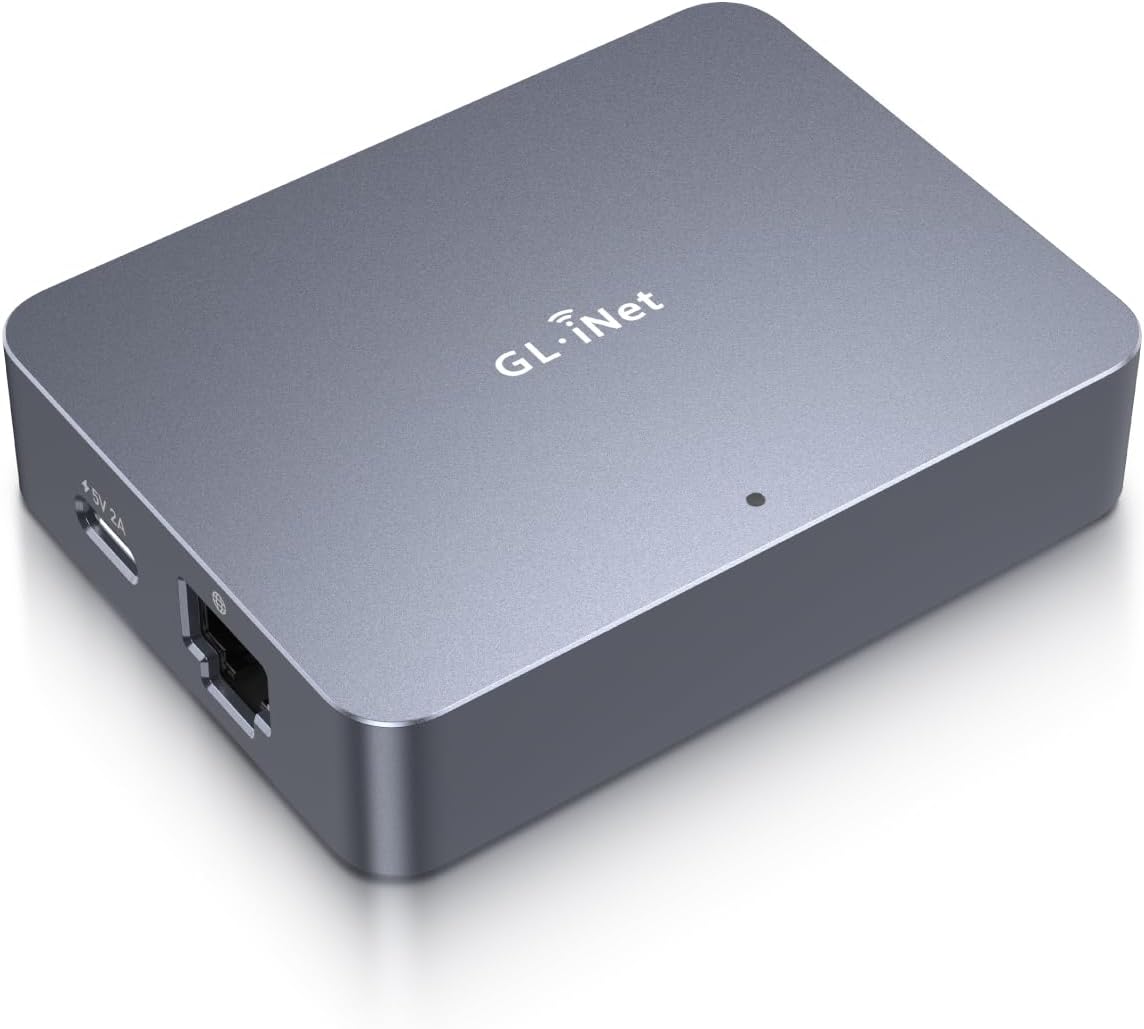
GL.iNet Remote KVM Control Over Internet, 4K Resolution,Tailscale Support, Remote Keyboard, Video, Mouse Control for Home Offices, Data Center, IT management and Industrial Applications
AED76498
Quantity:
Order today to get by 7-14 business days
This item qualifies for free delivery
Imported From: United Kingdom
At BOLO, we work hard to ensure the products you receive are new, genuine, and sourced from reputable suppliers.
BOLO is not an authorized or official retailer for most brands, nor are we affiliated with manufacturers unless specifically stated on a product page. Instead, we source verified sellers, authorized distributors or directly from the manufacturer.
Each product undergoes thorough inspection and verification at our consolidation and fulfilment centers to ensure it meets our strict authenticity and quality standards before being shipped and delivered to you.
If you ever have concerns regarding the authenticity of a product purchased from us, please contact Bolo Support. We will review your inquiry promptly and, if necessary, provide documentation verifying authenticity or offer a suitable resolution.
Your trust is our top priority, and we are committed to maintaining transparency and integrity in every transaction.
All product information, images, descriptions, and reviews originate from the manufacturer or from trusted sellers overseas. BOLO is not affiliated with, endorsed by, or an authorized retailer for most brands listed on our website unless stated otherwise.
While we strive to display accurate information, variations in packaging, labeling, instructions, or formulation may occasionally occur due to regional differences or supplier updates. For detailed or manufacturer-specific information, please contact the brand directly or reach out to BOLO Support for assistance.
Unless otherwise stated, all prices displayed on the product page include applicable taxes and import duties.
BOLO operates in accordance with the laws and regulations of United Arab Emirates. Any items found to be restricted or prohibited for sale within the UAE will be cancelled prior to shipment. We take proactive measures to ensure that only products permitted for sale in United Arab Emirates are listed on our website.
All items are shipped by air, and any products classified as “Dangerous Goods (DG)” under IATA regulations will be removed from the order and cancelled.
All orders are processed manually, and we make every effort to process them promptly once confirmed. Products cancelled due to the above reasons will be permanently removed from listings across the website.
Similar suggestions by Bolo
More from this brand
Similar items from “KVM Switches”
Share with
Or share with link
https://www.bolo.ae/products/KO0S21FD4F8
Visit the GL.iNet Store
GL.iNet Remote KVM Control Over Internet, 4K Resolution,Tailscale Support, Remote Keyboard, Video, Mouse Control for Home Offices, Data Center, IT management and Industrial Applications

AED76498
Quantity:
Order today to get by 7-14 business days
This item qualifies for free delivery
Imported From: United Kingdom
At BOLO, we work hard to ensure the products you receive are new, genuine, and sourced from reputable suppliers.
BOLO is not an authorized or official retailer for most brands, nor are we affiliated with manufacturers unless specifically stated on a product page. Instead, we source verified sellers, authorized distributors or directly from the manufacturer.
Each product undergoes thorough inspection and verification at our consolidation and fulfilment centers to ensure it meets our strict authenticity and quality standards before being shipped and delivered to you.
If you ever have concerns regarding the authenticity of a product purchased from us, please contact Bolo Support. We will review your inquiry promptly and, if necessary, provide documentation verifying authenticity or offer a suitable resolution.
Your trust is our top priority, and we are committed to maintaining transparency and integrity in every transaction.
All product information, images, descriptions, and reviews originate from the manufacturer or from trusted sellers overseas. BOLO is not affiliated with, endorsed by, or an authorized retailer for most brands listed on our website unless stated otherwise.
While we strive to display accurate information, variations in packaging, labeling, instructions, or formulation may occasionally occur due to regional differences or supplier updates. For detailed or manufacturer-specific information, please contact the brand directly or reach out to BOLO Support for assistance.
Unless otherwise stated, all prices displayed on the product page include applicable taxes and import duties.
BOLO operates in accordance with the laws and regulations of United Arab Emirates. Any items found to be restricted or prohibited for sale within the UAE will be cancelled prior to shipment. We take proactive measures to ensure that only products permitted for sale in United Arab Emirates are listed on our website.
All items are shipped by air, and any products classified as “Dangerous Goods (DG)” under IATA regulations will be removed from the order and cancelled.
All orders are processed manually, and we make every effort to process them promptly once confirmed. Products cancelled due to the above reasons will be permanently removed from listings across the website.
Description:
Reviews:
5.0 out of 5 stars Excellent small kvm for remote access to PCs-servers-firewalls etc,
(function() { P.when('cr-A', 'ready').execute(function(A) { if(typeof A.toggleExpanderAriaLabel === 'function') { A.toggleExpanderAriaLabel('review_text_read_more', 'Read more of this review', 'Read less of this review'); } }); })(); .review-text-read-more-expander:focus-visible { outline: 2px solid #2162a1; outline-offset: 2px; border-radius: 5px; } Excellent. Really small KVM that will prove useful in accessing systems remotely. I didnt realise how compact it was until I unboxed it. Really well made also. HDMI video input - so if you have a VGA monitor connection - like I have - you will need a VGA to HDMI converter. (also available on Bolo).Works very well from the local LAN + Tailscale already setup - just needed to be authorised with my tailscale account.The PC I tried it with previously failed using PiKVM which complained about Video signal mismatch. Not so with this one. (Not saying that PiKVM isnt any good - it is - just didnt have the time to spend to fix the video mismatch). Only area I am not certain of is the lack of 2FA on the unit itself. This is included with PiKVM from the outset. When you search for 2FA, it points to the Glnet web site supporting 2FA. So basically, you login to their remote cloud portal (after signing in) using 2FA and then are able to access your KVM. IMO, Tailscale is the better approach. I dont want another cloud account.
4.0 out of 5 stars Great little device
Great option for a kvm for any of my home servers. It was mostly plug and play other than needing a firmware update out of the box.It’s not necessary to use the “app” as a simple web interface is available you just have to figure out its assigned up via your router.
5.0 out of 5 stars Works well
Only had it for about a week. Works very well. Plugged in and on first connect it had an update, that went smoothly. Aftet that, no tinkering, it connects to network every time and I can connect immediately.On the internal network, lag is minimal.Graphics qualify is decent, not as good as a RDP session. Text is kinda fussy but readable even at High quality setting.Can be powered by the USBC port on my Mac mini, so I no longer use the included adapter. I only need it to be on when my Mac is on so that's perfect.It boots quickly so I dont missed much.
5.0 out of 5 stars Excellent product.
Excellent product , fast and efficient works great after updates. The mouse support is limited, on some of the devices, other than computers,
5.0 out of 5 stars Impressive and responsive remote KVM solution
This GL.iNet Remote KVM device works impressively well for controlling my home server computer over the internet. Setup was straightforward and the companion app makes connecting and operating the keyboard, video and mouse controls a breeze. It supports 4K resolution, and it remains very responsive even with modest network speeds. I’m extremely pleased with its performance for home office and IT management tasks. One more thing, the build quality is excellent too. It is priced at £89.99 at the time of review, which I think is reasonable considering the performance. highly recommended!
3.0 out of 5 stars sign up process doesn't work
Product can't be used without making an online account. Online account creation requires an email verification code, which never arrives. Will be returning ASAP
4.0 out of 5 stars Broken app, but useful widget
As always with this sort of thing your first question is 'what is this thing'. Well, it's a little tiny box that connects to you PC and takes the place of the keyboard, mouse and monitor. You can then connect remotely to it and control your computer as if your were right next to it. Very clever.I was testing this between two windows PCs, and a chromebook and PC. There is an app for windows to connect remotely, but this basically wouldn't install on my PC because its supposed to email you a passcode to log in. And it just didn't ever send me the code, so I couldn't use it. You can connect via a web page interface though, and this worked easily and nicely. The web page means you can also connect to your PC via anything that can show a webpage, so it works fine with a chromebook. This is all on a local network however, and I didn't try it off-site.I did struggle to get the whole thing to work, as my PC just would not recognise the HDMI connection of the unit. Multiple HDMI cables failed to work, except occasionally for no reason I could fathom. I suspect this is a problem with the PC rather than the unit, but it was still really frustrating as I could see my remote PC moving the mouse and entering keystrokes, but not from the PC I was sending them from.It's a neat little unit, and if you can get it to work it works well. Shame the app doesn't work.
5.0 out of 5 stars Handy - easy to use and set up
This ticks all the boxes with what I wanted and needed, when I'm away from home I often find myself needing to remotely access my pc.I normal use horizon but sometimes this can be buggy and if there's been an update on my system whilst away it shuts down the app.With this you're able to directly connect to the pc/laptop and gain control by physically having the box intercept within the bridge.It works great and I've accessed my pc now several times without issues, it is capped at 2560x1440p for the HDMI port but as my Alienware monitor is already set to that I'm more than happy.What I like is the ability to log on with multiple devices too and you're not limited to just one bridge.Everything is smooth and as I'm on a symmetric gig FTTP connection at home, it's instantly recognised when I'm clicking. I use mainly for file access and work but I've tried seeing how gaming works and it seems alright considering.This is a remote access device and those who work from home will be used to virtual desktop interfaces.
Works better than Sipeed Nano KVM and Jet KVM
(function() { P.when('cr-A', 'ready').execute(function(A) { if(typeof A.toggleExpanderAriaLabel === 'function') { A.toggleExpanderAriaLabel('review_text_read_more', 'Read more of this review', 'Read less of this review'); } }); })(); .review-text-read-more-expander:focus-visible { outline: 2px solid #2162a1; outline-offset: 2px; border-radius: 5px; } Excellent work, works perfect !I had a lot of issues with JetKVM infinite video loading issue, even with network passthrough for udp.But Comet works incredibly well with low latency !
Does the job.
Workshop as planned
A cheap, flexible and reliable hardware solution to allow remote KVM access.
There were two primary functions I wanted to test this KVM for: 1. Using WOL to wake up a headless host and then be able to remotely connect to it both via LAN and WAN. Previously I had to use one utility to do the WOL and have a client loaded onto the host which meant that you couldn't remote to it until the OS had booted. The KVM allows me to use a single interface to WOL and then connect to the device. Having no client means you can also connect during POST if needed.2. Connect to a Chromebook remotelyPreviously to connect to a Chromebook remotely you needed to have Chrome Remote Desktop installed and you had to enter a code to allow remote access at the host meaning someone had to be at the host Chromebook. The KVM allows full access to the Chromebook now but with the caveat that the Chromebook is turned on as Chromebooks don't support WOL. (You could do with a remote power switch if you need to as most Chromebook will boot on power up).The unit is well made with an aluminum body which does get a bit warm even when in standby. You can connect via the app but that's only available for Windows and Mac at the moment and as primarily a Chromebook user, I use a Wireguard VPN into my home Flint 2 and then just use the web interface direct to the KVM. I can't seem to see any major differences in performance using the different connection methods ( Windows app vs Chromebook VPN). For remote access this unit works wonders. There's no software client or subscription fees which is a huge bonus and initial capital cost is low. The ability to do whatever I need to on the remote host is great and I can even stream videos with audio. There's a heap of settings to play with to get the most optimal solution for your requirements so it's pretty flexible.At the moment I don't have any use for the more advance functions like ATX or Fingerbot control but nice to know they're there if I ever need it. Well worth the money if you need simple, clientless and easy remote access.
High latency and no voice redirection.
Sehr kostengünstige Internet KVM-Lösung
Diese Mini-KVM-Lösung "GL-RM1/Comet" von "GL.iNet" kommt in einer Verkaufsverpackung mit folgendem Inhalt: GL-RM1 Grundgerät, Ethernet-Kabel, USB-Kabel A/C und C/C, HDMI-Kabel und eine kurze englischsprachige Anleitung.Ein USB-Netzteil wird nicht mitgeliefert. Ich empfehle, ein separates Netzteil zu verwenden und die KVM-Fernsteuerung nicht über einen USB-Port des zu steuernden Rechners mit Strom (5 V) zu versorgen.Der Hardwareaufbau ist nahezu ohne Anleitung möglich. Ethernet-Port mit dem Ethernet-Kabel an den Router anschließen, oder andere Netzwerkzugänge, die Internetzugang ermöglichen. HDMI-Kabel mit dem HDMI-Ausgang des zu steuernden Rechners verbinden und in den HDMI-Eingang des GL-RM1 Grundgeräts stecken. USB-Peripherie-Port des GL-RM1 Grundgeräts mit einem USB-Port des zu steuernden Rechners verbinden. Fertig.In meinem Fall habe ich einen Windows 2016 Server (LAN) mit einem Windows 11 Professional Notebook (WLAN) ferngesteuert. Die GL-RM1 KVM-Fernsteuerung ermöglicht das Bedienen bzw. Fernsteuern des Rechners, lokal im LAN oder über das Internet, an dem sie angeschlossen wurde. Dazu benutzt man eine Software (GLKVM.exe) auf einem zweiten Rechner, welche nicht nur die Konfiguration des GL-RM1 Grundgeräts ermöglicht, sondern eben auch die Fernsteuerung etabliert.Die Benutzung des Geräts und der Software benötig zwingend ein Benutzerkonto bei GL-iNet. Die Software führt einen praktisch durch den Prozess, und nach einer Verifikation der E-Mail-Adresse ist das Benutzerkonto schnell einsatzbereit.Das Erste, was man durchführen sollte, ist ein Firmware-Update. Die Windows Applikation zeigt einem den Stand der internen Firmware an und ob eventuell ein Update vorhanden ist. Den Aktualisierungsprozess sollte man tunlichst nicht unterbrechen, da sonst das Gerät nicht mehr funktioniert. Ist im Prinzip wie ein BIOS-Update bei einem Mainboard.Auf der Seite des zu steuernden Rechners gibt es keinerlei Treiber zu installieren. Während des Betriebes erzeugt das Grundgerät durch das Verbinden mit dem USB-Anschluss dieses Rechners ein virtuelles CD-Laufwerk bzw. einen virtuellen USB-Datenträger, der im Dateiexplorer allerdings gar nicht auftaucht. Dadurch wird die USB-Steuerung der Eingabegeräte des zu steuernden Rechners für den entfernten Steuerrechner ermöglicht. Die Software basiert auf Linux, was auch auf die ganze softwareseitige Übertragungstechnik zutrifft.Zusätzlich sollte beachtet werden, dass für eine Remote-Session der H.264-Codec zur Übertragung der grafischen Darstellung verwendet wird. Das steuernde Gerät sollte eine Unterstützung für diesen Codec in Hardware besitzen, sonst wird eine Remote-Session zu einer Belastungsprobe für den steuernden Rechner.Das bedeutet aber auch, dass man eine solche Remote-Session, z.B. in einer Auflösung über 1920 x 1080 Pixeln, nicht über eine Basisbreitbandverbindung etablieren sollte. Mindestens 50 MBit sind schon Voraussetzung, um nicht den restlichen Internetbetrieb lahm zu legen, mal ganz abgesehen von Dateiübertragungen. Im LAN ist das natürlich irrelevant.Die weiteren technischen Daten und auch die vollständige Spezifikation des Geräts kann man auf der Bolo Produktseite einsehen bzw. auch auf der Produktseite des Herstellers, auf die man sowieso zwangsweise kommt, weil man ein Benutzerkonto anlegen muss.Ich empfand die Steuermöglichkeiten des GL-RM1 im Vergleich zu Microsofts Remotedesktop als etwas weniger systemintegriert. Die Lösung von GL-iNet hat natürlich den Vorteil Hardwareunabhängig zu sein und die Fernsteuerung von außen in das lokale LAN zu ermöglichen, ohne den zu steuernden Rechner aufwändig konfigurieren zu müssen.Darüber hinaus muss man keine dedizierte öffentliche IP besitzen bzw. man kann über die GL-iNet Cloud eine Verbindung zum lokalen LAN herstellen, ohne einen Port freischalten und dadurch Sicherheitsrisiken eingehen zu müssen. Insofern ist diese KVM-Fernsteuerung eine sehr smarte Lösung.Daher auch fünf Sterne. Insbesondere auch für den moderaten Preis von nur ca. 100 €.
Similar suggestions by Bolo
More from this brand
Similar items from “KVM Switches”
Share with
Or share with link
https://www.bolo.ae/products/KO0S21FD4F8