Description:
Reviews:
5.0 out of 5 stars Beautiful and useful eReader
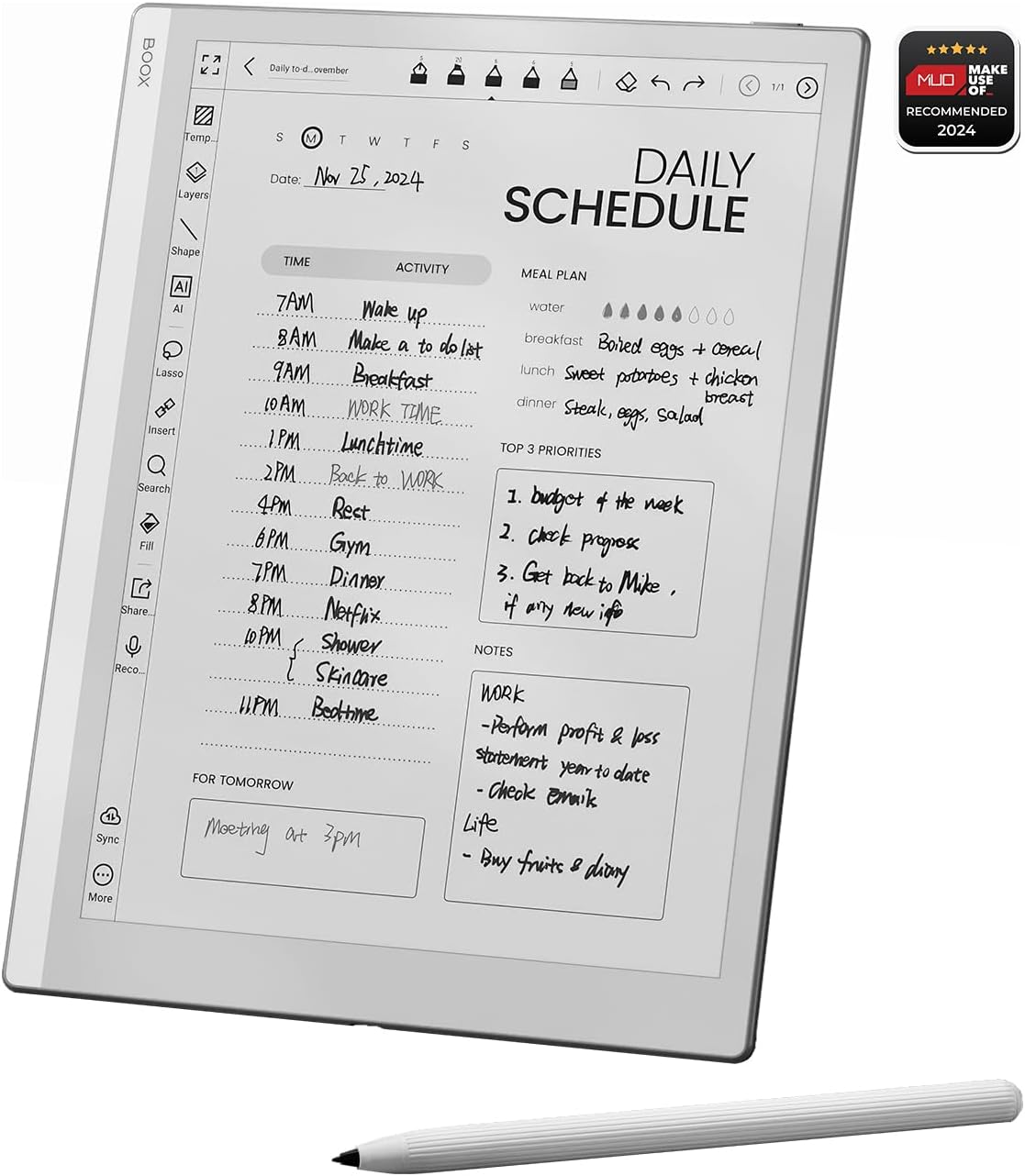
(function() { P.when('cr-A', 'ready').execute(function(A) { if(typeof A.toggleExpanderAriaLabel === 'function') { A.toggleExpanderAriaLabel('review_text_read_more', 'Read more of this review', 'Read less of this review'); } }); })(); .review-text-read-more-expander:focus-visible { outline: 2px solid #2162a1; outline-offset: 2px; border-radius: 5px; } I’m heavily invested in the Apple ecosystem and come from a Remarkable 2, so I appreciate quality kit, and the Boox Go 10.3 is absolutely gorgeous. It’s a beautiful device to hold and use - the build quality is outstanding.The feeling of writing is super important to me for a device like this. The Remarkable 2 was the best I’d tried so far, but this device equals it. I did find the supplied pen to be a little “scratchy”, but it’s grown on me. I can also use the Staedtler pen I’d bought to use with the Remarkable for a smoother writing experience.I decided to sell the Remarkable and switch to the Boox as my primary note-taker. The Notes app in the Boox has a lot more functionality than the Remarkable. In addition and of most importance to me was the ability to download other apps on the Google store. So I can now use this fabulous eInk device for more of my reading, including my RSS feeds, Pocket articles, magazines with Libby, and of course eBooks which I’m using with KOReader.This is probably my favourite device this year and allows me to do a lot more reading on eInk and distraction-free.I don’t miss the front-light. My use is either outdoors or indoors under lighting and I’ve not had a situation yet where I couldn’t use the device due to lack of lighting.You don’t get the “free” case when ordering from Bolo, but most reviews of that I’ve seen aren’t particularly positive, so no great loss. I purchased a sleeve case for now until such time as third-party flip covers come out.
5.0 out of 5 stars Boox Go 10.3
I've had this device for a couple of months now and am really happy with it. I mainly got it because my Kobo Libra is a bit to small for reading Manga and I couldn't take hand written notes on it when reading Dharma. Also I wanted an e Ink device I could have all my eBooks on (Kindle, Kobo and Google books), which I now can as this is an android device. It is a bit of a learning curve as all new devices are, but there are a number of short cuts you can customise to make it personal and to your liking. The lack of front light could be an issue if you've not got good lighting, the only time I've notice is in the evening before it's time to turn the lights on. As I said at the start I'm really happy with my Go 10.3
3.0 out of 5 stars ... an outstanding desktop clock
This tablet spent most of its time on my shelf, next to its box as a desktop clock (a role in which it excelled - has a beautiful large clock/calendar screensaver). I only actually used the Go 10.3 as it was intended, for a few days and within that time, i was not thrilled and did not get the 'wow' factor that i was expecting.The screen on the Go 10.3 was much darker than my Remarkable 2 and also my Boox Palma (original) - which has a very white screen. This made the screen on the Go 10.3 slightly difficult to read without eye strain in typical UK daylight (indoors). Reading PDFs was not a breeze as the text still looked quite small on the screen, although navigating PDFs, accessing them and transitioning through them, was much easier on the Boox Go10.3 than on my Remarkable 2.In terms of functionality, the Go 10.3 tablet does much more than a Remarkable 2 and outshines it completely. However, these functions can only really be used to the maximum if screen is easy to read. Boox really needs to improve this with the next generation device. Text needs to be very black against white-ish background. I was confused as to how this was achieved for the Palma (original) but could not be replicated on the Go 10.3.Screen touch stability was also an issue for me. Sometimes i would touch the screen on the right and the Go 10.3 tablet would return to the home screen. This was very frustrating - particularly as i am not a tech novice and am familiar with Boox and setting up their technology; I was very disappointed about this glitchiness.Boox MUST do something to redesign their pen/stylus. Although it has a satisfactory and realistic pen like feel on the screen, It looks and feels like a flimsy, cheap felt tip pen. When i picked it up, i felt... 'ripped off'. I found that other 3rd party stylus' felt better on the screen and in the hand. For the days in which i was using this tablet, i preferred a third party stylus - the HB looking yellow and black ones. For such an expensive device, quality and presentation matters and i think that Boox needs to work on this a little - particularly with their stylus.Finally, it must be emphasised that this, (just like the Remarkable 2), is a desktop item. It is cumbersome to carry and read, for example when sitting up in bed. When in lap, i found it was too far away from my eyes and once again caused eye strain. Despite its much smaller size, the Boox Palma is easier to hold and read on in my bed. The high contrast between ink and screen helps for reading clarity. Palma is also more stable and easier to adjust.
5.0 out of 5 stars Lovely
It's lovely. I bought it for distraction-free reading. Its reading software is very good, with fast navigation and thoughtful options. Note-taking is a new experience, I wasn't looking for it but it's very good and I'm now writing in the margins quite a bit as I read. I added a beautiful third-party magnetic cover and a little booklight for reading at night.
1.0 out of 5 stars Don't know what to say.....
So, it looks nice, from there it is downhill. The user interface is clunky and just a mess as though different parts were designed by different people that didn't communicate with each other. The screen has very poor contrast, black on a grey background. I have a 5 year old Remarkable 1 and the screen is much brighter on this, plus the remarkable is way faster at everything, from booting to page refresh, etc. You have to be very selective on which android apps you can run on it as they are not all compatible, even though they should be. Not happy at all as this was meant to be my 'upgrade' to my RM1. At the moment it will probably be returned.
5.0 out of 5 stars The best e-ink tablet
Great tablet, amazing quality and functionality for the price!
5.0 out of 5 stars Well Built Device
Slim as it gets, only flaw is the magnetic pen is not strong, don't think a device can ever get thinner than this before it breaks, i've got SN A5X to compliment this device, happy with purchase
Specific use: migraine and eye strain
(function() { P.when('cr-A', 'ready').execute(function(A) { if(typeof A.toggleExpanderAriaLabel === 'function') { A.toggleExpanderAriaLabel('review_text_read_more', 'Read more of this review', 'Read less of this review'); } }); })(); .review-text-read-more-expander:focus-visible { outline: 2px solid #2162a1; outline-offset: 2px; border-radius: 5px; } I love this thing way more than I anticipated. I was really leery of the price, and it's not like I don't already own tablets and other form of eink devices.I bought this specific device for some very specific reasons, the #1 reason being my daily migraines.I have had daily migraine for...uh, going on 5 years now. Professionally, I am a data analyst. If you’re unfamiliar with either, migraines don't tend to respond well to light, color, noise or movement. While I can often avoid the latter two, the first two are essential to my job functions - typically a minimum of 8 hours per day. And by the end of the day, even scrolling text can be too much stimulation.And my favorite pasttime is reading online. 🫠So I have done all the things. I have adjusted lighting. I have tried different colored glasses and migraine specific glasses. I have used blue light filters and Dark mode and Sepia mode adjustments. And so on. I also now use eink as much as possible.I originally read some research and testimonials regarding the comparative benefits of eink for eye strain, vertigo, and migraines. Since I have all 3, I gave it a go. I started with a Kobo Touch Lux 5, and within a few months upgraded to the Onyx Boox Tab C series (both mini and full size). If I'm not working on a computer, I'm generally on an eink tablet. I spend easily most of my non-work hours using eink. It's been a lifesaver.I was never very interested in the note taking functions, and despite the keyboard that comes with the full size Tab C, Boox are NOT very typing friendly. At all.So why did I get the Boox Go? And why do I LOVE IT so much?Here's what I was going for:Over time, I noticed how much darker the Color eink screen is. In general, it actually causes a little extra eye strain just because the text is always so dark. So I kept turning on the front light and adjusting the color settings, but it still felt like more strain than necessary. I double checked by returning briefly to my Touch Lux 5, which is entirely black and white - the visual difference in text readability is actually astonishing. I do still use my Tab C devices when I need color or additional screens, but the Go is now my go-to. 🙃My migraines have been steadily worsening long term. A year ago, the Boox Tab C was perfect for my needs. Now, I find I'm a little too sensitive to use it as frequently.Here is what I did not expect:One feature of the Go 10.3 is that there is no front light. This means that there is one less screen between you and the device. It's very thin, but the difference was astonishing. Notetaking abruptly changed from "ok, doable" to "this is easier than reaching for post-it notes!" The difference in writing quality cannot be understated.Honestly, my paper note taking has dropped by about 30% overall. And so has my whiteboard use. (This is a good thing.)Other general review notes:The Boox Tab stylus works on this device as well, so now I have backups! 👍This is a fully functioning tablet with full internet and app capabilities, using Android OS. So it's almost exactly like my smartphone, with more limited communication ability.Boox customer service has kind of a bad reputation (at least in the US), which is why I made this purchase through Bolo, in case it didn't work out.The battery lasts me at minimum the full day, even if I read all day during the weekend. More battery is consumed if I play games (I do word scrambles), or if I surf the a lot.The Boox Super Refresh Rate was a key buying point. It's one of the big pluses for the Tab C series. It reduces ghosting and keeps the text crisp and easy to read. I LOVE BSR.One note:I am 3 months into using this device and I have begun to notice some issues. The problem is that I'm not sure if it's my migraines worsening again or something with the device. I have been having a little more difficulty seeing the text as clearly. I'll be doing 2 things to test it, and will update this review once they're complete:1. It may be my eyes. I'll go do a vision test next week in case my glasses need adjusting.2. I download a LOT of online books. It may have slowed the processor, which may have impacted the Boox Super Refresh speed. I'm going to try putting in a large microSD card and moving all my downloaded material there and off my Go. Then we can see if the screen refresh improves.If it's neither, I'll bug customer support, but I'm hoping it's the second. Will update once I confirm one way or another!
For Paper people!
If you are a paper person like me, that is what you are looking for. Color is not something is miss as well as the backlight. Everything is just same as my paper notebook but smarter. To be able to work on pdf docs without printing is a game changer.
Super ... ottimo e-ink monocromatico.
Il BOOX Go 10.3 è un dispositivo eccezionale per chi cerca un tablet e-ink focalizzato sulla produttività e la scrittura. Inizialmente, si potrebbe scambiare per un reMarkable 2, ma il Boox offre molto più di un semplice clone. L'esperienza di scrittura è altrettanto piacevole, e la compatibilità con una vasta gamma di formati di file, unita alla possibilità di installare app tramite il Google Play Store, lo rende incredibilmente versatile. Onyx ha fatto un ottimo lavoro ottimizzando l'interfaccia utente, rendendola più intuitiva rispetto ad altri tablet e-ink sul mercato. Nonostante un prezzo un po' elevato, ci sono alcune piccole mancanze: l'assenza di una gomma integrata nella stilo e la mancanza di retroilluminazione. Tuttavia, questi dettagli non oscurano l'eccellenza complessiva del prodotto. In definitiva, il BOOX Go 10.3 è un'alternativa valida e potente ai competitor, ideale per chi necessita di un tablet per la scrittura con funzionalità avanzate e un ecosistema aperto. La mancanza della retroilluminazione non è una lacuna ma una precisa scelta
Mi segundo Cerebro
Después de ver miles de reviews por fin, a base de mis necesidades elegí esta E Ink tablet que en definitiva (al menos en la semana que llevo usándola) ha reorganizado mi vida. Las notas se ven claras y los PDFs se leen increíble, puedes bajarle la app de Kindle y/o la que necesites para tu trabajo porque tiene Google Play. No es una tablet normal es para uso exclusivo de notas y lectura, todo lo demás no se verá bien (videos, redes sociales, fotos, etc...) ya que el propósito es no distraerte con otras cosas. OJO No tiene luz, como una tablet o Kindle.Muy feliz, y vale cada centavo!
رد اموالي
تم إرجاع المنتج من تاريخ ٢٨/١ والي الان لم يتم رد المبلغ ..
Visit the BOOX Store
BOOX Tablet Go 10.3 ePaper E Ink Tablet No Front Light 4G 64G 300 PPI B/W
AED3,16377
Quantity:
Order today to get by 7-14 business days
This item qualifies for free delivery
Imported From: United Kingdom
At BOLO, we work hard to ensure the products you receive are new, genuine, and sourced from reputable suppliers.
BOLO is not an authorized or official retailer for most brands, nor are we affiliated with manufacturers unless specifically stated on a product page. Instead, we source verified sellers, authorized distributors or directly from the manufacturer.
Each product undergoes thorough inspection and verification at our consolidation and fulfilment centers to ensure it meets our strict authenticity and quality standards before being shipped and delivered to you.
If you ever have concerns regarding the authenticity of a product purchased from us, please contact Bolo Support. We will review your inquiry promptly and, if necessary, provide documentation verifying authenticity or offer a suitable resolution.
Your trust is our top priority, and we are committed to maintaining transparency and integrity in every transaction.
All product information, images, descriptions, and reviews originate from the manufacturer or from trusted sellers overseas. BOLO is not affiliated with, endorsed by, or an authorized retailer for most brands listed on our website unless stated otherwise.
While we strive to display accurate information, variations in packaging, labeling, instructions, or formulation may occasionally occur due to regional differences or supplier updates. For detailed or manufacturer-specific information, please contact the brand directly or reach out to BOLO Support for assistance.
Unless otherwise stated, all prices displayed on the product page include applicable taxes and import duties.
BOLO operates in accordance with the laws and regulations of United Arab Emirates. Any items found to be restricted or prohibited for sale within the UAE will be cancelled prior to shipment. We take proactive measures to ensure that only products permitted for sale in United Arab Emirates are listed on our website.
All items are shipped by air, and any products classified as “Dangerous Goods (DG)” under IATA regulations will be removed from the order and cancelled.
All orders are processed manually, and we make every effort to process them promptly once confirmed. Products cancelled due to the above reasons will be permanently removed from listings across the website.
Similar suggestions by Bolo
More from this brand
Similar items from “Tablets”
Share with
Or share with link
https://www.bolo.ae/products/KO0Q4QSG3J3
Visit the BOOX Store
BOOX Tablet Go 10.3 ePaper E Ink Tablet No Front Light 4G 64G 300 PPI B/W

AED3,16377
Quantity:
Order today to get by 7-14 business days
This item qualifies for free delivery
Imported From: United Kingdom
At BOLO, we work hard to ensure the products you receive are new, genuine, and sourced from reputable suppliers.
BOLO is not an authorized or official retailer for most brands, nor are we affiliated with manufacturers unless specifically stated on a product page. Instead, we source verified sellers, authorized distributors or directly from the manufacturer.
Each product undergoes thorough inspection and verification at our consolidation and fulfilment centers to ensure it meets our strict authenticity and quality standards before being shipped and delivered to you.
If you ever have concerns regarding the authenticity of a product purchased from us, please contact Bolo Support. We will review your inquiry promptly and, if necessary, provide documentation verifying authenticity or offer a suitable resolution.
Your trust is our top priority, and we are committed to maintaining transparency and integrity in every transaction.
All product information, images, descriptions, and reviews originate from the manufacturer or from trusted sellers overseas. BOLO is not affiliated with, endorsed by, or an authorized retailer for most brands listed on our website unless stated otherwise.
While we strive to display accurate information, variations in packaging, labeling, instructions, or formulation may occasionally occur due to regional differences or supplier updates. For detailed or manufacturer-specific information, please contact the brand directly or reach out to BOLO Support for assistance.
Unless otherwise stated, all prices displayed on the product page include applicable taxes and import duties.
BOLO operates in accordance with the laws and regulations of United Arab Emirates. Any items found to be restricted or prohibited for sale within the UAE will be cancelled prior to shipment. We take proactive measures to ensure that only products permitted for sale in United Arab Emirates are listed on our website.
All items are shipped by air, and any products classified as “Dangerous Goods (DG)” under IATA regulations will be removed from the order and cancelled.
All orders are processed manually, and we make every effort to process them promptly once confirmed. Products cancelled due to the above reasons will be permanently removed from listings across the website.
Description:
Reviews:
5.0 out of 5 stars Beautiful and useful eReader
(function() { P.when('cr-A', 'ready').execute(function(A) { if(typeof A.toggleExpanderAriaLabel === 'function') { A.toggleExpanderAriaLabel('review_text_read_more', 'Read more of this review', 'Read less of this review'); } }); })(); .review-text-read-more-expander:focus-visible { outline: 2px solid #2162a1; outline-offset: 2px; border-radius: 5px; } I’m heavily invested in the Apple ecosystem and come from a Remarkable 2, so I appreciate quality kit, and the Boox Go 10.3 is absolutely gorgeous. It’s a beautiful device to hold and use - the build quality is outstanding.The feeling of writing is super important to me for a device like this. The Remarkable 2 was the best I’d tried so far, but this device equals it. I did find the supplied pen to be a little “scratchy”, but it’s grown on me. I can also use the Staedtler pen I’d bought to use with the Remarkable for a smoother writing experience.I decided to sell the Remarkable and switch to the Boox as my primary note-taker. The Notes app in the Boox has a lot more functionality than the Remarkable. In addition and of most importance to me was the ability to download other apps on the Google store. So I can now use this fabulous eInk device for more of my reading, including my RSS feeds, Pocket articles, magazines with Libby, and of course eBooks which I’m using with KOReader.This is probably my favourite device this year and allows me to do a lot more reading on eInk and distraction-free.I don’t miss the front-light. My use is either outdoors or indoors under lighting and I’ve not had a situation yet where I couldn’t use the device due to lack of lighting.You don’t get the “free” case when ordering from Bolo, but most reviews of that I’ve seen aren’t particularly positive, so no great loss. I purchased a sleeve case for now until such time as third-party flip covers come out.
5.0 out of 5 stars Boox Go 10.3
I've had this device for a couple of months now and am really happy with it. I mainly got it because my Kobo Libra is a bit to small for reading Manga and I couldn't take hand written notes on it when reading Dharma. Also I wanted an e Ink device I could have all my eBooks on (Kindle, Kobo and Google books), which I now can as this is an android device. It is a bit of a learning curve as all new devices are, but there are a number of short cuts you can customise to make it personal and to your liking. The lack of front light could be an issue if you've not got good lighting, the only time I've notice is in the evening before it's time to turn the lights on. As I said at the start I'm really happy with my Go 10.3
3.0 out of 5 stars ... an outstanding desktop clock
This tablet spent most of its time on my shelf, next to its box as a desktop clock (a role in which it excelled - has a beautiful large clock/calendar screensaver). I only actually used the Go 10.3 as it was intended, for a few days and within that time, i was not thrilled and did not get the 'wow' factor that i was expecting.The screen on the Go 10.3 was much darker than my Remarkable 2 and also my Boox Palma (original) - which has a very white screen. This made the screen on the Go 10.3 slightly difficult to read without eye strain in typical UK daylight (indoors). Reading PDFs was not a breeze as the text still looked quite small on the screen, although navigating PDFs, accessing them and transitioning through them, was much easier on the Boox Go10.3 than on my Remarkable 2.In terms of functionality, the Go 10.3 tablet does much more than a Remarkable 2 and outshines it completely. However, these functions can only really be used to the maximum if screen is easy to read. Boox really needs to improve this with the next generation device. Text needs to be very black against white-ish background. I was confused as to how this was achieved for the Palma (original) but could not be replicated on the Go 10.3.Screen touch stability was also an issue for me. Sometimes i would touch the screen on the right and the Go 10.3 tablet would return to the home screen. This was very frustrating - particularly as i am not a tech novice and am familiar with Boox and setting up their technology; I was very disappointed about this glitchiness.Boox MUST do something to redesign their pen/stylus. Although it has a satisfactory and realistic pen like feel on the screen, It looks and feels like a flimsy, cheap felt tip pen. When i picked it up, i felt... 'ripped off'. I found that other 3rd party stylus' felt better on the screen and in the hand. For the days in which i was using this tablet, i preferred a third party stylus - the HB looking yellow and black ones. For such an expensive device, quality and presentation matters and i think that Boox needs to work on this a little - particularly with their stylus.Finally, it must be emphasised that this, (just like the Remarkable 2), is a desktop item. It is cumbersome to carry and read, for example when sitting up in bed. When in lap, i found it was too far away from my eyes and once again caused eye strain. Despite its much smaller size, the Boox Palma is easier to hold and read on in my bed. The high contrast between ink and screen helps for reading clarity. Palma is also more stable and easier to adjust.
5.0 out of 5 stars Lovely
It's lovely. I bought it for distraction-free reading. Its reading software is very good, with fast navigation and thoughtful options. Note-taking is a new experience, I wasn't looking for it but it's very good and I'm now writing in the margins quite a bit as I read. I added a beautiful third-party magnetic cover and a little booklight for reading at night.
1.0 out of 5 stars Don't know what to say.....
So, it looks nice, from there it is downhill. The user interface is clunky and just a mess as though different parts were designed by different people that didn't communicate with each other. The screen has very poor contrast, black on a grey background. I have a 5 year old Remarkable 1 and the screen is much brighter on this, plus the remarkable is way faster at everything, from booting to page refresh, etc. You have to be very selective on which android apps you can run on it as they are not all compatible, even though they should be. Not happy at all as this was meant to be my 'upgrade' to my RM1. At the moment it will probably be returned.
5.0 out of 5 stars The best e-ink tablet
Great tablet, amazing quality and functionality for the price!
5.0 out of 5 stars Well Built Device
Slim as it gets, only flaw is the magnetic pen is not strong, don't think a device can ever get thinner than this before it breaks, i've got SN A5X to compliment this device, happy with purchase
Specific use: migraine and eye strain
(function() { P.when('cr-A', 'ready').execute(function(A) { if(typeof A.toggleExpanderAriaLabel === 'function') { A.toggleExpanderAriaLabel('review_text_read_more', 'Read more of this review', 'Read less of this review'); } }); })(); .review-text-read-more-expander:focus-visible { outline: 2px solid #2162a1; outline-offset: 2px; border-radius: 5px; } I love this thing way more than I anticipated. I was really leery of the price, and it's not like I don't already own tablets and other form of eink devices.I bought this specific device for some very specific reasons, the #1 reason being my daily migraines.I have had daily migraine for...uh, going on 5 years now. Professionally, I am a data analyst. If you’re unfamiliar with either, migraines don't tend to respond well to light, color, noise or movement. While I can often avoid the latter two, the first two are essential to my job functions - typically a minimum of 8 hours per day. And by the end of the day, even scrolling text can be too much stimulation.And my favorite pasttime is reading online. 🫠So I have done all the things. I have adjusted lighting. I have tried different colored glasses and migraine specific glasses. I have used blue light filters and Dark mode and Sepia mode adjustments. And so on. I also now use eink as much as possible.I originally read some research and testimonials regarding the comparative benefits of eink for eye strain, vertigo, and migraines. Since I have all 3, I gave it a go. I started with a Kobo Touch Lux 5, and within a few months upgraded to the Onyx Boox Tab C series (both mini and full size). If I'm not working on a computer, I'm generally on an eink tablet. I spend easily most of my non-work hours using eink. It's been a lifesaver.I was never very interested in the note taking functions, and despite the keyboard that comes with the full size Tab C, Boox are NOT very typing friendly. At all.So why did I get the Boox Go? And why do I LOVE IT so much?Here's what I was going for:Over time, I noticed how much darker the Color eink screen is. In general, it actually causes a little extra eye strain just because the text is always so dark. So I kept turning on the front light and adjusting the color settings, but it still felt like more strain than necessary. I double checked by returning briefly to my Touch Lux 5, which is entirely black and white - the visual difference in text readability is actually astonishing. I do still use my Tab C devices when I need color or additional screens, but the Go is now my go-to. 🙃My migraines have been steadily worsening long term. A year ago, the Boox Tab C was perfect for my needs. Now, I find I'm a little too sensitive to use it as frequently.Here is what I did not expect:One feature of the Go 10.3 is that there is no front light. This means that there is one less screen between you and the device. It's very thin, but the difference was astonishing. Notetaking abruptly changed from "ok, doable" to "this is easier than reaching for post-it notes!" The difference in writing quality cannot be understated.Honestly, my paper note taking has dropped by about 30% overall. And so has my whiteboard use. (This is a good thing.)Other general review notes:The Boox Tab stylus works on this device as well, so now I have backups! 👍This is a fully functioning tablet with full internet and app capabilities, using Android OS. So it's almost exactly like my smartphone, with more limited communication ability.Boox customer service has kind of a bad reputation (at least in the US), which is why I made this purchase through Bolo, in case it didn't work out.The battery lasts me at minimum the full day, even if I read all day during the weekend. More battery is consumed if I play games (I do word scrambles), or if I surf the a lot.The Boox Super Refresh Rate was a key buying point. It's one of the big pluses for the Tab C series. It reduces ghosting and keeps the text crisp and easy to read. I LOVE BSR.One note:I am 3 months into using this device and I have begun to notice some issues. The problem is that I'm not sure if it's my migraines worsening again or something with the device. I have been having a little more difficulty seeing the text as clearly. I'll be doing 2 things to test it, and will update this review once they're complete:1. It may be my eyes. I'll go do a vision test next week in case my glasses need adjusting.2. I download a LOT of online books. It may have slowed the processor, which may have impacted the Boox Super Refresh speed. I'm going to try putting in a large microSD card and moving all my downloaded material there and off my Go. Then we can see if the screen refresh improves.If it's neither, I'll bug customer support, but I'm hoping it's the second. Will update once I confirm one way or another!
For Paper people!
If you are a paper person like me, that is what you are looking for. Color is not something is miss as well as the backlight. Everything is just same as my paper notebook but smarter. To be able to work on pdf docs without printing is a game changer.
Super ... ottimo e-ink monocromatico.
Il BOOX Go 10.3 è un dispositivo eccezionale per chi cerca un tablet e-ink focalizzato sulla produttività e la scrittura. Inizialmente, si potrebbe scambiare per un reMarkable 2, ma il Boox offre molto più di un semplice clone. L'esperienza di scrittura è altrettanto piacevole, e la compatibilità con una vasta gamma di formati di file, unita alla possibilità di installare app tramite il Google Play Store, lo rende incredibilmente versatile. Onyx ha fatto un ottimo lavoro ottimizzando l'interfaccia utente, rendendola più intuitiva rispetto ad altri tablet e-ink sul mercato. Nonostante un prezzo un po' elevato, ci sono alcune piccole mancanze: l'assenza di una gomma integrata nella stilo e la mancanza di retroilluminazione. Tuttavia, questi dettagli non oscurano l'eccellenza complessiva del prodotto. In definitiva, il BOOX Go 10.3 è un'alternativa valida e potente ai competitor, ideale per chi necessita di un tablet per la scrittura con funzionalità avanzate e un ecosistema aperto. La mancanza della retroilluminazione non è una lacuna ma una precisa scelta
Mi segundo Cerebro
Después de ver miles de reviews por fin, a base de mis necesidades elegí esta E Ink tablet que en definitiva (al menos en la semana que llevo usándola) ha reorganizado mi vida. Las notas se ven claras y los PDFs se leen increíble, puedes bajarle la app de Kindle y/o la que necesites para tu trabajo porque tiene Google Play. No es una tablet normal es para uso exclusivo de notas y lectura, todo lo demás no se verá bien (videos, redes sociales, fotos, etc...) ya que el propósito es no distraerte con otras cosas. OJO No tiene luz, como una tablet o Kindle.Muy feliz, y vale cada centavo!
رد اموالي
تم إرجاع المنتج من تاريخ ٢٨/١ والي الان لم يتم رد المبلغ ..
Similar suggestions by Bolo
More from this brand
Similar items from “Tablets”
Share with
Or share with link
https://www.bolo.ae/products/KO0Q4QSG3J3