Description:
Reviews:
5.0 out of 5 stars Great printer
(function() { P.when('cr-A', 'ready').execute(function(A) { if(typeof A.toggleExpanderAriaLabel === 'function') { A.toggleExpanderAriaLabel('review_text_read_more', 'Read more of this review', 'Read less of this review'); } }); })(); .review-text-read-more-expander:focus-visible { outline: 2px solid #2162a1; outline-offset: 2px; border-radius: 5px; } This printer has so far been excellent, it was somewhat easy to set up and when it is set up it does a lot of tests to make sure the build is level and stays level when printing (I think it has vibration compensation) it has a good sized build plate and because it is heated, filament sticks to it. The ace pro is great as well and the printer prints reasonably fast. It does have quite a large footprint so you do need alot of space to put it but it's well worth it. Anytime I have had issues (caused by filament not the printer) it's super easy to see the issue and fix it because of how clear it is put together.
5.0 out of 5 stars Great printer for the price I paid (£123.65)
I bought this printer on a lightning deal priced at £123.65 and at that price it’s a steal. It’s my second FDM printer, replacing a much loved Flashforge Finder. I’ve now had it a number of months and feel comfortable that I know it’s ups and downs.Although “basic” it ticks all the really important boxes for me: a large print area, flexible build plate (very important), and heated bed. The filament path made me nervous (given the long bowden tube between the extruder head and the stepper motor driving the filament) but actually works very reliably in practice. I’ve used a wide variety of PLA including some rather tricky wood filament that clogged my old printer, and it munches through it all with no problems. I’ve also just started using TPU based flexible filament which has a reputation for being difficult to print and it worked straight from the first print.I was also a little concerned by the fact that the Z axis lead screw is unsupported at he top, which is not ideal, but again, it works well in practice and whilst it is a little more vulnerable to being whacked and bent as a result, it’s quite close to the frame so should be ok.Print quality is great, and my son has quite a side business in print services to his school mates. I have had a number of failed prints, as is normal. Several have been due to running it in an ungrateful garage in winter and bringing it inside resolves them. Other have been due to a roll of filament that is poorly and very tightly wound (not the printers fault) and occasionally jams if you don’t free it up with your hands.The flexible magnetic built plate is superb, making it so much easier to remove prints. The surface has peeled slightly (about a 1mm x 2mm area) at one point due to repeated prints of the same model in the same position. I’d budget to replace that about once a year of heavy printing (they cost about the same as a roll of filament). It certainly seems to cope better than my old flashforge finder did as I frequently needed to buy new build surfaces for that as it was easy to damage when struggling to remove prints from its rigid base.The control panel is basic, but workable. Some of the menus are a bit counterintuitive (for instance manual control of each axis is not found on the menu labelled Control, but under the Prepare menu), but you quickly learn where stuff is and it’s pretty workable. I do wish the selected menu item was shown as reversed colour though rather than with a line above and below, as several times I’ve managed to pick the wrong menu item without realising. Mostly that just means cancelling and going back again, but when it is selecting the file to print and you don’t notice until after the print starts it is super annoying. Also that brings me to my main criticism of the user interface which is that the main Information screen that shows when printing does not include the file name being printed, nor the expected time to completion. The latter you can work out from the percentage complete and the print time so far, but why should you have to do the math yourself?I’m summary, this is a ridiculously good printer for the money I paid, and would be pretty good value even at full price. Sure it’s basic, but what it lacks (auto levelling, dual extrusion, out of filament sensing) are nice to haves not major ommisions. I don’t feel like it’s a printer I will outgrow or become too annoyed with. So for my needs at least, it’s a bargain, neat, and capable printer.UPDATE June 2024 (2 years in): Still working beautifully and reliably, printing several prints a week (mostly fairly small ones admittedly). Can’t recommend this enough!
1.0 out of 5 stars Works fine for 6 prints and then problems please avoid at all costs
The media could not be loaded. I've only had this printer setup for three days. purchased via Bolo. (of which it only worked for 2 days and 6 prints)At first, everything was printing fine and smooth. Then yesterday after completing a print (I'm roughly 6 prints in now since setting up), I loaded another file (which I have printed previously and perfectly I might add (and yes from the same Gcode that was on the flash drive). the printer started making a noise, the nozzle was hitting the print surface and grinding over the print.I manually adjusted the Z hight during print.and i kept adjusting until the nozzle stopped scraping on the print. Then once the scraping finally stopped, the nozzle was then too hight to form a print on the surface. and gave stringy/gaps etc.I aborted the print. i then preformed two bed levels. i then tried to print again and the same thing happened. I manually adjusted until the print collision stopped and then it was too high to print....I redid the bed levelling twice, i homed the axis and i did auto Z calibration. This gave me a hight of -1.31z When I tried to print with this, the print was loose and stringy, and shortly after starting, detached itself and failed. again i completed the bed levelling serval times below is the Z result of each tries this is what i got from auto bed levellingbed level #1 Z=1.37bed level #2 Z=1.36bed level #3 Z=1.35bed level #4 Z=1.36bed level #5 Z=1.31whatever i do, the printer scrapes over the print. even the boat which printed perfectly for testing on first start-up is having massive issues. I cant print anything.I have lost count on home many times I have auto calibrated Z and auto levelled the bed, Homed all etc. I have checked for play in the bed and made sure it is not loose. I have checked the tension of the X and Y belt pulleys. I have checked the extruder, to make sure not loose. and I have checked for play in the wheels to make sure they are not slipping on any axis.day 1 of setup through to day 3 the printer has always printed best at -1.51z and has not made or scraped until yesterday afternoon. now every print is scraping over the printed surface. I either have scraping, or nothing adhering and stringy due to then being to highI have attached videos, you can hear the nozzle scraping. I know the fan is loud but believe me, its very loud in person. It went from all ok to terrible in one print.Tried reaching out to anycubic customer services. They won't acknowledge it has a problem. Just telling me to constantly adjust the z hight..Auto level, random z heights. Home, test print, ajust the z hight on the fly, get a good first layer. After a layer or two print nozzle starts dragging across the print. Adjust to make it higher, nozzle continues to drag getting worse and worse until it beds in to the model.. or I ajust it too high and it dosnt even print.I've followed the troubleshooting wiki pageChecked the belts are tentionedchecked the rollers are correct tensionChecked belts are adjusted as per the manualChecked print head optimum torqueChecked sensor is correct distance as per guideChecked bed is the correct torqueNew fillement rollIt's not even my slices, I'm using the anycubic ones.This is the worst printer I have ever owned. 6 prints over a few days and it's junked.It is not user friendly at all, their customer service takes forever to respond and even then, with sending them videos of something wrong they just respond "adjust the z hight"Please please please avoid this printer at all costs.Product model: FDM printer/Kobra 2 Neo
5.0 out of 5 stars Excellent value. And a great entry level printer.
If you are looking to get into 3D printing but don’t want to commit a lot of money.This is a great option.Very user friendly.About as plug and play as you get.Great result, and surprisingly good prints for the price.I cannot recommend this enough.I can’t remember the last time I got this much satisfaction for the sort of price.
Kobra S1 Combo Drucker nun super, Support hat alles geregelt
(function() { P.when('cr-A', 'ready').execute(function(A) { if(typeof A.toggleExpanderAriaLabel === 'function') { A.toggleExpanderAriaLabel('review_text_read_more', 'Read more of this review', 'Read less of this review'); } }); })(); .review-text-read-more-expander:focus-visible { outline: 2px solid #2162a1; outline-offset: 2px; border-radius: 5px; } Ich möchte meine Erfahrungen mit dem Anycubic Kobra S1 Combo 3D-Drucker teilen, die zunächst etwas holprig begannen, sich aber dank des herausragenden Supports von Anycubic zu einer durchweg positiven Erfahrung entwickelt haben.Als der Drucker ankam, stellte ich leider fest, dass einige Komponenten defekt waren. Das war natürlich frustrierend, besonders da ich mich sehr auf das Ausprobieren dieses vielversprechenden Druckers gefreut hatte. Ich zögerte nicht lange und kontaktierte den Anycubic-Support.Und hier kommt der absolute Knackpunkt: Der Support von Anycubic ist schlichtweg herausragend! Meine Anfrage wurde schnell und professionell bearbeitet. Die Mitarbeiter waren freundlich, hilfsbereit und vor allem sehr kompetent. Nach einer unkomplizierten Fehleranalyse wurden mir umgehend alle defekten Teile kostenlos zugesandt. Die Kommunikation war dabei stets transparent und ich fühlte mich jederzeit gut informiert.Nachdem die Ersatzteile eingetroffen waren und ich sie problemlos installieren konnte, entfesselte der Anycubic Kobra S1 Combo sein volles Potenzial. Die Inbetriebnahme war dank der klaren Anleitung ein Kinderspiel. Die automatische Nivellierung funktioniert tadellos und sorgt für eine perfekte erste Schicht, was für qualitativ hochwertige Drucke unerlässlich ist.Die Druckqualität, die dieser Drucker liefert, ist beeindruckend. Sowohl feine Details als auch größere Objekte werden präzise und sauber gedruckt. Die Geschwindigkeit ist ebenfalls bemerkenswert, was den Druckprozess deutlich effizienter gestaltet. Die Benutzeroberfläche ist intuitiv und einfach zu bedienen. Auch die zusätzlichen Features der Combo-Version, wie beispielsweise die Möglichkeit für Multi-Color-Drucke (sofern das entsprechende Zubehör genutzt wird), sind ein echter Mehrwert.Was mich besonders überzeugt hat, ist die Robustheit und die allgemeine Verarbeitungsqualität des Druckers. Er fühlt sich wertig an und arbeitet zuverlässig. Seit der Behebung der anfänglichen Probleme läuft der Drucker absolut reibungslos und liefert konstant hervorragende Ergebnisse.Fazit:Meine anfängliche Enttäuschung über die defekten Teile ist der uneingeschränkten Begeisterung für den Anycubic Kobra S1 Combo gewichen. Der herausragende Support von Anycubic hat aus einem potenziell frustrierenden Erlebnis eine positive Erfahrung gemacht. Die schnelle Reaktion und die unkomplizierte Zusendung der Ersatzteile haben mich wirklich beeindruckt.Dieser 3D-Drucker liefert eine fantastische Druckqualität, ist schnell, benutzerfreundlich und bietet ein tolles Preis-Leistungs-Verhältnis. Sollten wider Erwarten Probleme auftreten, kann man sich absolut auf den erstklassigen Support von Anycubic verlassen und ihn jederzeit erneut kontaktieren. Selbst bei meinem alten Kobra Neo 2 haben sie mir ohne Probleme geholfen.Ich bin nun mehr als zufrieden mit meinem Anycubic Kobra S1 Combo und würde jederzeit wieder einen Drucker von Anycubic kaufen. Die Kombination aus einem leistungsstarken Gerät und einem exzellenten Kundenservice ist unschlagbar! Eine klare Kaufempfehlung für alle, die in die Welt des 3D-Drucks eintauchen oder ihren bestehenden Setup erweitern möchten.
tres bonne imprimante
Venant d'une imprimante Geetech Prusia I3Pro W, que j'avais dû assemblé moi-même , je suis extrêmement content après 2 jours d'essais.Le réglage du plateau nettement + facile et prend nettement moins de temps. La machine est nettement + stable et l'impression + fine, mais cela est peut-être dû au logiciel Cura qui a tendance a faire imprimer moins vite et en couche + fine.Pour moi le plus gros inconvénient c'est le bruit de la ventilation qui elle est nettement plus bruyante que la Geetech (2 a 3 fois plus) mais les déplacement de la tête elle est moins bruyante.Concernant le graveur Lazer ,c'est très lent, et l'image ou le texte doit être en VRAI NOIR pas du grisé noir, sinon on ne grave rien.
Anycubic Kobra S1: la stampante 3D perfetta per iniziare (e non solo)
📖 IntroduzioneLa Anycubic Kobra S1 è una stampante 3D che ha fatto parlare di sè per le sue prestazioni elevate, la facilità d'uso e il prezzo competitivo, soprattutto se si considera il bundle con l'Anycubic ACE Pro. L'ho acquistata come mia prima esperienza nel mondo della stampa 3D e, con qualche accorgimento e un pizzico di pazienza, si è rivelata una scelta eccellente.✅ Punti di forza⭐ Facilità d'uso anche per principiantiAnche chi parte da zero può iniziare a stampare in meno di mezz'ora. Le istruzioni sono chiare, i video ufficiali aiutano molto e l'interfaccia touch è davvero ben progettata. Il sistema è praticamente pronto all'uso e basta poco per iniziare a ottenere stampe di buona qualità.⭐ Ottima qualità costruttiva e dotazione completaLa stampante arriva con un imballaggio a prova di bomba e una dotazione completa di utensili. Il telaio è robusto, il piatto magnetico è facile da rimuovere e riposizionare, e l'estrusore fa bene il suo lavoro. L'ACE Pro, che funge anche da essiccatore, è una piacevole sorpresa, mantenendo i filamenti in perfette condizioni.⭐ Livellamento completamente automaticoUna delle funzioni più apprezzate è il livellamento automatico del piatto: non serve alcuna regolazione manuale, rendendo l'avvio delle stampe semplice e senza intoppi. Questo è un enorme vantaggio soprattutto per i principianti, ma anche per chi cerca efficienza.⭐ Software solido e personalizzabileLo slicer Anycubic, basato su Orca Slicer, è ben fatto e sufficientemente potente per utenti base e intermedi. È compatibile anche con alternative come PrusaSlicer, offrendo margine di crescita man mano che si acquisisce esperienza.❌ Punti di debolezza⚠️ Gestione delle stampe multicolore e consumo di materialeLa stampa multicolore può sembrare una funzione allettante, ma spesso non è efficiente: in un test su un piccolo oggetto da 60 gr, ci sono stati circa 500 cambi di colore e oltre 400 gr di scarto. Occorre quindi valutare se ne valga davvero la pena, specialmente per stampe complesse.⚠️ Inerzia e vibrazioni alle alte velocitàStampando a 300mm/s si nota una certa vibrazione, e anche il rumore della ventola può farsi sentire. Nulla di eccessivo, ma è importante appoggiare la stampante su una superficie solida per evitare movimenti indesiderati.✍️ La mia esperienza personaleDa completo novizio nel mondo della stampa 3D, posso dire che la Kobra S1 è stata un'ottima scelta. I primi progetti sono partiti senza intoppi, e anche quando ho avuto problemi, è bastato un minimo di documentazione online per risolverli. L'adesione al piatto è sempre ottima, e circa il 60-70% delle stampe sono riuscite perfettamente al primo colpo. Il restante 30%? Questione di esperienza e settaggi, che con un pò di tempo e video tutorial si impara a gestire. In breve, è una stampante che insegna e gratifica.🎯 Conclusione e raccomandazioneNon pensavo che una stampante 3D potesse darmi così tante soddisfazioni fin da subito. La Anycubic Kobra S1 è stata davvero una bella sorpresa: semplice da usare, stabile, con risultati più che buoni anche senza avere esperienza. Certo, qualche limite c'è, come il rumore alle alte velocità o la gestione un pò 'sprecona' della stampa multicolore, ma nel complesso il bilancio è più che positivo.Se stai pensando di iniziare con la stampa 3D, oppure vuoi qualcosa di più completo senza spendere cifre esagerate, questa stampante è una scelta che consiglio senza dubbi. Con l’ACE Pro inclusa poi, il pacchetto è davvero completo fin da subito.
Ideales Einsteigergerät mit gutem Druckbild
Der Anycubic Mega-S ist ein hervorragender Drucker für den Einstieg in den 3D-Druck. Er liefert ein sehr gutes Druckbild zu einem mehr als fairen Preis. Ich bin selbst absoluter 3D-Druck Neuling und konnte mit dem Gerät bereits nach kürzester Zeit sehr gute Ergebnisse erzielen.Meine Rezension richtet sich daher vor allem an 3D-Einsteiger, denen ich neben einer Bewertung des Geräts auch ein paar Tipps geben möchte, die helfen könnten ein paar Fettnäpfchen zu vermeiden, in die ich als Neuling getappt bin.Nun aber etwas genauer:Aufbau und Levelling:Der Aufbau des Geräts ist spielend einfach. Eigentlich müssen nur die Basis und der Druckrahmen miteinander verbunden und mit 8 Schrauben verschraubt werden. Anschließend werden noch vier Stecker in die entsprechenden Buchsen gesteckt und der Filamenthalter montiert, fertig. Der Aufbau ist in 15-20 Minuten erledigt. Das erforderliche Werkzeug wird direkt mitgeliefert. Der einzige Kritikpunkt ist, dass es die Anleitung nur in englischer Sprache gibt. Wer kein Englisch kann muss aber trotzdem nicht verzweifeln, im Internet auf der „Fanseite“ des Anycubic Mega gibt es auch eine deutsche Übersetzung.Die wesentlich aufwändigere Arbeit ist das Levelling des Druckers. Hier sollte man sich ausreichend Zeit nehmen um anschließend ein sauberes Druckbild und eine ordentliche Haftung auf der Grundplatte zu erhalten.Praxistipp:Laut Anleitung soll man das mitgelieferte Papier verwenden, mit dem die Ultrabase zum Schutz beklebt war. In der Praxis hat sich dieses Papier bei mir aber als viel zu dick erwiesen. Ich habe hier einen Tipp aus dem Internet beherzigt und habe das Levelling mit einem Kassenzettel durchgeführt. Das Thermotransferpapier des Kassenbons ist deutlich dünner und liefert erheblich bessere Ergebnisse beim Ausdruck. Ich empfehle hier von der Anleitung abzuweichen und ebenfalls einen Kassenbon für das Levelling zu verwenden.Der erste Ausdruck:Erfreulicherweise wird auf der beiliegenden SD-Karte direkt ein Druckbeispiel mitgeliefert (Eulen). Da auch eine kleine Menge Filament im Lieferumfang enthalten ist, kann man direkt loslegen. Das mitgelieferte Filament reicht für etwa zwei Ausdrucke des Testbeispiels, man kann sich also auch einen Fehldruck erlauben. Das Druckbild des Druckers ist sehr sauber. Es gab zwar leichte Fäden an den Eulen (siehe Foto), diese waren aber sehr leicht zu entfernen. Zurück blieb ein sehr ansehnlicher Ausdruck. Die Qualität der Eulen gibt schon mal Aufschluss darüber, ob der Drucker korrekt justiert ist. Auch andere Drucke (z.B. das Einhorn, siehe Foto) haben eine hervorragende Qualität und das ohne größeres Expertenwissen. Mit etwas mehr Erfahrung lassen sich hier sicherlich noch deutlich bessere Resultate erzielen.Praxistipp:Falls bei euch die Eulen umfallen sollten, das liegt in den meisten Fällen nicht am Drucker, sondern an dessen Einrichtung. Wenn der Drucker korrekt eingerichtet und justiert ist, klappt der Ausdruck auch ohne weitere Anpassungen. Das musste ich auch aus eigener Erfahrung feststellen. Hier gibt es zwei Dinge, die man tun sollte. Zum einen sollte man das Levelling nochmals prüfen (siehe oben die Kassenbon-Methode), zum anderen sollte man die Ultrabase vorher ordentlich reinigen um Staub und Fingerabdrücke vom Zusammenbau zu entfernen. Ich habe hier im Internet einen Tipp gefunden, der sehr gut geholfen hat. Zum Reinigen eignet sich hervorragend Bio-Glasreiniger auf Spiritus Basis (Achtung: keine Glasreiniger mit Abperleffekt verwenden). Nach der Reinigung und dem neuen Levelling hat der Ausdruck der Eulen auch hervorragend geklappt. Es liegt also nicht am Druckmuster oder am Drucker, sondern meistens doch am Benutzer...Software und Installation:Die erforderlichen Treiber und die Slicer-Software sind direkt auf der beiliegenden SD-Karte enthalten. Man bekommt also vom Hersteller alles mitgeliefert, was man für den Ausdruck eigener Modelle benötigt. Als Slicer empfiehlt sich hier CURA. Ich verwende allerdings nicht die mitgelieferte Version, sondern habe mir die aktuelle Version von CURA direkt aus dem Internet heruntergeladen (Freeware). Die Grundeinstellungen für den Drucker sind in der Software bereits enthalten.Praxistipp:Für Anfänger empfiehlt es sich mit den Grundeinstellungen zu drucken, das reicht meistens für die ersten eigenen Ausdrucke aus. Anpassungen sollte man erst vornehmen, wenn man entsprechende Erfahrungen gesammelt hat. Hier sollte man sich auch ein paar Tutorials auf Youtube anschauen, bevor man loslegt. Spart euch die Zeit für Fehldrucke und schaut euch lieber erst die Tutorials an. Auch hier gilt, der Fehler liegt meist zwischen den Ohren vom Anwender, wie ich selbst feststellen musste.Verarbeitung des Druckers:Hinsichtlich Verarbeitung hat mich der Drucker sehr positiv überrascht. Für rund 300 Euro bekommt man hier ein Gerät, das sehr sauber verarbeitet und ausgesprochen stabil ist. Lediglich der Touchscreen ist leicht gewöhnungsbedürftig, da er manchmal etwas schwerfällig reagiert. Aber bei dem Preis muss man eben auch kleinere Abstriche in Kauf nehmen. Und ganz ehrlich, wenn der Ausdruck läuft benötigt den Touchscreen ja ohnehin niemand mehr.Von der Lautstärke des Druckers bin ich ebenfalls positiv überrascht. Ich hatte in einigen Rezensionen gelesen, das Gerät wäre extrem laut. Ich persönlich finde das gar nicht. Natürlich ist der Drucker deutlich hörbar, aber der Geräuschpegel ist durchaus erträglich. Ich würde sagen, in etwa vergleichbar mit einem billigen Tintenstrahldrucker. Da hatte ich schlimmeres befürchtet.Einzig der Stromverbrauch ist bei diesem Gerät doch etwas höher als bei den hochwertigeren Druckern. Aber da der Drucker im privaten Umfeld ja nicht Tag und Nacht läuft, sollte das für jeden zu verschmerzen sein. Für die Preisdifferenz bei der Anschaffung kann man verdammt viele Kilowattstunden verbraten ;-).Fazit: Natürlich ist der Anycubic Mega-S kein Profidrucker, aber für den Hausgebrauch ist er mehr als ausreichend. Gerade für Personen, die in die Welt des 3D-Drucks einsteigen möchten, bietet der Mega-S ein perfektes Preis-Leistungs-Verhältnis. Ganz klare Kaufempfehlung und volle 5 Sterne. Ich würde ihn jederzeit wieder kaufen.
Imprimante 3d
Imprimante au top
Visit the ANYCUBIC Store
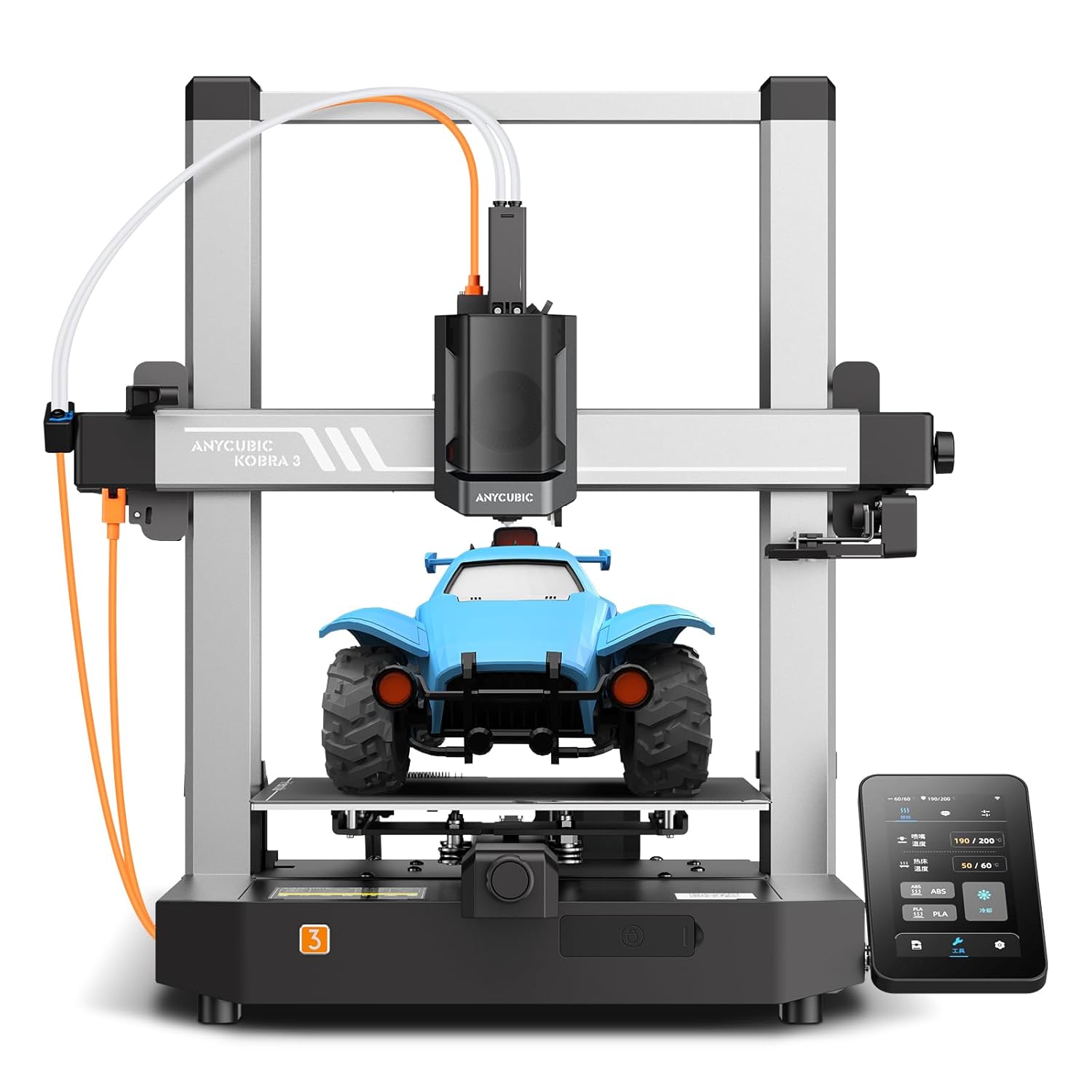
ANYCUBIC Kobra 3 3D Printer Smart Multicolor Printing(4 to 8 Colors), 600 mm/s High Speed FDM 3D Printers, LeviQ 3.0 Auto-Leveling, RFID Sync, 250 * 250 * 260mm Larger Printing Size, Filament Backup
AED1,92183
Quantity:
Order today to get by 7-14 business days
This item qualifies for free delivery
'%3e%3crect%20x='0.599609'%20width='22.4'%20height='16'%20fill='%230A17A7'/%3e%3cpath%20fill-rule='evenodd'%20clip-rule='evenodd'%20d='M-0.426196%20-1.53223L9.1335%204.91587V-1.06506H14.4668V4.91648L24.0263%20-1.53147L25.2193%200.237148L17.6615%205.33494H23.0002V10.6683H17.6618L25.2187%2015.7655L24.0258%2017.5341L14.4668%2011.0865V17.0683H9.1335V11.0871L-0.425634%2017.5348L-1.61858%2015.7662L5.93947%2010.6683H0.600172V5.33494H5.93977L-1.61914%200.236387L-0.426196%20-1.53223Z'%20fill='white'/%3e%3cpath%20d='M15.5332%205.06615L25.6655%20-1.59961'%20stroke='%23DB1F35'%20stroke-width='0.533333'%20stroke-linecap='round'/%3e%3cpath%20d='M16.6094%2010.9578L25.6924%2017.0801'%20stroke='%23DB1F35'%20stroke-width='0.533333'%20stroke-linecap='round'/%3e%3cpath%20d='M7.00176%205.04727L-2.47266%20-1.33789'%20stroke='%23DB1F35'%20stroke-width='0.533333'%20stroke-linecap='round'/%3e%3cpath%20d='M8.02936%2010.8842L-2.47266%2017.8486'%20stroke='%23DB1F35'%20stroke-width='0.533333'%20stroke-linecap='round'/%3e%3cpath%20fill-rule='evenodd'%20clip-rule='evenodd'%20d='M0.599609%209.6H10.1996V16H13.3996V9.6H22.9996V6.4H13.3996V0H10.1996V6.4H0.599609V9.6Z'%20fill='%23E6273E'/%3e%3c/g%3e%3c/svg%3e) Imported From: United Kingdom
Imported From: United Kingdom
At BOLO, we work hard to ensure the products you receive are new, genuine, and sourced from reputable suppliers.
BOLO is not an authorized or official retailer for most brands, nor are we affiliated with manufacturers unless specifically stated on a product page. Instead, we source verified sellers, authorized distributors or directly from the manufacturer.
Each product undergoes thorough inspection and verification at our consolidation and fulfilment centers to ensure it meets our strict authenticity and quality standards before being shipped and delivered to you.
If you ever have concerns regarding the authenticity of a product purchased from us, please contact Bolo Support. We will review your inquiry promptly and, if necessary, provide documentation verifying authenticity or offer a suitable resolution.
Your trust is our top priority, and we are committed to maintaining transparency and integrity in every transaction.
All product information, images, descriptions, and reviews originate from the manufacturer or from trusted sellers overseas. BOLO is not affiliated with, endorsed by, or an authorized retailer for most brands listed on our website unless stated otherwise.
While we strive to display accurate information, variations in packaging, labeling, instructions, or formulation may occasionally occur due to regional differences or supplier updates. For detailed or manufacturer-specific information, please contact the brand directly or reach out to BOLO Support for assistance.
Unless otherwise stated, all prices displayed on the product page include applicable taxes and import duties.
BOLO operates in accordance with the laws and regulations of United Arab Emirates. Any items found to be restricted or prohibited for sale within the UAE will be cancelled prior to shipment. We take proactive measures to ensure that only products permitted for sale in United Arab Emirates are listed on our website.
All items are shipped by air, and any products classified as “Dangerous Goods (DG)” under IATA regulations will be removed from the order and cancelled.
All orders are processed manually, and we make every effort to process them promptly once confirmed. Products cancelled due to the above reasons will be permanently removed from listings across the website.
Similar suggestions by Bolo
More from this brand
Similar items from “3D Printers”
Share with
Or share with link
https://www.bolo.ae/products/KO0Q3DT5DP9
Visit the ANYCUBIC Store
ANYCUBIC Kobra 3 3D Printer Smart Multicolor Printing(4 to 8 Colors), 600 mm/s High Speed FDM 3D Printers, LeviQ 3.0 Auto-Leveling, RFID Sync, 250 * 250 * 260mm Larger Printing Size, Filament Backup
AED1,92183
Quantity:
Order today to get by 7-14 business days
This item qualifies for free delivery
Imported From: United Kingdom
At BOLO, we work hard to ensure the products you receive are new, genuine, and sourced from reputable suppliers.
BOLO is not an authorized or official retailer for most brands, nor are we affiliated with manufacturers unless specifically stated on a product page. Instead, we source verified sellers, authorized distributors or directly from the manufacturer.
Each product undergoes thorough inspection and verification at our consolidation and fulfilment centers to ensure it meets our strict authenticity and quality standards before being shipped and delivered to you.
If you ever have concerns regarding the authenticity of a product purchased from us, please contact Bolo Support. We will review your inquiry promptly and, if necessary, provide documentation verifying authenticity or offer a suitable resolution.
Your trust is our top priority, and we are committed to maintaining transparency and integrity in every transaction.
All product information, images, descriptions, and reviews originate from the manufacturer or from trusted sellers overseas. BOLO is not affiliated with, endorsed by, or an authorized retailer for most brands listed on our website unless stated otherwise.
While we strive to display accurate information, variations in packaging, labeling, instructions, or formulation may occasionally occur due to regional differences or supplier updates. For detailed or manufacturer-specific information, please contact the brand directly or reach out to BOLO Support for assistance.
Unless otherwise stated, all prices displayed on the product page include applicable taxes and import duties.
BOLO operates in accordance with the laws and regulations of United Arab Emirates. Any items found to be restricted or prohibited for sale within the UAE will be cancelled prior to shipment. We take proactive measures to ensure that only products permitted for sale in United Arab Emirates are listed on our website.
All items are shipped by air, and any products classified as “Dangerous Goods (DG)” under IATA regulations will be removed from the order and cancelled.
All orders are processed manually, and we make every effort to process them promptly once confirmed. Products cancelled due to the above reasons will be permanently removed from listings across the website.
Description:
Reviews:
5.0 out of 5 stars Great printer
(function() { P.when('cr-A', 'ready').execute(function(A) { if(typeof A.toggleExpanderAriaLabel === 'function') { A.toggleExpanderAriaLabel('review_text_read_more', 'Read more of this review', 'Read less of this review'); } }); })(); .review-text-read-more-expander:focus-visible { outline: 2px solid #2162a1; outline-offset: 2px; border-radius: 5px; } This printer has so far been excellent, it was somewhat easy to set up and when it is set up it does a lot of tests to make sure the build is level and stays level when printing (I think it has vibration compensation) it has a good sized build plate and because it is heated, filament sticks to it. The ace pro is great as well and the printer prints reasonably fast. It does have quite a large footprint so you do need alot of space to put it but it's well worth it. Anytime I have had issues (caused by filament not the printer) it's super easy to see the issue and fix it because of how clear it is put together.
5.0 out of 5 stars Great printer for the price I paid (£123.65)
I bought this printer on a lightning deal priced at £123.65 and at that price it’s a steal. It’s my second FDM printer, replacing a much loved Flashforge Finder. I’ve now had it a number of months and feel comfortable that I know it’s ups and downs.Although “basic” it ticks all the really important boxes for me: a large print area, flexible build plate (very important), and heated bed. The filament path made me nervous (given the long bowden tube between the extruder head and the stepper motor driving the filament) but actually works very reliably in practice. I’ve used a wide variety of PLA including some rather tricky wood filament that clogged my old printer, and it munches through it all with no problems. I’ve also just started using TPU based flexible filament which has a reputation for being difficult to print and it worked straight from the first print.I was also a little concerned by the fact that the Z axis lead screw is unsupported at he top, which is not ideal, but again, it works well in practice and whilst it is a little more vulnerable to being whacked and bent as a result, it’s quite close to the frame so should be ok.Print quality is great, and my son has quite a side business in print services to his school mates. I have had a number of failed prints, as is normal. Several have been due to running it in an ungrateful garage in winter and bringing it inside resolves them. Other have been due to a roll of filament that is poorly and very tightly wound (not the printers fault) and occasionally jams if you don’t free it up with your hands.The flexible magnetic built plate is superb, making it so much easier to remove prints. The surface has peeled slightly (about a 1mm x 2mm area) at one point due to repeated prints of the same model in the same position. I’d budget to replace that about once a year of heavy printing (they cost about the same as a roll of filament). It certainly seems to cope better than my old flashforge finder did as I frequently needed to buy new build surfaces for that as it was easy to damage when struggling to remove prints from its rigid base.The control panel is basic, but workable. Some of the menus are a bit counterintuitive (for instance manual control of each axis is not found on the menu labelled Control, but under the Prepare menu), but you quickly learn where stuff is and it’s pretty workable. I do wish the selected menu item was shown as reversed colour though rather than with a line above and below, as several times I’ve managed to pick the wrong menu item without realising. Mostly that just means cancelling and going back again, but when it is selecting the file to print and you don’t notice until after the print starts it is super annoying. Also that brings me to my main criticism of the user interface which is that the main Information screen that shows when printing does not include the file name being printed, nor the expected time to completion. The latter you can work out from the percentage complete and the print time so far, but why should you have to do the math yourself?I’m summary, this is a ridiculously good printer for the money I paid, and would be pretty good value even at full price. Sure it’s basic, but what it lacks (auto levelling, dual extrusion, out of filament sensing) are nice to haves not major ommisions. I don’t feel like it’s a printer I will outgrow or become too annoyed with. So for my needs at least, it’s a bargain, neat, and capable printer.UPDATE June 2024 (2 years in): Still working beautifully and reliably, printing several prints a week (mostly fairly small ones admittedly). Can’t recommend this enough!
1.0 out of 5 stars Works fine for 6 prints and then problems please avoid at all costs
The media could not be loaded. I've only had this printer setup for three days. purchased via Bolo. (of which it only worked for 2 days and 6 prints)At first, everything was printing fine and smooth. Then yesterday after completing a print (I'm roughly 6 prints in now since setting up), I loaded another file (which I have printed previously and perfectly I might add (and yes from the same Gcode that was on the flash drive). the printer started making a noise, the nozzle was hitting the print surface and grinding over the print.I manually adjusted the Z hight during print.and i kept adjusting until the nozzle stopped scraping on the print. Then once the scraping finally stopped, the nozzle was then too hight to form a print on the surface. and gave stringy/gaps etc.I aborted the print. i then preformed two bed levels. i then tried to print again and the same thing happened. I manually adjusted until the print collision stopped and then it was too high to print....I redid the bed levelling twice, i homed the axis and i did auto Z calibration. This gave me a hight of -1.31z When I tried to print with this, the print was loose and stringy, and shortly after starting, detached itself and failed. again i completed the bed levelling serval times below is the Z result of each tries this is what i got from auto bed levellingbed level #1 Z=1.37bed level #2 Z=1.36bed level #3 Z=1.35bed level #4 Z=1.36bed level #5 Z=1.31whatever i do, the printer scrapes over the print. even the boat which printed perfectly for testing on first start-up is having massive issues. I cant print anything.I have lost count on home many times I have auto calibrated Z and auto levelled the bed, Homed all etc. I have checked for play in the bed and made sure it is not loose. I have checked the tension of the X and Y belt pulleys. I have checked the extruder, to make sure not loose. and I have checked for play in the wheels to make sure they are not slipping on any axis.day 1 of setup through to day 3 the printer has always printed best at -1.51z and has not made or scraped until yesterday afternoon. now every print is scraping over the printed surface. I either have scraping, or nothing adhering and stringy due to then being to highI have attached videos, you can hear the nozzle scraping. I know the fan is loud but believe me, its very loud in person. It went from all ok to terrible in one print.Tried reaching out to anycubic customer services. They won't acknowledge it has a problem. Just telling me to constantly adjust the z hight..Auto level, random z heights. Home, test print, ajust the z hight on the fly, get a good first layer. After a layer or two print nozzle starts dragging across the print. Adjust to make it higher, nozzle continues to drag getting worse and worse until it beds in to the model.. or I ajust it too high and it dosnt even print.I've followed the troubleshooting wiki pageChecked the belts are tentionedchecked the rollers are correct tensionChecked belts are adjusted as per the manualChecked print head optimum torqueChecked sensor is correct distance as per guideChecked bed is the correct torqueNew fillement rollIt's not even my slices, I'm using the anycubic ones.This is the worst printer I have ever owned. 6 prints over a few days and it's junked.It is not user friendly at all, their customer service takes forever to respond and even then, with sending them videos of something wrong they just respond "adjust the z hight"Please please please avoid this printer at all costs.Product model: FDM printer/Kobra 2 Neo
5.0 out of 5 stars Excellent value. And a great entry level printer.
If you are looking to get into 3D printing but don’t want to commit a lot of money.This is a great option.Very user friendly.About as plug and play as you get.Great result, and surprisingly good prints for the price.I cannot recommend this enough.I can’t remember the last time I got this much satisfaction for the sort of price.
Kobra S1 Combo Drucker nun super, Support hat alles geregelt
(function() { P.when('cr-A', 'ready').execute(function(A) { if(typeof A.toggleExpanderAriaLabel === 'function') { A.toggleExpanderAriaLabel('review_text_read_more', 'Read more of this review', 'Read less of this review'); } }); })(); .review-text-read-more-expander:focus-visible { outline: 2px solid #2162a1; outline-offset: 2px; border-radius: 5px; } Ich möchte meine Erfahrungen mit dem Anycubic Kobra S1 Combo 3D-Drucker teilen, die zunächst etwas holprig begannen, sich aber dank des herausragenden Supports von Anycubic zu einer durchweg positiven Erfahrung entwickelt haben.Als der Drucker ankam, stellte ich leider fest, dass einige Komponenten defekt waren. Das war natürlich frustrierend, besonders da ich mich sehr auf das Ausprobieren dieses vielversprechenden Druckers gefreut hatte. Ich zögerte nicht lange und kontaktierte den Anycubic-Support.Und hier kommt der absolute Knackpunkt: Der Support von Anycubic ist schlichtweg herausragend! Meine Anfrage wurde schnell und professionell bearbeitet. Die Mitarbeiter waren freundlich, hilfsbereit und vor allem sehr kompetent. Nach einer unkomplizierten Fehleranalyse wurden mir umgehend alle defekten Teile kostenlos zugesandt. Die Kommunikation war dabei stets transparent und ich fühlte mich jederzeit gut informiert.Nachdem die Ersatzteile eingetroffen waren und ich sie problemlos installieren konnte, entfesselte der Anycubic Kobra S1 Combo sein volles Potenzial. Die Inbetriebnahme war dank der klaren Anleitung ein Kinderspiel. Die automatische Nivellierung funktioniert tadellos und sorgt für eine perfekte erste Schicht, was für qualitativ hochwertige Drucke unerlässlich ist.Die Druckqualität, die dieser Drucker liefert, ist beeindruckend. Sowohl feine Details als auch größere Objekte werden präzise und sauber gedruckt. Die Geschwindigkeit ist ebenfalls bemerkenswert, was den Druckprozess deutlich effizienter gestaltet. Die Benutzeroberfläche ist intuitiv und einfach zu bedienen. Auch die zusätzlichen Features der Combo-Version, wie beispielsweise die Möglichkeit für Multi-Color-Drucke (sofern das entsprechende Zubehör genutzt wird), sind ein echter Mehrwert.Was mich besonders überzeugt hat, ist die Robustheit und die allgemeine Verarbeitungsqualität des Druckers. Er fühlt sich wertig an und arbeitet zuverlässig. Seit der Behebung der anfänglichen Probleme läuft der Drucker absolut reibungslos und liefert konstant hervorragende Ergebnisse.Fazit:Meine anfängliche Enttäuschung über die defekten Teile ist der uneingeschränkten Begeisterung für den Anycubic Kobra S1 Combo gewichen. Der herausragende Support von Anycubic hat aus einem potenziell frustrierenden Erlebnis eine positive Erfahrung gemacht. Die schnelle Reaktion und die unkomplizierte Zusendung der Ersatzteile haben mich wirklich beeindruckt.Dieser 3D-Drucker liefert eine fantastische Druckqualität, ist schnell, benutzerfreundlich und bietet ein tolles Preis-Leistungs-Verhältnis. Sollten wider Erwarten Probleme auftreten, kann man sich absolut auf den erstklassigen Support von Anycubic verlassen und ihn jederzeit erneut kontaktieren. Selbst bei meinem alten Kobra Neo 2 haben sie mir ohne Probleme geholfen.Ich bin nun mehr als zufrieden mit meinem Anycubic Kobra S1 Combo und würde jederzeit wieder einen Drucker von Anycubic kaufen. Die Kombination aus einem leistungsstarken Gerät und einem exzellenten Kundenservice ist unschlagbar! Eine klare Kaufempfehlung für alle, die in die Welt des 3D-Drucks eintauchen oder ihren bestehenden Setup erweitern möchten.
tres bonne imprimante
Venant d'une imprimante Geetech Prusia I3Pro W, que j'avais dû assemblé moi-même , je suis extrêmement content après 2 jours d'essais.Le réglage du plateau nettement + facile et prend nettement moins de temps. La machine est nettement + stable et l'impression + fine, mais cela est peut-être dû au logiciel Cura qui a tendance a faire imprimer moins vite et en couche + fine.Pour moi le plus gros inconvénient c'est le bruit de la ventilation qui elle est nettement plus bruyante que la Geetech (2 a 3 fois plus) mais les déplacement de la tête elle est moins bruyante.Concernant le graveur Lazer ,c'est très lent, et l'image ou le texte doit être en VRAI NOIR pas du grisé noir, sinon on ne grave rien.
Anycubic Kobra S1: la stampante 3D perfetta per iniziare (e non solo)
📖 IntroduzioneLa Anycubic Kobra S1 è una stampante 3D che ha fatto parlare di sè per le sue prestazioni elevate, la facilità d'uso e il prezzo competitivo, soprattutto se si considera il bundle con l'Anycubic ACE Pro. L'ho acquistata come mia prima esperienza nel mondo della stampa 3D e, con qualche accorgimento e un pizzico di pazienza, si è rivelata una scelta eccellente.✅ Punti di forza⭐ Facilità d'uso anche per principiantiAnche chi parte da zero può iniziare a stampare in meno di mezz'ora. Le istruzioni sono chiare, i video ufficiali aiutano molto e l'interfaccia touch è davvero ben progettata. Il sistema è praticamente pronto all'uso e basta poco per iniziare a ottenere stampe di buona qualità.⭐ Ottima qualità costruttiva e dotazione completaLa stampante arriva con un imballaggio a prova di bomba e una dotazione completa di utensili. Il telaio è robusto, il piatto magnetico è facile da rimuovere e riposizionare, e l'estrusore fa bene il suo lavoro. L'ACE Pro, che funge anche da essiccatore, è una piacevole sorpresa, mantenendo i filamenti in perfette condizioni.⭐ Livellamento completamente automaticoUna delle funzioni più apprezzate è il livellamento automatico del piatto: non serve alcuna regolazione manuale, rendendo l'avvio delle stampe semplice e senza intoppi. Questo è un enorme vantaggio soprattutto per i principianti, ma anche per chi cerca efficienza.⭐ Software solido e personalizzabileLo slicer Anycubic, basato su Orca Slicer, è ben fatto e sufficientemente potente per utenti base e intermedi. È compatibile anche con alternative come PrusaSlicer, offrendo margine di crescita man mano che si acquisisce esperienza.❌ Punti di debolezza⚠️ Gestione delle stampe multicolore e consumo di materialeLa stampa multicolore può sembrare una funzione allettante, ma spesso non è efficiente: in un test su un piccolo oggetto da 60 gr, ci sono stati circa 500 cambi di colore e oltre 400 gr di scarto. Occorre quindi valutare se ne valga davvero la pena, specialmente per stampe complesse.⚠️ Inerzia e vibrazioni alle alte velocitàStampando a 300mm/s si nota una certa vibrazione, e anche il rumore della ventola può farsi sentire. Nulla di eccessivo, ma è importante appoggiare la stampante su una superficie solida per evitare movimenti indesiderati.✍️ La mia esperienza personaleDa completo novizio nel mondo della stampa 3D, posso dire che la Kobra S1 è stata un'ottima scelta. I primi progetti sono partiti senza intoppi, e anche quando ho avuto problemi, è bastato un minimo di documentazione online per risolverli. L'adesione al piatto è sempre ottima, e circa il 60-70% delle stampe sono riuscite perfettamente al primo colpo. Il restante 30%? Questione di esperienza e settaggi, che con un pò di tempo e video tutorial si impara a gestire. In breve, è una stampante che insegna e gratifica.🎯 Conclusione e raccomandazioneNon pensavo che una stampante 3D potesse darmi così tante soddisfazioni fin da subito. La Anycubic Kobra S1 è stata davvero una bella sorpresa: semplice da usare, stabile, con risultati più che buoni anche senza avere esperienza. Certo, qualche limite c'è, come il rumore alle alte velocità o la gestione un pò 'sprecona' della stampa multicolore, ma nel complesso il bilancio è più che positivo.Se stai pensando di iniziare con la stampa 3D, oppure vuoi qualcosa di più completo senza spendere cifre esagerate, questa stampante è una scelta che consiglio senza dubbi. Con l’ACE Pro inclusa poi, il pacchetto è davvero completo fin da subito.
Ideales Einsteigergerät mit gutem Druckbild
Der Anycubic Mega-S ist ein hervorragender Drucker für den Einstieg in den 3D-Druck. Er liefert ein sehr gutes Druckbild zu einem mehr als fairen Preis. Ich bin selbst absoluter 3D-Druck Neuling und konnte mit dem Gerät bereits nach kürzester Zeit sehr gute Ergebnisse erzielen.Meine Rezension richtet sich daher vor allem an 3D-Einsteiger, denen ich neben einer Bewertung des Geräts auch ein paar Tipps geben möchte, die helfen könnten ein paar Fettnäpfchen zu vermeiden, in die ich als Neuling getappt bin.Nun aber etwas genauer:Aufbau und Levelling:Der Aufbau des Geräts ist spielend einfach. Eigentlich müssen nur die Basis und der Druckrahmen miteinander verbunden und mit 8 Schrauben verschraubt werden. Anschließend werden noch vier Stecker in die entsprechenden Buchsen gesteckt und der Filamenthalter montiert, fertig. Der Aufbau ist in 15-20 Minuten erledigt. Das erforderliche Werkzeug wird direkt mitgeliefert. Der einzige Kritikpunkt ist, dass es die Anleitung nur in englischer Sprache gibt. Wer kein Englisch kann muss aber trotzdem nicht verzweifeln, im Internet auf der „Fanseite“ des Anycubic Mega gibt es auch eine deutsche Übersetzung.Die wesentlich aufwändigere Arbeit ist das Levelling des Druckers. Hier sollte man sich ausreichend Zeit nehmen um anschließend ein sauberes Druckbild und eine ordentliche Haftung auf der Grundplatte zu erhalten.Praxistipp:Laut Anleitung soll man das mitgelieferte Papier verwenden, mit dem die Ultrabase zum Schutz beklebt war. In der Praxis hat sich dieses Papier bei mir aber als viel zu dick erwiesen. Ich habe hier einen Tipp aus dem Internet beherzigt und habe das Levelling mit einem Kassenzettel durchgeführt. Das Thermotransferpapier des Kassenbons ist deutlich dünner und liefert erheblich bessere Ergebnisse beim Ausdruck. Ich empfehle hier von der Anleitung abzuweichen und ebenfalls einen Kassenbon für das Levelling zu verwenden.Der erste Ausdruck:Erfreulicherweise wird auf der beiliegenden SD-Karte direkt ein Druckbeispiel mitgeliefert (Eulen). Da auch eine kleine Menge Filament im Lieferumfang enthalten ist, kann man direkt loslegen. Das mitgelieferte Filament reicht für etwa zwei Ausdrucke des Testbeispiels, man kann sich also auch einen Fehldruck erlauben. Das Druckbild des Druckers ist sehr sauber. Es gab zwar leichte Fäden an den Eulen (siehe Foto), diese waren aber sehr leicht zu entfernen. Zurück blieb ein sehr ansehnlicher Ausdruck. Die Qualität der Eulen gibt schon mal Aufschluss darüber, ob der Drucker korrekt justiert ist. Auch andere Drucke (z.B. das Einhorn, siehe Foto) haben eine hervorragende Qualität und das ohne größeres Expertenwissen. Mit etwas mehr Erfahrung lassen sich hier sicherlich noch deutlich bessere Resultate erzielen.Praxistipp:Falls bei euch die Eulen umfallen sollten, das liegt in den meisten Fällen nicht am Drucker, sondern an dessen Einrichtung. Wenn der Drucker korrekt eingerichtet und justiert ist, klappt der Ausdruck auch ohne weitere Anpassungen. Das musste ich auch aus eigener Erfahrung feststellen. Hier gibt es zwei Dinge, die man tun sollte. Zum einen sollte man das Levelling nochmals prüfen (siehe oben die Kassenbon-Methode), zum anderen sollte man die Ultrabase vorher ordentlich reinigen um Staub und Fingerabdrücke vom Zusammenbau zu entfernen. Ich habe hier im Internet einen Tipp gefunden, der sehr gut geholfen hat. Zum Reinigen eignet sich hervorragend Bio-Glasreiniger auf Spiritus Basis (Achtung: keine Glasreiniger mit Abperleffekt verwenden). Nach der Reinigung und dem neuen Levelling hat der Ausdruck der Eulen auch hervorragend geklappt. Es liegt also nicht am Druckmuster oder am Drucker, sondern meistens doch am Benutzer...Software und Installation:Die erforderlichen Treiber und die Slicer-Software sind direkt auf der beiliegenden SD-Karte enthalten. Man bekommt also vom Hersteller alles mitgeliefert, was man für den Ausdruck eigener Modelle benötigt. Als Slicer empfiehlt sich hier CURA. Ich verwende allerdings nicht die mitgelieferte Version, sondern habe mir die aktuelle Version von CURA direkt aus dem Internet heruntergeladen (Freeware). Die Grundeinstellungen für den Drucker sind in der Software bereits enthalten.Praxistipp:Für Anfänger empfiehlt es sich mit den Grundeinstellungen zu drucken, das reicht meistens für die ersten eigenen Ausdrucke aus. Anpassungen sollte man erst vornehmen, wenn man entsprechende Erfahrungen gesammelt hat. Hier sollte man sich auch ein paar Tutorials auf Youtube anschauen, bevor man loslegt. Spart euch die Zeit für Fehldrucke und schaut euch lieber erst die Tutorials an. Auch hier gilt, der Fehler liegt meist zwischen den Ohren vom Anwender, wie ich selbst feststellen musste.Verarbeitung des Druckers:Hinsichtlich Verarbeitung hat mich der Drucker sehr positiv überrascht. Für rund 300 Euro bekommt man hier ein Gerät, das sehr sauber verarbeitet und ausgesprochen stabil ist. Lediglich der Touchscreen ist leicht gewöhnungsbedürftig, da er manchmal etwas schwerfällig reagiert. Aber bei dem Preis muss man eben auch kleinere Abstriche in Kauf nehmen. Und ganz ehrlich, wenn der Ausdruck läuft benötigt den Touchscreen ja ohnehin niemand mehr.Von der Lautstärke des Druckers bin ich ebenfalls positiv überrascht. Ich hatte in einigen Rezensionen gelesen, das Gerät wäre extrem laut. Ich persönlich finde das gar nicht. Natürlich ist der Drucker deutlich hörbar, aber der Geräuschpegel ist durchaus erträglich. Ich würde sagen, in etwa vergleichbar mit einem billigen Tintenstrahldrucker. Da hatte ich schlimmeres befürchtet.Einzig der Stromverbrauch ist bei diesem Gerät doch etwas höher als bei den hochwertigeren Druckern. Aber da der Drucker im privaten Umfeld ja nicht Tag und Nacht läuft, sollte das für jeden zu verschmerzen sein. Für die Preisdifferenz bei der Anschaffung kann man verdammt viele Kilowattstunden verbraten ;-).Fazit: Natürlich ist der Anycubic Mega-S kein Profidrucker, aber für den Hausgebrauch ist er mehr als ausreichend. Gerade für Personen, die in die Welt des 3D-Drucks einsteigen möchten, bietet der Mega-S ein perfektes Preis-Leistungs-Verhältnis. Ganz klare Kaufempfehlung und volle 5 Sterne. Ich würde ihn jederzeit wieder kaufen.
Imprimante 3d
Imprimante au top
Similar suggestions by Bolo
More from this brand
Similar items from “3D Printers”
Share with
Or share with link
https://www.bolo.ae/products/KO0Q3DT5DP9