Description:
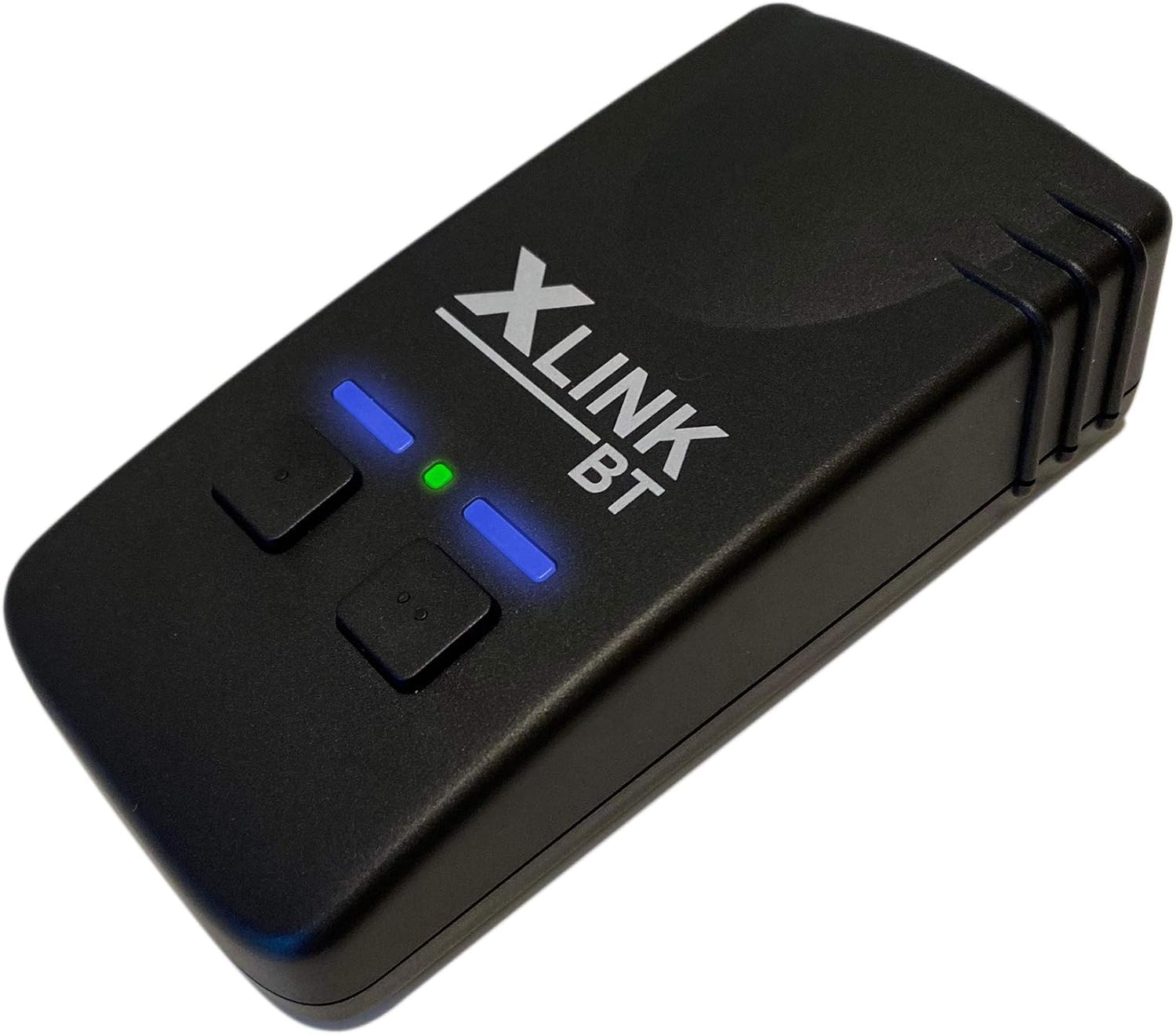
The XLink BT 2 is the latest model from the XLink family. The XLink BT 2 allows you to make and answer phone calls with normal home phones. No more searching for your phones - just use normal phones at home or in the office. No more paying for a landline - just use your mobile plan. Leave your landline service away without losing the use of your corded or cordless phone systems at home or in your office. - All mobile phones with Bluetooth wireless technology work with the XLink BT 2. - All calls are made with the plan of your mobile phone. No new number or contract is required. - The XLink BT 2 works with existing wired and wireless phones. No new equipment is required. - Many homes and offices have dead spots. With the XLink BT2, you can store your phone in a place with good reception. Calls can then be made from anywhere in the house using your existing home telephone. - The XLink BT 2 can be connected to TWO different phones at the same time. - Supports antique phones and rotary knobs. - The XLink BT 2 has the highest ringer performance and can ring multiple antique phones. Product contents: XLink BT2 power supply, user manual (English language not guaranteed)
Details:
| Brand | XLink |
|---|---|
| Colour | ['Black'] |
| Telephone type | Corded |
| Material | Plastic |
| Power source | Corded Electric |
| Dialler type | Manual (Dual Keyboard or Single Keyboard) |
| Item dimensions L x W x H | 5.7 x 3.2 x 10.8 centimetres |
| Answering system type | Digital |
| Item weight | 0.19 Kilograms |
| Compatible devices | Mobile phones with Bluetooth |
Visit the XLink Store
Xtreme Technologies New XLink BT Bluetooth Gateway
AED77059
Quantity:
Order today to get by 7-14 business days
This item qualifies for free delivery
'%3e%3crect%20x='0.599609'%20width='22.4'%20height='16'%20fill='%230A17A7'/%3e%3cpath%20fill-rule='evenodd'%20clip-rule='evenodd'%20d='M-0.426196%20-1.53223L9.1335%204.91587V-1.06506H14.4668V4.91648L24.0263%20-1.53147L25.2193%200.237148L17.6615%205.33494H23.0002V10.6683H17.6618L25.2187%2015.7655L24.0258%2017.5341L14.4668%2011.0865V17.0683H9.1335V11.0871L-0.425634%2017.5348L-1.61858%2015.7662L5.93947%2010.6683H0.600172V5.33494H5.93977L-1.61914%200.236387L-0.426196%20-1.53223Z'%20fill='white'/%3e%3cpath%20d='M15.5332%205.06615L25.6655%20-1.59961'%20stroke='%23DB1F35'%20stroke-width='0.533333'%20stroke-linecap='round'/%3e%3cpath%20d='M16.6094%2010.9578L25.6924%2017.0801'%20stroke='%23DB1F35'%20stroke-width='0.533333'%20stroke-linecap='round'/%3e%3cpath%20d='M7.00176%205.04727L-2.47266%20-1.33789'%20stroke='%23DB1F35'%20stroke-width='0.533333'%20stroke-linecap='round'/%3e%3cpath%20d='M8.02936%2010.8842L-2.47266%2017.8486'%20stroke='%23DB1F35'%20stroke-width='0.533333'%20stroke-linecap='round'/%3e%3cpath%20fill-rule='evenodd'%20clip-rule='evenodd'%20d='M0.599609%209.6H10.1996V16H13.3996V9.6H22.9996V6.4H13.3996V0H10.1996V6.4H0.599609V9.6Z'%20fill='%23E6273E'/%3e%3c/g%3e%3c/svg%3e) Imported From: United Kingdom
Imported From: United Kingdom
At BOLO, we work hard to ensure the products you receive are new, genuine, and sourced from reputable suppliers.
Every product in the BOLO catalogue is sourced through our Verified Global Supply Network of verified sellers, authorized distributors or directly from the manufacturer.
Each product undergoes thorough inspection and verification at our consolidation and fulfilment centers to ensure it meets our strict authenticity and quality standards before being shipped and delivered to you.
If you ever have concerns regarding the authenticity of a product purchased from us, please contact Bolo Support. We will review your inquiry promptly and, if necessary, provide documentation verifying authenticity or offer a suitable resolution.
Your trust is our top priority, and we are committed to maintaining transparency and integrity in every transaction.
While we strive to display accurate information, variations in packaging, labeling, instructions, or formulation may occasionally occur due to regional differences or supplier updates. For detailed or manufacturer-specific information, please contact the brand directly or reach out to BOLO Support for assistance.
Unless otherwise stated, all prices displayed on the product page include applicable taxes and import duties.
BOLO operates in accordance with the laws and regulations of United Arab Emirates. Any items found to be restricted or prohibited for sale within the United Arab Emirates will be cancelled prior to shipment. We take proactive measures to ensure that only products permitted for sale in United Arab Emirates are listed on our website.
All items are shipped by air, and any products classified as “Dangerous Goods (DG)” under IATA regulations will be removed from the order and cancelled.
All orders are processed manually, and we make every effort to process them promptly once confirmed. Products cancelled due to the above reasons will be permanently removed from listings across the website.
Similar suggestions by Bolo
More from this brand
Similar items from “Bluetooth Network Adapters”
Share with
Or share with link
https://www.bolo.ae/products/KO08EKS16KQ
Visit the XLink Store
Xtreme Technologies New XLink BT Bluetooth Gateway
AED77059
Quantity:
Order today to get by 7-14 business days
This item qualifies for free delivery
Imported From: United Kingdom
At BOLO, we work hard to ensure the products you receive are new, genuine, and sourced from reputable suppliers.
Every product in the BOLO catalogue is sourced through our Verified Global Supply Network of verified sellers, authorized distributors or directly from the manufacturer.
Each product undergoes thorough inspection and verification at our consolidation and fulfilment centers to ensure it meets our strict authenticity and quality standards before being shipped and delivered to you.
If you ever have concerns regarding the authenticity of a product purchased from us, please contact Bolo Support. We will review your inquiry promptly and, if necessary, provide documentation verifying authenticity or offer a suitable resolution.
Your trust is our top priority, and we are committed to maintaining transparency and integrity in every transaction.
While we strive to display accurate information, variations in packaging, labeling, instructions, or formulation may occasionally occur due to regional differences or supplier updates. For detailed or manufacturer-specific information, please contact the brand directly or reach out to BOLO Support for assistance.
Unless otherwise stated, all prices displayed on the product page include applicable taxes and import duties.
BOLO operates in accordance with the laws and regulations of United Arab Emirates. Any items found to be restricted or prohibited for sale within the United Arab Emirates will be cancelled prior to shipment. We take proactive measures to ensure that only products permitted for sale in United Arab Emirates are listed on our website.
All items are shipped by air, and any products classified as “Dangerous Goods (DG)” under IATA regulations will be removed from the order and cancelled.
All orders are processed manually, and we make every effort to process them promptly once confirmed. Products cancelled due to the above reasons will be permanently removed from listings across the website.
Description:
The XLink BT 2 is the latest model from the XLink family. The XLink BT 2 allows you to make and answer phone calls with normal home phones. No more searching for your phones - just use normal phones at home or in the office. No more paying for a landline - just use your mobile plan. Leave your landline service away without losing the use of your corded or cordless phone systems at home or in your office. - All mobile phones with Bluetooth wireless technology work with the XLink BT 2. - All calls are made with the plan of your mobile phone. No new number or contract is required. - The XLink BT 2 works with existing wired and wireless phones. No new equipment is required. - Many homes and offices have dead spots. With the XLink BT2, you can store your phone in a place with good reception. Calls can then be made from anywhere in the house using your existing home telephone. - The XLink BT 2 can be connected to TWO different phones at the same time. - Supports antique phones and rotary knobs. - The XLink BT 2 has the highest ringer performance and can ring multiple antique phones. Product contents: XLink BT2 power supply, user manual (English language not guaranteed)
Details:
| Brand | XLink |
|---|---|
| Colour | ['Black'] |
| Telephone type | Corded |
| Material | Plastic |
| Power source | Corded Electric |
| Dialler type | Manual (Dual Keyboard or Single Keyboard) |
| Item dimensions L x W x H | 5.7 x 3.2 x 10.8 centimetres |
| Answering system type | Digital |
| Item weight | 0.19 Kilograms |
| Compatible devices | Mobile phones with Bluetooth |
Similar suggestions by Bolo
More from this brand
Similar items from “Bluetooth Network Adapters”
Share with
Or share with link
https://www.bolo.ae/products/KO08EKS16KQ