Description:
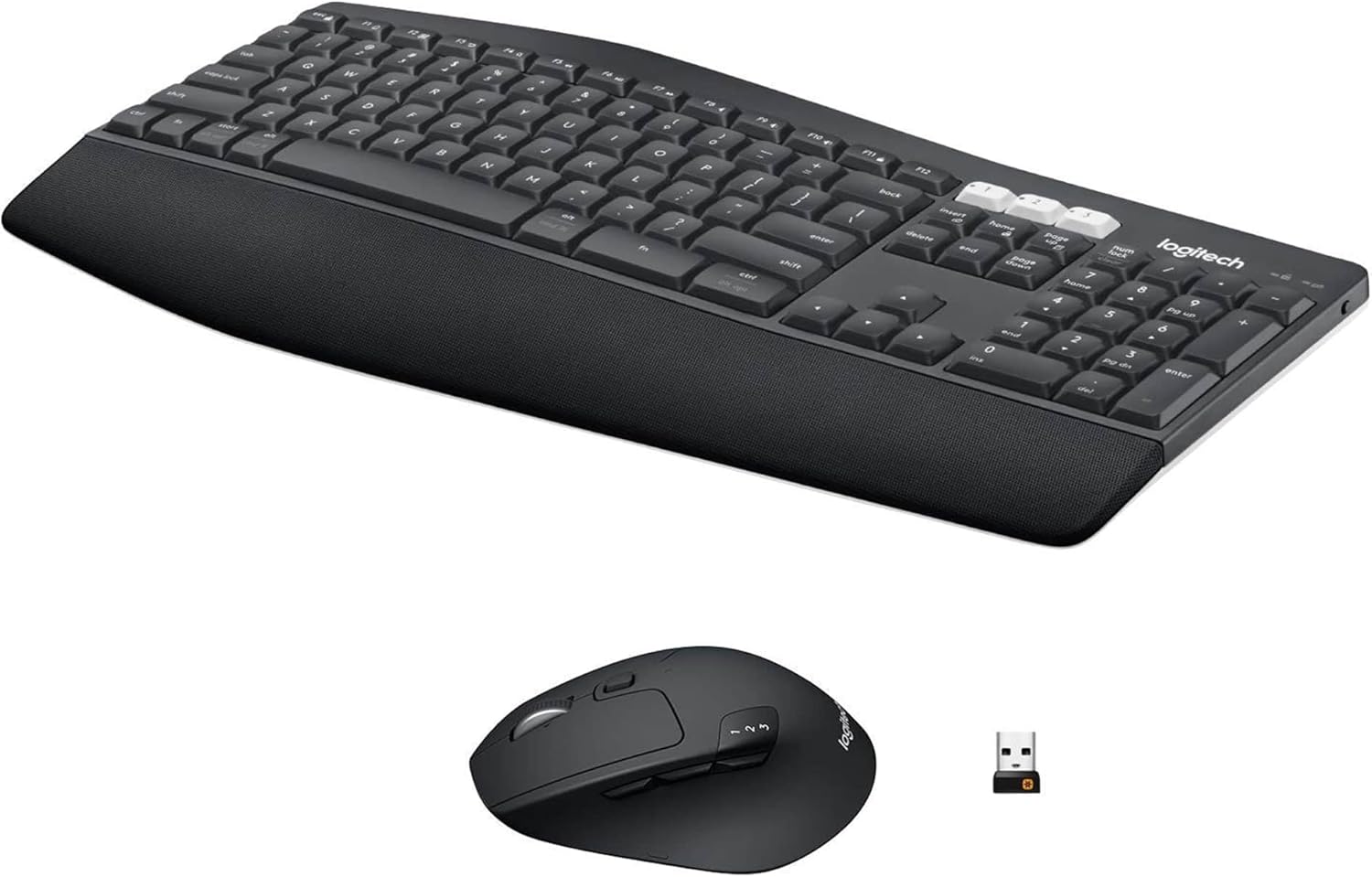
Experience next-level comfort and productivity with the powerful Logitech MK850 Performance Wireless Keyboard and Mouse Combo. Fly through documents and web pages with hyper-fast scrolling – and type quietly and efficiently on a full-size keyboard with carefully crafted keys. The cushioned palm rest and curved keyframe give you the support you need, while adjustable tilt legs offer the ideal typing angle and the contoured design of the mouse fits comfortably in your palm. Type and switch seamlessly between your computer, tablet and phone. Pair your mouse with up to 3 devices. Any USB-equipped or Bluetooth Smart ready device that supports an external keyboard (HID profile).
In order for your keyboard to work with your device, the device must have built-in Bluetooth capability or be using a third-party Bluetooth receiver or dongle. If your system is Bluetooth-capable and the keyboard isn't working, the problem is likely a lost connection. The connection between the MK850 keyboard and the computer or tablet can be lost for several reasons, such as: Low battery power , Using your wireless keyboard on metal surfaces. Radio frequency (RF) interference from other wireless devices, such as: Wireless speakers, Computer power supplies, Monitors, Cell phones, Garage door openers Try to rule out these and other possible problem sources that might be affecting your keyboard.
If your keyboard frequently stops working and you keep having to reconnect it, try these suggestions:
Keep other electrical devices at least 8 inches (20 cm) away from the keyboard.
Move the keyboard closer to the computer or tablet.
Un-pair and re-pair your device to the keyboard.
Box Contains
1 x Wireless keyboard
Wireless mouse
Unifying receiver
2 AAA batteries in keyboard
1 AA battery in mouse (pre-installed)
USB range extender cable
User documentation
Details:
Visit the Logitech Store
Logitech MK850 Multi-Device Wireless Keyboard and Mouse Combo, 2.4GHz Wireless and Bluetooth, Curved Keyframe & Wireless Mouse, 12 Programmable Keys, 3-Year Battery Life, PC/Mac, QWERTY UK Layout
AED74132
Quantity:
Order today to get by 7-14 business days
This item qualifies for free delivery
'%3e%3crect%20x='0.599609'%20width='22.4'%20height='16'%20fill='%230A17A7'/%3e%3cpath%20fill-rule='evenodd'%20clip-rule='evenodd'%20d='M-0.426196%20-1.53223L9.1335%204.91587V-1.06506H14.4668V4.91648L24.0263%20-1.53147L25.2193%200.237148L17.6615%205.33494H23.0002V10.6683H17.6618L25.2187%2015.7655L24.0258%2017.5341L14.4668%2011.0865V17.0683H9.1335V11.0871L-0.425634%2017.5348L-1.61858%2015.7662L5.93947%2010.6683H0.600172V5.33494H5.93977L-1.61914%200.236387L-0.426196%20-1.53223Z'%20fill='white'/%3e%3cpath%20d='M15.5332%205.06615L25.6655%20-1.59961'%20stroke='%23DB1F35'%20stroke-width='0.533333'%20stroke-linecap='round'/%3e%3cpath%20d='M16.6094%2010.9578L25.6924%2017.0801'%20stroke='%23DB1F35'%20stroke-width='0.533333'%20stroke-linecap='round'/%3e%3cpath%20d='M7.00176%205.04727L-2.47266%20-1.33789'%20stroke='%23DB1F35'%20stroke-width='0.533333'%20stroke-linecap='round'/%3e%3cpath%20d='M8.02936%2010.8842L-2.47266%2017.8486'%20stroke='%23DB1F35'%20stroke-width='0.533333'%20stroke-linecap='round'/%3e%3cpath%20fill-rule='evenodd'%20clip-rule='evenodd'%20d='M0.599609%209.6H10.1996V16H13.3996V9.6H22.9996V6.4H13.3996V0H10.1996V6.4H0.599609V9.6Z'%20fill='%23E6273E'/%3e%3c/g%3e%3c/svg%3e) Imported From: United Kingdom
Imported From: United Kingdom
At BOLO, we work hard to ensure the products you receive are new, genuine, and sourced from reputable suppliers.
Every product in the BOLO catalogue is sourced through our Verified Global Supply Network of verified sellers, authorized distributors or directly from the manufacturer.
Each product undergoes thorough inspection and verification at our consolidation and fulfilment centers to ensure it meets our strict authenticity and quality standards before being shipped and delivered to you.
If you ever have concerns regarding the authenticity of a product purchased from us, please contact Bolo Support. We will review your inquiry promptly and, if necessary, provide documentation verifying authenticity or offer a suitable resolution.
Your trust is our top priority, and we are committed to maintaining transparency and integrity in every transaction.
While we strive to display accurate information, variations in packaging, labeling, instructions, or formulation may occasionally occur due to regional differences or supplier updates. For detailed or manufacturer-specific information, please contact the brand directly or reach out to BOLO Support for assistance.
Unless otherwise stated, all prices displayed on the product page include applicable taxes and import duties.
BOLO operates in accordance with the laws and regulations of United Arab Emirates. Any items found to be restricted or prohibited for sale within the United Arab Emirates will be cancelled prior to shipment. We take proactive measures to ensure that only products permitted for sale in United Arab Emirates are listed on our website.
All items are shipped by air, and any products classified as “Dangerous Goods (DG)” under IATA regulations will be removed from the order and cancelled.
All orders are processed manually, and we make every effort to process them promptly once confirmed. Products cancelled due to the above reasons will be permanently removed from listings across the website.
Similar suggestions by Bolo
More from this brand
Similar items from “Keyboard & Mouse Combos”
Share with
Or share with link
https://www.bolo.ae/products/KO01ZG5JYUL
Visit the Logitech Store
Logitech MK850 Multi-Device Wireless Keyboard and Mouse Combo, 2.4GHz Wireless and Bluetooth, Curved Keyframe & Wireless Mouse, 12 Programmable Keys, 3-Year Battery Life, PC/Mac, QWERTY UK Layout
AED74132
Quantity:
Order today to get by 7-14 business days
This item qualifies for free delivery
Imported From: United Kingdom
At BOLO, we work hard to ensure the products you receive are new, genuine, and sourced from reputable suppliers.
Every product in the BOLO catalogue is sourced through our Verified Global Supply Network of verified sellers, authorized distributors or directly from the manufacturer.
Each product undergoes thorough inspection and verification at our consolidation and fulfilment centers to ensure it meets our strict authenticity and quality standards before being shipped and delivered to you.
If you ever have concerns regarding the authenticity of a product purchased from us, please contact Bolo Support. We will review your inquiry promptly and, if necessary, provide documentation verifying authenticity or offer a suitable resolution.
Your trust is our top priority, and we are committed to maintaining transparency and integrity in every transaction.
While we strive to display accurate information, variations in packaging, labeling, instructions, or formulation may occasionally occur due to regional differences or supplier updates. For detailed or manufacturer-specific information, please contact the brand directly or reach out to BOLO Support for assistance.
Unless otherwise stated, all prices displayed on the product page include applicable taxes and import duties.
BOLO operates in accordance with the laws and regulations of United Arab Emirates. Any items found to be restricted or prohibited for sale within the United Arab Emirates will be cancelled prior to shipment. We take proactive measures to ensure that only products permitted for sale in United Arab Emirates are listed on our website.
All items are shipped by air, and any products classified as “Dangerous Goods (DG)” under IATA regulations will be removed from the order and cancelled.
All orders are processed manually, and we make every effort to process them promptly once confirmed. Products cancelled due to the above reasons will be permanently removed from listings across the website.
Description:
Experience next-level comfort and productivity with the powerful Logitech MK850 Performance Wireless Keyboard and Mouse Combo. Fly through documents and web pages with hyper-fast scrolling – and type quietly and efficiently on a full-size keyboard with carefully crafted keys. The cushioned palm rest and curved keyframe give you the support you need, while adjustable tilt legs offer the ideal typing angle and the contoured design of the mouse fits comfortably in your palm. Type and switch seamlessly between your computer, tablet and phone. Pair your mouse with up to 3 devices. Any USB-equipped or Bluetooth Smart ready device that supports an external keyboard (HID profile).
In order for your keyboard to work with your device, the device must have built-in Bluetooth capability or be using a third-party Bluetooth receiver or dongle. If your system is Bluetooth-capable and the keyboard isn't working, the problem is likely a lost connection. The connection between the MK850 keyboard and the computer or tablet can be lost for several reasons, such as: Low battery power , Using your wireless keyboard on metal surfaces. Radio frequency (RF) interference from other wireless devices, such as: Wireless speakers, Computer power supplies, Monitors, Cell phones, Garage door openers Try to rule out these and other possible problem sources that might be affecting your keyboard.
If your keyboard frequently stops working and you keep having to reconnect it, try these suggestions:
Keep other electrical devices at least 8 inches (20 cm) away from the keyboard.
Move the keyboard closer to the computer or tablet.
Un-pair and re-pair your device to the keyboard.
Box Contains
1 x Wireless keyboard
Wireless mouse
Unifying receiver
2 AAA batteries in keyboard
1 AA battery in mouse (pre-installed)
USB range extender cable
User documentation
Details:
Similar suggestions by Bolo
More from this brand
Similar items from “Keyboard & Mouse Combos”
Share with
Or share with link
https://www.bolo.ae/products/KO01ZG5JYUL